
These frequently asked questions (FAQs) are for businesses implementing the Folio3 Opayo-NetSuite Connector to automate their payment processing and financial reconciliation. They are designed to clarify how the integration transforms Opayo transaction data into accurate NetSuite records for sales, deposits, and settlements. This guide helps ensure a seamless, auditable, and error-free payment-to-cash cycle.
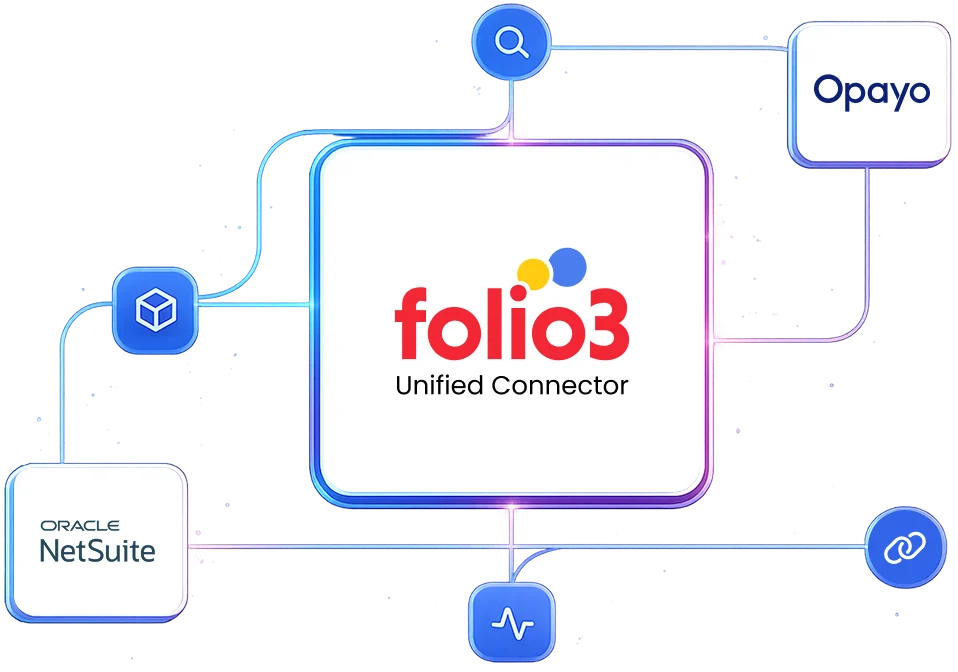
The Folio3 Opayo-NetSuite Connector is purpose-built to eliminate the manual, error-prone process of reconciling Opayo payments with NetSuite transactions. It automates the entire payment-to-cash cycle in real-time and creates sales orders, customer deposits, and cash sales directly from Opayo transactions.
This removes the need for CSV imports, manual journal entries, and spreadsheet reconciliation that typically plague payment gateway integrations.
The connector is architected with NetSuite as the financial system of record. Opayo is the payment processor and source of truth for the raw transaction and settlement data. The connector transforms Opayo’s transaction-centric data into NetSuite’s accounting-centric records (Customers, Sales Orders, Deposits, Cash Sales, Bank Feeds) in order to ensure a perfect, auditable reconciliation.
Not when using the Folio3 connector. The integration leverages NetSuite’s strengths as a financial hub. Instead of just processing payments, the connector turns Opayo data into structured financial events within NetSuite. This ensures automated revenue recognition, customer account management, bank reconciliation, and consolidated financial reporting. It makes NetSuite the central nervous system for your commerce finances.
Automation becomes critical at any volume where manual reconciliation creates operational drag or risk. Typically, this is at 50+ transactions per day or any business requiring daily settlement reconciliation. The ROI is clear in terms of eliminating 2-5 hours per week of manual finance work, reducing human error in posting, and providing real-time financial visibility.
This is a standard and highly scalable pattern for businesses using NetSuite as their ERP. The Folio3 connector implements the established best practice of automating payment gateway reconciliation. It scales by processing transactions in batches, queuing during peak loads, and leveraging NetSuite’s asynchronous processing capabilities. It’s designed for high-volume e-commerce and retail businesses.
The connector can be configured for near real-time sync (within minutes) via webhooks for critical events like successful payments and refunds. For full settlement reconciliation and reporting, a scheduled sync (e.g., every 15 minutes) pulls comprehensive data from Opayo to match bank deposits with transactions.
The Folio3 connector’s core function is to prevent this. It matches Opayo transaction IDs with NetSuite records, reconciles settlement batches with bank deposits, and flags discrepancies automatically. It creates a complete audit trail, so you always know which transactions have been posted, reconciled, or are pending investigation.
Yes, the Folio3 connector supports mapping multiple Opayo merchant accounts, terminals, or sub-accounts to different NetSuite subsidiaries, departments, or payment accounts. This is essential for businesses with multiple brands, locations, or legal entities using a single NetSuite instance.
Refunds initiated in Opayo are captured by the connector and automatically create Credit Memos or apply negative deposits in NetSuite, linked to the original sales transaction. Partial refunds are handled precisely, and the link to the original invoice or sales order is maintained for clear auditability.
The Folio3 connector detects void/cancel events from Opayo. Depending on your NetSuite configuration and the transaction’s status (open, deposited, etc.), it can create reversing journal entries, cancel the corresponding Customer Deposit, or flag the transaction for manual review to ensure the books remain accurate.
This is a key strength. The Folio3 connector ensures full reconciliation.
The core Opayo integration is for standard merchant payments. For complex marketplace models where Opayo might be used to split funds, the connector would need to be augmented with custom logic to parse the settlement data and create separate vendor bills or journal entries for payouts. This is a common customization built on top of the standard connector.
The Folio3 Opayo-NetSuite connector‘s sync process is designed to be idempotent and queue-aware. If the target system is unavailable, the sync job will log a connection error and fail. On the next scheduled run, it will retry the same batch. The logic ensures records are not created twice if the initial call timed out ambiguously.
Absolutely. The connector management console allows you to view, diagnose, and manually retry failed transactions. It includes safeguards like checking for duplicates to ensure a retry doesn’t create duplicate records in NetSuite.
Yes, but it requires planning. The connector processes data in configurable batch sizes to avoid overloading APIs. For predictable high-volume periods, schedules can be adjusted (e.g., sync more frequently before the spike). The underlying architecture uses resilient queues, so no data is lost. It may just take a bit longer to process during the peak.
The Folio3 Opayo-NetSuite connector employs end-to-end encryption (TLS 1.2+) for data in transit. For data at rest, encryption follows your existing NetSuite and Opayo security policies. The connector can be configured to exclude sensitive fields (like full credit card numbers, SSNs) from synchronization entirely. This ensures only necessary contextual data is shared with support agents.
Folio3’s infrastructure and development processes are SOC 2 Type II compliant. The Opayo-NetSuite connector supports GDPR/CCPA requirements through:
Folio3 offers a preconfigured, adaptable connector. It comes with standard, tested data models and flows for the most common Opayo-NetSuite scenarios. Crucially, it is built on an extensible platform. This means the data mappings, sync triggers, and business logic can be customized without starting from scratch. It balances “out-of-the-box” speed with long-term flexibility.
Standard implementation of the Opayo-NetSuite integration takes 2-3 weeks, apart from the one-week BPQ and one-week UAT phases. All timelines depend on the customer providing all access and prerequisites in a timely manner.
The implementation process follows these steps:
If you do not have a sandbox account, the connector’s deployment will be done on your live production accounts. If you obtain a sandbox later, you will be additionally charged for migration of the connector’s deployment to the sandbox environment.
If your sandbox is refreshed, expired, or deleted, and Folio3 loses any work in progress once the connector’s deployment has started, additional charges will be applicable for re-implementing the solution.
Implementation and explicit testing of the integration against that new release are not included in the scope. Such requests will be treated as a Change Order and will be additionally charged.
Once the connector has been deployed after successful sign-off, if any issues emerge, Folio3 will charge separately for support as per their standard support rates.
You need a Business Systems Analyst or Admin with:
Customers get five days of post-go-live support. If additional support is required beyond these hours, Folio3 will provide a separate statement of work (SOW). Dedicated support options (including 24/7 support) are also available at an additional cost for customers who need stricter SLAs.
The connector’s subscription includes regular updates to keep the product compliant with future releases for the standard feature set. But if the integration requires changes due to updates the customer has made in their accounts, or changes in customizations, these changes will be charged separately.
The choice between Folio3’s prebuilt, configurable connector and a fully custom integration depends on your specific requirements for speed, budget, and uniqueness. Our prebuilt connector delivers 80-90% of the required functionality for most businesses at a fraction of the cost and time of custom development. However, our connector can be customized to meet your unique business requirements.
A prebuilt connector may become insufficient in scenarios requiring entirely novel data objects not found in standard NetSuite or Opayo, or when business logic deviates so fundamentally that no core synchronization concepts apply.
With Folio3, outgrowing the connector is not a dead end. Our solution is built on a scalable platform that allows for progressive enhancement. We offer roadmap-aligned development services to extend functionality. This ensures the integration evolves with your business rather than requiring a costly and disruptive rip-and-replace project.
While technically possible, building a reliable integration directly using NetSuite’s REST APIs requires significant development expertise and ongoing maintenance. The Folio3 connector abstracts this complexity by leveraging both REST and SOAP APIs appropriately based on the specific data operation. This provides a stable, optimized layer that handles authentication, error recovery, and performance optimization automatically.
With Folio3’s managed connector, versioning and upgrades are handled seamlessly by our team. We monitor both NetSuite and Opayo release schedules, test compatibility proactively, and deploy necessary updates during maintenance windows. This eliminates the typical pain points of API version deprecation, authentication methods that change, and other changes that break or burden internally maintained integrations.
Folio3 provides comprehensive long-term maintenance through our support agreements, including monitoring for compatibility issues, the application of necessary updates, performance optimization, and addressing any emerging requirements. This managed approach transfers the maintenance burden from your internal IT team to our specialized experts and ensures sustained reliability without draining your technical resources.
Folio3 typically charges a fixed annual license fee, a fixed one-time setup fee, variable customization charges, and variable on-demand support charges.
TCO is typically lower than a fully custom build or an unwieldy iPaaS setup for this specific point-to-point integration. You avoid the ongoing developer cost of maintaining custom scripts and benefit from Folio3’s upgrades and support. The biggest cost saver is preventing operational inefficiencies and errors caused by not having the integration.
The Folio3 Opayo-NetSuite connector is specifically optimized for businesses that need reliable, automated, and audit-ready financial reconciliation between Opayo’s payment processing and NetSuite’s ERP/accounting system. It excels in scenarios where manual reconciliation has become unsustainable, error-prone, or resource-intensive.
Regret usually comes from:

By submitting the form you agree to terms & condition and privacy policy of Folio3
Meet the Folio3 team at the largest NetSuite community gathering.
