
These frequently asked questions (FAQs) are for businesses integrating the Folio3 Salesforce-NetSuite Connector to create a closed-loop system between their sales operations and financial backend. They are designed to clarify how the integration establishes a single source of truth, synchronizes data, and streamlines the quote-to-cash process. This guide helps ensure your teams can work efficiently and with accurate, real-time information across both platforms.
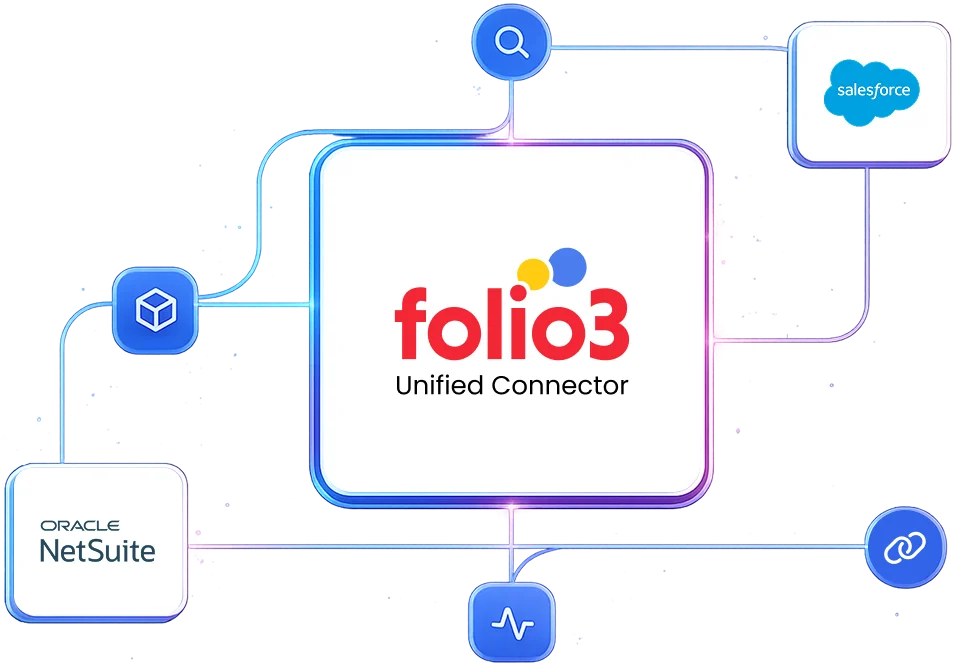
This solves the fundamental disconnect between how you sell (Salesforce) and how you operate (NetSuite). We build a closed-loop system where:
Without this, you have two versions of truth. With it, you have one operational backbone.
When integrated properly, Salesforce and NetSuite create a powerful closed-loop system for customer-facing and financial operations.
The key is a connector that respects the distinct roles of each system. Salesforce acts as the front-office “System of Engagement” (lead-to-cash process, customer interactions). Meanwhile, NetSuite serves as the back-office “System of Record” (financials, inventory, fulfillment).
Pain arises from poor data mapping, sync conflicts, and unreliable error handling. A robust connector like that of Folio3 provides a clear, bidirectional sync logic that prevents these struggles.
This is the most critical architectural decision. The recommended model is:
Absolutely. The integration is designed for scaling businesses. The Folio3 connector uses batch processing, efficient APIs (REST/SOAP where appropriate), and queuing mechanisms to handle high volumes of transactions. The architecture ensures that spikes in Salesforce activity (e.g., a large sales campaign) don’t overwhelm NetSuite and vice versa.
It transforms Salesforce from a standalone CRM to the command center for revenue operations. Sales reps see accurate inventory, real-time pricing from NetSuite, and can track order fulfillment status, all within Salesforce. This way, they spend less time chasing information and more time selling.
It enhances Salesforce reporting significantly. Financial data from NetSuite (invoices, payments, credit memos) can be surfaced in Salesforce, which helps sales leaders to create dashboards showing actual revenue vs. forecast, customer profitability, and order fulfillment status without leaving Salesforce.
Campaign members and their opportunity influence can be tracked. When an Opportunity from a campaign closes won, the campaign ROI data can sync to NetSuite for marketing spend analysis. Alternatively, NetSuite campaign data can sync to Salesforce for sales visibility.
The connector supports both Business-to-Business (B2B) and Business-to-Consumer (B2C) models. For B2C companies using Person Accounts, the connector maps these appropriately to NetSuite’s individual customer records.
The Folio3 connector uses a configurable matching algorithm (typically based on unique email, NetSuite Internal ID, or a custom external ID) before creating a new record. If a match is found, it updates the existing record. This logic is critical for guest-initiated tickets or web sign-ups.
The Folio3 connector supports near-real-time (trigger-based) and scheduled batch synchronization.
The connector enforces source system priority based on the master data model. For example, if a Product’s price is updated in NetSuite (the master) while an old price is being used in a Salesforce Quote, the next sync will update Salesforce with the new price and may flag the Quote for review. Configurable conflict resolution rules can alert admins of such events.
The Folio3 connector is built with extensibility in mind. Standard objects (Accounts, Contacts, Opportunities, Items, Orders) are pre-mapped. Custom objects and fields can be integrated through a configuration interface. This allows you to define the mapping, sync direction, and triggers without extensive custom code.
No. The integration is a data synchronizer. It does not perform any data validation or data cleansing operations. The customer must ensure that data input in one system meets the requirements of the other system. Efforts required to debug data-related errors caused by incorrect data input will be charged separately.
No. Syncing of historical data from NetSuite to the other system or vice versa is out of scope. The connector starts syncing data from the point of deployment forward.
Yes. This is how the connector supports custom fields:
The workflow is streamlined:
A custom integration will be necessary in cases of extremely unique, non-standard business processes that cannot be accommodated by configuring the prebuilt connector. Even then, Folio3’s connector can often be extended with targeted customizations, which is more efficient than building from scratch.
The Folio3 connector implements a robust retry logic with exponential backoff for transient errors (like network timeouts). For data errors (e.g., invalid field value), it logs the error in a dashboard and quarantines the failed record. This allows for administrative review and repair without blocking the entire sync queue.
The connector’s queuing system holds sync requests and automatically resumes once NetSuite is back online and stable. For time-sensitive webhook triggers, it will retry according to the configured policy.
Discover how the native NetSuite connector by Folio3 helps you connect with Salesforce.
Yes. We are SOC 2 Type II certified, and the integration supports financial controls:
You control the sync logic. Through the configuration UI, your Salesforce Admin (with appropriate permissions) can:
While technically possible, building a reliable integration directly using NetSuite’s REST APIs requires significant development expertise and ongoing maintenance. The Folio3 connector abstracts this complexity by leveraging both REST and SOAP APIs appropriately based on the specific data operation. This provides a stable, optimized layer that handles authentication, error recovery, and performance optimization automatically.
With Folio3’s managed connector, versioning and upgrades are handled seamlessly by our team. We monitor both NetSuite and Salesforce release schedules, test compatibility proactively, and deploy necessary updates during maintenance windows. This way, we eliminate the typical pain points of API version deprecation, authentication methods that change, and other changes that break or burden internally maintained integrations.
Folio3 provides comprehensive long-term maintenance through our support agreements, including monitoring for compatibility issues, the application of necessary updates, performance optimization, and addressing any emerging requirements. This managed approach transfers the maintenance burden from your internal IT team to our specialized experts in order to ensure sustained reliability without draining your technical resources.
Folio3 offers a preconfigured, adaptable connector. It comes with standard, tested data models and flows for the most common Opayo-NetSuite scenarios. Crucially, it is built on an extensible platform. This means the data mappings, sync triggers, and business logic can be customized without starting from scratch. It balances “out-of-the-box” speed with long-term flexibility.
Standard implementation of the Salesforce-NetSuite integration takes 2-3 weeks, apart from the one-week BPQ and one-week UAT phases. All timelines depend on the customer providing all access and prerequisites in a timely manner.
The implementation process follows these steps:
If you do not have a sandbox account, the connector’s deployment will be done on your live production accounts. If you obtain a sandbox later, you will be additionally charged for migration of the connector’s deployment to the sandbox environment.
If your sandbox is refreshed, expired, or deleted, and Folio3 loses any work in progress once the connector’s deployment has started, additional charges will be applicable for re-implementing the solution.
Implementation and explicit testing of the integration against that new release are not included in the scope. Such requests will be treated as a Change Order and will be additionally charged.
Folio3 typically charges a fixed annual license fee, a fixed one-time setup fee, variable customization charges, and variable on-demand support charges.
Customers get five days of post-go-live support. If additional support is required beyond these hours, Folio3 will provide a separate statement of work (SOW). Dedicated support options (including 24/7 support) are also available at an additional cost for customers who need stricter SLAs.
The connector’s subscription includes regular updates to keep the product compliant with future releases for the standard feature set. But if the integration requires changes due to updates the customer has made in their accounts, or changes in customizations, these changes will be charged separately.
The single biggest benefit is trust and efficiency. Sales reps gain trust because they see accurate, real-time inventory and customer-specific pricing directly in Salesforce.
They become more efficient because they no longer waste time switching systems, manually entering orders, or chasing down order status and invoice details. This allows them to close deals faster and provide superior customer service.
The hidden cost is the business constraint and future technical debt. A simpler connector works for today’s straightforward processes, but becomes a ceiling on growth. When you need to implement customer-specific pricing, complex subscription models, or multi-subsidiary operations, you will hit a wall.
The cost then manifests as manual workarounds (increasing operational costs), stalled strategic initiatives, and ultimately, a costly and disruptive “rip-and-replace” project to implement a proper solution, which far exceeds the initial price difference.

By submitting the form you agree to terms & condition and privacy policy of Folio3
Meet the Folio3 team at the largest NetSuite community gathering.
