
These frequently asked questions (FAQs) are for businesses implementing the Folio3 BigCommerce-NetSuite Connector to synchronize their e-commerce store with their ERP operations. They are designed to clarify how the integration ensures data accuracy for inventory, orders, and customers across both platforms. This guide helps ensure a seamless and scalable connection that supports growth while maintaining financial integrity.
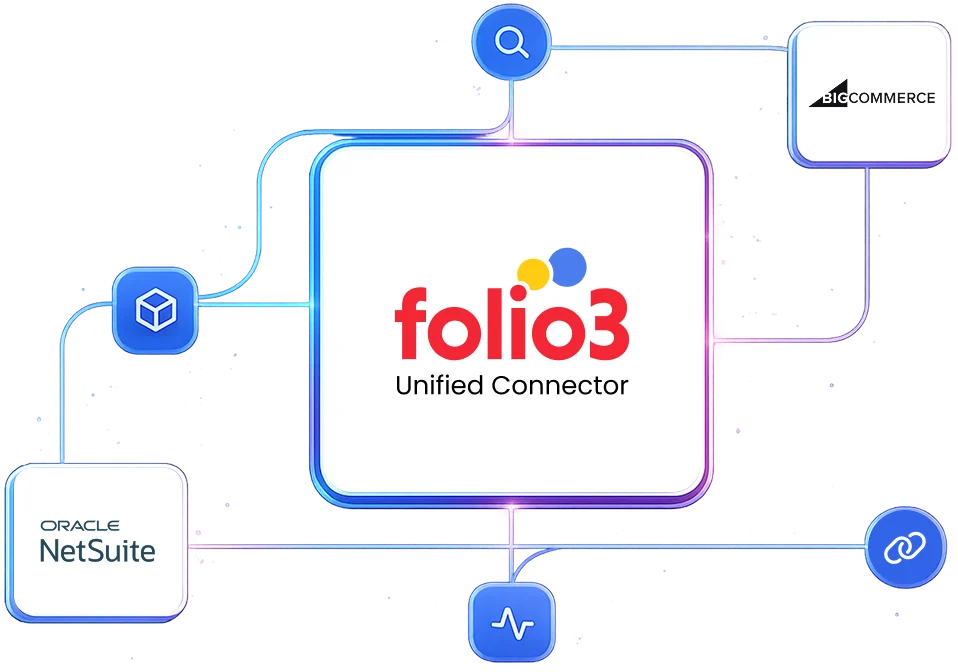
Yes, BigCommerce and NetSuite work exceptionally well together in production environments when implemented with a robust connector like that of Folio3. The key is selecting an integration approach that handles the fundamental architectural differences: NetSuite’s batch-oriented nature vs. BigCommerce’s real-time e-commerce requirements.
NetSuite should unequivocally be the system of record for Inventory, Product Data, Customer Master Data, Pricing, and Financials.
BigCommerce should be the system of engagement for Customer Experience, Cart Management, and the Front-end Store.
The Folio3 connector enforces this hierarchy by ensuring all critical business data originates from and syncs back to NetSuite. This prevents data conflicts and maintains financial integrity.
No. NetSuite is designed to handle businesses of varying scales. The “heaviness” is a benefit, not a drawback, as it provides a single source of truth for financials, inventory, and operations. The perceived complexity is managed by the connector. Folio3’s solution abstracts this complexity, makes NetSuite’s power accessible to the e-commerce team, and ensures all transactions are properly accounted for in the ERP.
This setup makes sense from as low as 50-100 orders per month, where manual data entry becomes error-prone and inefficient. The ROI becomes very clear at 500+ orders per month.
For businesses exceeding 5,000+ orders per month or with complex operations (multi-warehouse, B2B/B2C, bundles), it becomes a critical, non-negotiable system. The Folio3 connector is optimized for high-volume scenarios, with the capability to handle thousands of orders per hour.
This is an extremely common and proven architecture for mid-market and enterprise brands. Thousands of businesses successfully scale on BigCommerce + NetSuite. The risk of “forcing” something comes from choosing an underpowered integration tool or a poorly scoped custom build. With an industrial-strength connector like that of Folio3, you are implementing a scalable path used by hundreds of growing brands.
The following data syncs between NetSuite and BigCommerce:
No. The integration is a data synchronizer. It does not perform any data validation or data cleansing operations. The customer must ensure that data input in one system meets the requirements of the other system. Efforts required to debug data-related errors caused by incorrect data input will be charged separately.
No. Syncing of historical data from NetSuite to the other system or vice versa is out of scope. The connector starts syncing data from the point of deployment forward.
Folio3 implements a multi-layer inventory sync strategy:
With the Folio3 connector, no. We implement inventory reservation mechanisms. When a customer checks out in BigCommerce, the connector can immediately create a temporary inventory commitment in NetSuite (e.g., a “Soft” Sales Order or a custom record) to reserve that stock. This prevents other channels from selling the same item before the order is fully imported. The final Sales Order then replaces this temporary hold.
Yes. The Folio3 connector is built for multi-storefront, multi-subsidiary, and multi-currency scenarios. Each BigCommerce store can map to a specific NetSuite subsidiary, revenue recognition rule, and price level. Orders from different stores flow into NetSuite with clear classifications to ensure consolidated reporting and separate P&L tracking.
The behavior to handle backorders is configurable in the Folio3 BigCommerce-NetSuite connector:
The connector syncs the status back to BigCommerce, and customers can be notified via BigCommerce’s native tools.
The Folio3 BigCommerce-NetSuite connector can implement a final inventory check at the point of payment capture. If inventory has dipped below the required quantity between cart addition and payment, the customer can be notified that the item is now unavailable in order to prevent a problematic order that cannot be fulfilled.
The Folio3 BigCommerce NetSuite connector provides bi-directional return sync:
The master price list should always live in NetSuite as the financial system of record. The Folio3 connector syncs these prices to BigCommerce. Promotional pricing (short-term sales, discount codes) can be managed in BigCommerce for marketing agility, as they are often not part of the standard financial price list. The connector can be configured to honor BigCommerce’s promotional price at checkout, while the NetSuite base price is still used for the Sales Order’s accounting value.
Folio3 maps BigCommerce discount types to NetSuite’s discount item framework or line-level discounts.
All discount details (code, amount) are passed through for reporting.
Yes. This is a key strength of the Folio3 connector. When a logged-in B2B customer visits the BigCommerce store, the connector:
The Folio3 connector provides a sophisticated mapping between BigCommerce Variants and NetSuite Matrix Items. A parent NetSuite Item (e.g., “T-Shirt”) with child Matrix Items (e.g., “T-Shirt – Large, Blue”) syncs as a BigCommerce product with variants. Options (Size, Color) and their combinations are created automatically.
The Folio3 connector creates customer records in NetSuite automatically. For guest checkouts, it creates a prospect or customer record linked to the order. When the same guest shops again, it uses fuzzy matching to link to the existing record. For registered users, full customer profiles are created with shipping addresses stored as sub-records.
Refunds initiated in either system sync bi-directionally. Full or partial refunds create Credit Memos in NetSuite, which sync status back to BigCommerce. Restocking fees, refund reasons, and inventory returns (sellable/defective) are fully tracked.
Configurable. Typically, B2B orders create Sales Orders (for credit terms), while B2C orders create Cash Sales (for immediate payment). Folio3 auto-selects based on customer type, payment method, or order value.
Yes. When an order is picked, packed, shipped, or delivered in NetSuite, the Folio3 connector syncs the status and tracking numbers back to BigCommerce, which triggers customer notifications.
Tracking numbers sync automatically from NetSuite (or integrated 3PL/WMS) to BigCommerce via the Folio3 connector. It normalizes carrier codes, handles multi-package shipments, and provides fallback email notifications if the API fails.
Yes. The Folio3 connector supports splits due to partial inventory, multiple locations, or dropships. Each shipment creates a separate fulfillment in NetSuite with its own tracking, and BigCommerce is updated accordingly.
The Folio3 BigCommerce-NetSuite connector logs the failure, alerts the team, and reverts the order to a prior state (e.g., “Ready to Fulfill”). It supports retries, carrier fallback, and manual override workflows.
Yes. The Folio3 connector can prioritize same-day orders, enforce cut-off times, auto-select expedited carriers, and speed up status updates to support same-day shipping SLAs.
Discover how the native NetSuite connector by Folio3 helps you connect with BigCommerce.
The Folio3 BigCommerce-NetSuite connector employs end-to-end encryption (TLS 1.2+) for data in transit. For data at rest, encryption follows your existing NetSuite and BigCommerce security policies. The connector can be configured to exclude sensitive fields (like full credit card numbers, SSNs) from synchronization entirely, ensuring only necessary contextual data is shared with support agents.
Folio3’s infrastructure and development processes are SOC 2 Type II compliant. The BigCommerce-NetSuite connector supports GDPR/CCPA requirements through:
The Folio3 BigCommerce-NetSuite connector queues orders safely. For short outages, it retries. For extended outages, it can enter “Safe Mode” (stop taking new orders if configured) and bulk-sync when NetSuite returns.
Exponential backoff retries for transient errors. Errors are classified (transient/data/business/system) and routed appropriately to auto-retry, manual review, or alerting.
Yes, failed orders can be re-synced safely with duplicate safeguards. The system checks if the order already exists in NetSuite and validates inventory before re-syncing. All re-syncs are audited.
A prebuilt connector like that of Folio3 is almost always the right choice. It offers lower risk, faster time-to-market, proven patterns, and ongoing support. Custom integration is justified for highly unique business models where no connector can accommodate core processes.
A prebuilt connector may not be suitable if your core business process is fundamentally unique and cannot adapt to the connector’s model. In that case, the Folio3 connector can be customized to meet your unique business requirements.
Yes, the Folio3 BigCommerce-NetSuite connector can be customized to handle your edge cases. We can customize the BigCommerce-NetSuite connector to fit your business needs and workflows. This way, you don’t have to learn new ways of doing things. Instead, the connector adapts to your business needs.
With Folio3, “outgrowing” the connector is not a dead end. Our solution is built on a scalable platform that allows for progressive enhancement. We offer roadmap-aligned development services to extend functionality. This ensures the integration evolves with your business rather than requiring a costly and disruptive rip-and-replace project.
Standard implementation of the BigCommerce-NetSuite integration takes 3-8 weeks, apart from the one-week BPQ and one-week UAT phases. All timelines depend on the customer providing all access and prerequisites in a timely manner.
The following should be tested before going live:
The implementation process follows these steps:
If you do not have a sandbox account, the connector’s deployment will be done on your live production accounts. If you obtain a sandbox later, you will be additionally charged for migration of the connector’s deployment to the sandbox environment.
If your sandbox is refreshed, expired, or deleted, and Folio3 loses any work in progress once the connector’s deployment has started, additional charges will be applicable for re-implementing the solution.
Implementation and explicit testing of the integration against that new release are not included in the scope. Such requests will be treated as a Change Order and will be additionally charged.
Once the connector has been deployed after successful sign-off, if any issues emerge, Folio3 will charge separately for support as per their standard support rates.
Customers get five days of post-go-live support. If additional support is required beyond these hours, Folio3 will provide a separate statement of work (SOW). Dedicated support options (including 24/7 support) are also available at an additional cost for customers who need stricter SLAs.
The connector’s subscription includes regular updates to keep the product compliant with future releases for the standard feature set. But if the integration requires changes due to updates the customer has made in their accounts, or changes in customizations, these changes will be charged separately.
Yes, but you shouldn’t build from scratch. The Folio3 BigCommerce-NetSuite connector already uses the appropriate mix of NetSuite’s REST and older SOAP (SuiteTalk) APIs under the hood. Building your own integration means managing API versioning, authentication, rate limiting, error handling, and the entire sync logic, which is a massive ongoing project.
With Folio3’s managed connector, versioning and upgrades are handled seamlessly by our team. We monitor both NetSuite and BigCommerce release schedules, test compatibility proactively, and deploy necessary updates during maintenance windows, eliminating the typical pain points of API version deprecation, authentication methods that change, and other changes that break or burden internally maintained integrations.
Folio3 provides comprehensive long-term maintenance through our support agreements, including monitoring for compatibility issues, applying necessary updates, optimizing performance, and addressing any emerging requirements. This managed approach transfers the maintenance burden from your internal IT team to our specialized experts in order to ensure sustained reliability without draining your technical resources.
Folio3 typically charges a fixed annual license fee, a fixed one-time setup fee, variable customization charges, and variable on-demand support charges. The cost of the standard connector starts at around $300 per month.
TCO is typically lower than a fully custom build or an unwieldy iPaaS setup for this specific point-to-point integration. You avoid the ongoing developer cost of maintaining custom scripts and benefit from Folio3’s upgrades and support. The biggest cost saver is preventing operational inefficiencies and errors caused by not having the integration.
The Folio3 BigCommerce-NetSuite connector is ideally suited for mid-market to enterprise businesses that require a production-ready, operationally critical integration with complex requirements and zero tolerance for revenue-disrupting failures.
Regret usually comes from:

By submitting the form you agree to terms & condition and privacy policy of Folio3
Meet the Folio3 team at the largest NetSuite community gathering.
