
NetSuite Demand Planning gives mid-sized and growing businesses real-time control over inventory, forecasts, and supply.
Predict demand accurately, prevent stockouts, and optimize inventory, all from one platform.
With 500+ successful implementations, Folio3 helps businesses deploy and optimize NetSuite modules to improve core business operations, and help them get the maximum out of their ERP.




















NetSuite Demand Planning is a cloud-based tool designed to help businesses forecast customer demand and manage inventory efficiently.
By analyzing historical sales, seasonality, and open opportunities, it predicts future inventory needs and recommends when and how much to reorder.
This module is ideal for mid-sized to enterprise businesses operating in retail, manufacturing, distribution, or multi-warehouse environments. It’s designed for inventory managers, supply chain planners, procurement teams, and executives who need real-time visibility into inventory, procurement, and sales forecasts.
By implementing NetSuite Demand Planning, companies can streamline operations, improve cash flow, and enhance customer satisfaction.
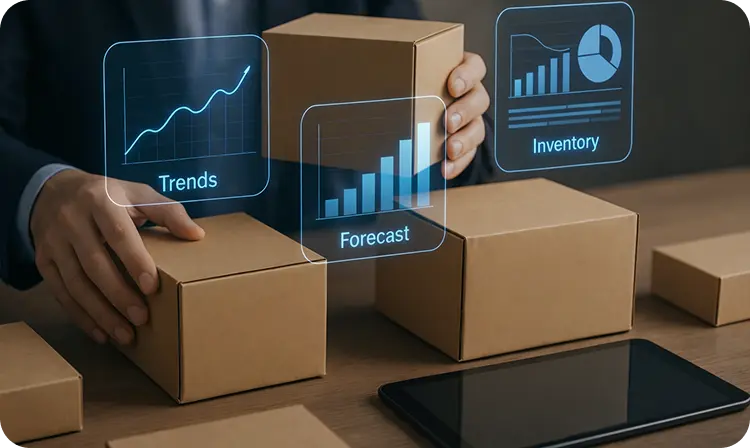

Accurately predict future demand using historical sales data, seasonal trends, and open opportunities. Supply chain and inventory managers can see precise projections for each product, helping them plan purchases and production schedules confidently. By anticipating demand fluctuations, your business reduces missed sales, avoids rush orders, and prevents inventory from sitting idle, saving both time and money.
Plan inventory across multiple warehouses, distribution centers, and sales locations. Operations teams can allocate stock where it’s needed most, ensuring high-demand locations are always stocked while reducing excess inventory in slower-moving locations. This improves fulfillment speed, reduces logistics bottlenecks, and prevents costly emergency transfers between sites.
Set up lead times, lot-sizing, preferred stock levels, and reorder points at the individual product level. Inventory planners gain full control over each SKU, allowing them to adjust automatically for seasonal products, promotional items, or high-turnover SKUs. This ensures optimal stock levels, reduces carrying costs, and maintains product availability to meet customer expectations consistently.
Automatically highlight allocation requirements and demand exceptions. Procurement and operations managers can act proactively when supply is limited or demand spikes, ensuring critical orders are fulfilled without delays. This feature prevents lost sales, reduces backorders, and maintains smooth operations even in high-pressure periods.
Link forecasts directly to purchase orders, work orders, and supply chain operations. Buyers and planners can make smarter purchasing decisions, optimize supplier relationships, and reduce waste by aligning procurement with actual demand. This ensures raw materials and finished goods are available exactly when needed, lowering overhead costs and improving overall operational efficiency.
NetSuite Demand Planning gives you the visibility and forecasting tools you need to overcome the most common supply chain issues.
By relying on accurate data instead of guesswork, your business can plan smarter, cut costs, and keep customers satisfied.
Carrying items that never sell tie up capital and warehouse space. NetSuite uses forecasting models based on sales history and seasonal trends to prevent stock from going stale.


Surplus stock drives up storage costs and lowers margins. NetSuite helps you align inventory with true demand to cut overhead.

Missing raw materials can stall production lines and delay shipments. NetSuite ensures supplies arrive when needed to keep operations running smoothly.

Implementing NetSuite Demand Planning requires expertise, customization, and a partner who understands how your business operates. With Folio3, you gain a trusted NetSuite Alliance partner who ensures your demand planning is accurate, scalable, and tailored to deliver measurable results.
Discover how Folio3 has helped organizations achieve measurable results using this NetSuite module.

NetSuite Demand Planning unified forecasting and inventory planning for AutoRimShop across 320k SKUs and 100k customers.


Take our customers’ words that reflect our business values and how we adhere to going above and beyond to bring results.

Folio3 quickly provided excellent BI resources to solve complex business issues integrating data from our CRM and Netsuite for important business reporting continuity in our Tableau Software reporting tool. The team’s dedication and tireless iterations resulted in finding the right solution for our reporting needs.
Justin Carter
CEO
Bank & Vogue

I know it’s been a long road but I wanted to stop & express my gratitude for all the hard work this past year. I really feel like Folio3 has helped us create an extremely powerful ERP that will provide world class reporting through automation.
Jonathon Orze
Chief Financial Officer
InGenius Prep

We at Biomason are truly grateful for Folio’s expertise, patience, & diligence in making our implementation of NetSuite a success. We really appreciate all the information sharing & responsiveness to our requirements.
Arlene Keane
Controller
Biomason
NetSuite Demand Planning implementation timelines depend on your inventory complexity, number of locations, and data readiness. For most businesses, implementation typically takes a few weeks and includes or even months of demand history analysis, item-level configuration, forecasting setup, and integration with procurement and inventory workflows.
Working with an experienced NetSuite partner ensures forecasts are configured correctly from day one, aligned with your actual supply chain processes, and tailored to your growth plans. This reduces rework, accelerates time to value, and helps your team start making confident planning decisions faster.
Talk to our NetSuite experts today to plan your Demand Planning implementation.
Yes. Demand Planning requires the Advanced Inventory Management feature to be enabled. This ensures accurate tracking of stock levels and smooth integration between forecasting and replenishment processes.
It uses models such as moving average, linear regression, and seasonal forecasting. These models analyze historical sales and trends to provide predictions tailored to your business.
Absolutely. By aligning purchase and production decisions with actual demand, you avoid overstocking and cut down on unnecessary storage expenses.
Yes. The seasonal forecasting model is designed to capture recurring demand patterns, making it ideal for businesses that face fluctuations throughout the year.
Demand Planning for NetSuite can be effective for purchasing and supply planning across many items, but its practicality depends on the complexity of your supply chain, the quality of your data, and the level of sophistication you need. Here’s a breakdown:
Demand Planning ties directly into inventory, purchasing, sales orders, and financials, no need for bolt-on systems.
It offers multiple forecasting methods:
You can choose different models per item or item category.
It handles thousands of SKUs if the item data is clean and maintained. In addition to that, planning can be automated to run periodically.
Users can drill into demand drivers (sales orders, forecasts, supply plans).
NetSuite Demand Planning can handle multi-level BOMs and complex production environments to a degree. What works well is:
NetSuite’s MRP engine explodes multi-level bills of materials (BOMs), ensuring demand for finished goods rolls down into component and subassembly requirements.
The system can generate planned work orders for subassemblies and planned purchase orders for raw materials automatically from the plan.
These flow directly into production scheduling and purchasing.
In short, NetSuite Demand Planning works well enough for multi-level BOMs in straightforward manufacturing environments, but it’s not a full-blown advanced planning system. If your production complexity involves capacity constraints, highly dynamic routings, or deep BOM structures, you’ll likely need NetSuite + an APS extension.
NetSuite Demand Planning is built around items, not customers. It looks at how much of an item you’ll need (by location), based on sales history or forecasts.
If you want to plan demand for a specific customer, you have a few options:
The bottom line is that out of the box, NetSuite’s demand planning thinks in terms of items and locations. To make it think about customers, you either add manual forecasts or connect it with another system.
In NetSuite, you don’t need to make a demand plan for every sub-assembly or component.
You usually only create a demand plan for the finished product (the top-level item).
Because NetSuite’s MRP engine takes the demand for the finished product and automatically “explodes” the bill of materials (BOM).
That explosion creates the needed demand for each sub-assembly and raw material.
For Example:
You plan demand for 100 bicycles (finished product).
NetSuite sees the BOM → each bike needs 2 wheels and 1 frame.
The system automatically creates demand for 200 wheels and 100 frames, even if you didn’t make demand plans for those items.
So the bottom line is you usually plan only the finished goods. NetSuite then automatically figures out demand for sub-assemblies and components.
You’d only make a demand plan for sub-assemblies if you want to treat them like finished goods (for example, if you also sell them separately).
NetSuite integrates well with tools like Netstock, Intuendi, Inventory Planner, Datup.ai, and Foresight AI for advanced forecasting and inventory optimization.
In NetSuite, you use the Planning Workbench to visualize and validate demand/supply plans. It shows demand (sales, forecasts) and supply (POs, WOs, transfers) for each item across vendors and locations.
Steps:
This gives you a clear picture of supply/demand balance across many items and vendors in one place.
Out-of-the-box NetSuite Demand Planning is sufficient if your business has moderate complexity:
You’ll likely need advanced tools or customizations if you:

By submitting the form you agree to the privacy policy of Folio3
Meet the Folio3 team at the largest NetSuite community gathering.
