
As one of the top ERP solutions in the market, NetSuite offers hundreds of features with numerous customization options. One of the key features it offers is Duplicate Detection, which is a must-have feature for any ERP.
Duplicate data in NetSuite can quietly disrupt your operations. Whether it’s duplicate customers, vendors, or transactions, it leads to reporting errors, poor customer experience, and wasted time.
The good part is that NetSuite provides multiple ways to detect and manage duplicates if you set it up correctly.
This guide walks you through how to identify duplicate data in NetSuite and prevent it from happening again.
Steps to Follow to Delete Duplicated Data in NetSuite
To use the Duplicate Detection feature, you first have to enable it in your NetSuite account. Do to so, just follow the steps below:
1. Log in to your NetSuite account.
2. Go to Setup > Company > Duplicate Detection
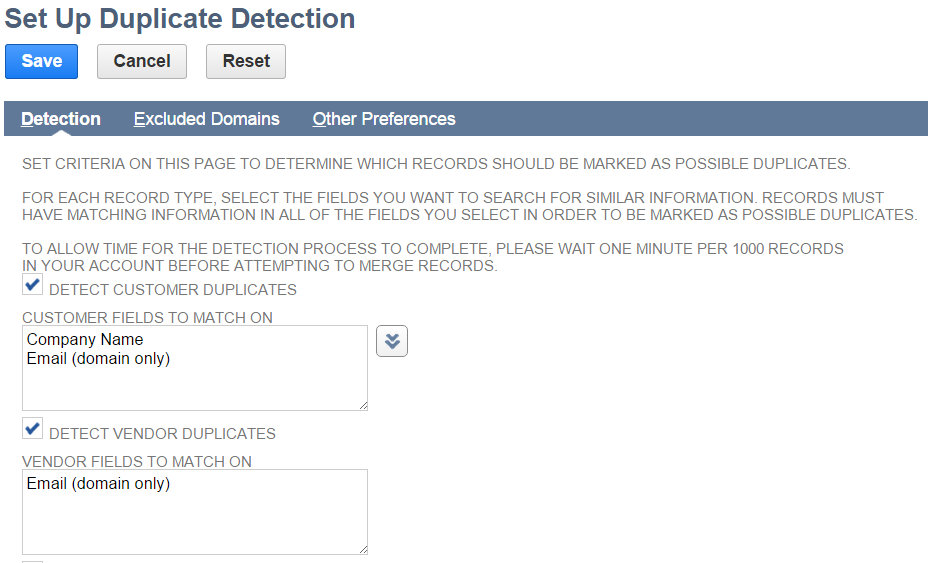
3. Tick the check boxes to enable detection for these record types. Next, select the fields you wish to check for duplicate values by clicking on the arrow (as shown in the image below) next to the text box
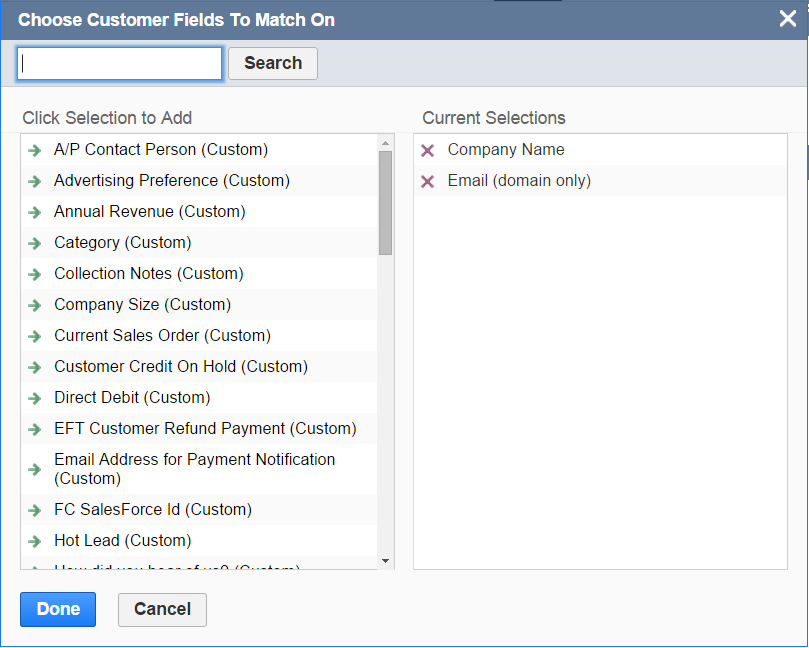
4. When you do that, the screen below will appear. From here, you can just select the fields you wish to check for duplicate values from the left column and click Done.
5. Click Save.
And that’s it. The Duplicate Detection feature is now active in your NetSuite account.
Let’s give it a try.
1. Go to Lists > Relationships > Customers > New
2. Input ACME in the Company Name and click Save.
3. Again go to Lists > Relationships > Customers > New
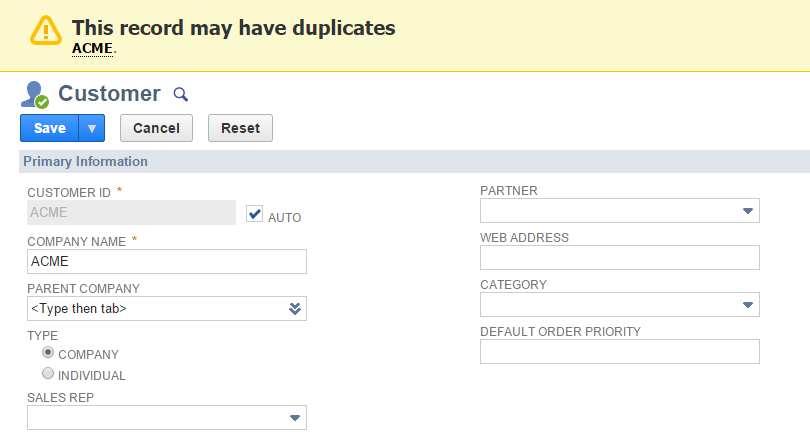
4. Enter ACME in the Company Name. As soon as you take the cursor out of this field, NetSuite will give you a warning message saying that “This record may have duplicates” and will also show the duplicate value below the warning (as depicted in the screenshot below).
There you go!
Common Types of Duplicate Data in NetSuite
Before detection, you need to know where duplicates usually occur.
- Customer records (same customer created multiple times)
- Vendor records
- Contact records
- Items or products
- Transactions (duplicate orders or invoices)
Customer and contact duplicates are the most common.
Final Thoughts
Duplicate data in NetSuite is common, but it’s manageable with the right approach. Start with built-in detection rules and saved searches, then move toward automation and cleanup tools as needed.
The goal is not just to remove duplicates, but to build processes that prevent them from coming back. Clean data leads to better reporting, smoother operations, and a stronger customer experience.
Stuck on a Step?
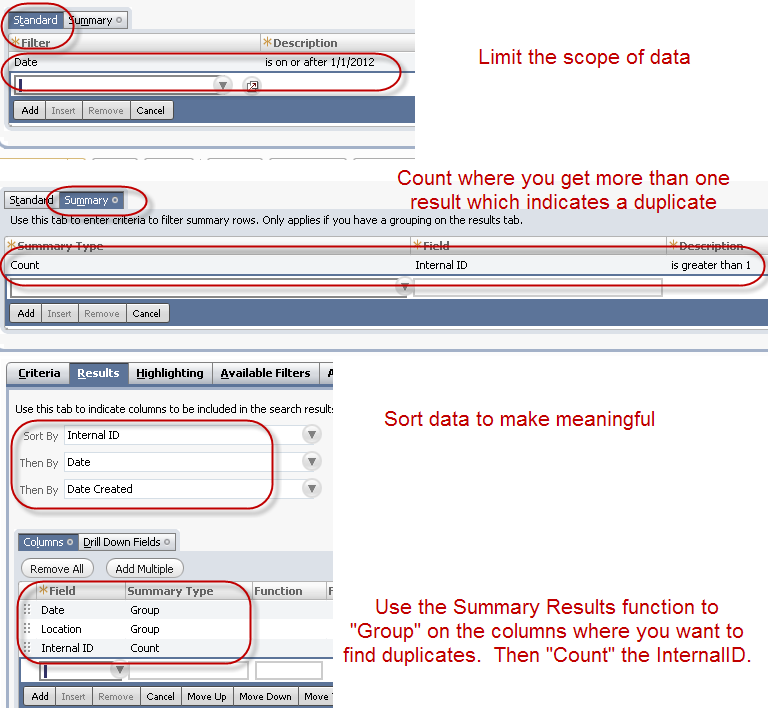
If you’re having trouble identifying or resolving duplicate records, the issue often lies in search configuration, matching criteria, or data inconsistencies. Even small setup gaps can lead to missed duplicates or incorrect results.
Review your filters, summary settings, and matching fields carefully, or consider getting expert help to ensure accurate detection and cleanup.
NetSuite Alliance Partner
Working with a NetSuite Alliance Partner can help you manage data quality more effectively.
An experienced partner can:
- Set up duplicate detection rules tailored to your data
- Build advanced saved searches and scripts
- Clean up existing duplicate records safely
- Implement long-term data governance practices
With the right support, you can maintain clean, reliable data and avoid duplication issues as your business scales.
Contact us for any query or to request a quotation.
