
These frequently asked questions (FAQs) are for businesses evaluating the Folio3 DHL-NetSuite Connector to automate their shipping operations. They are designed to clarify how the integration works and to ensure you can make an informed decision about streamlining fulfillment. The information covers key topics from architecture and inventory to implementation and long-term value.
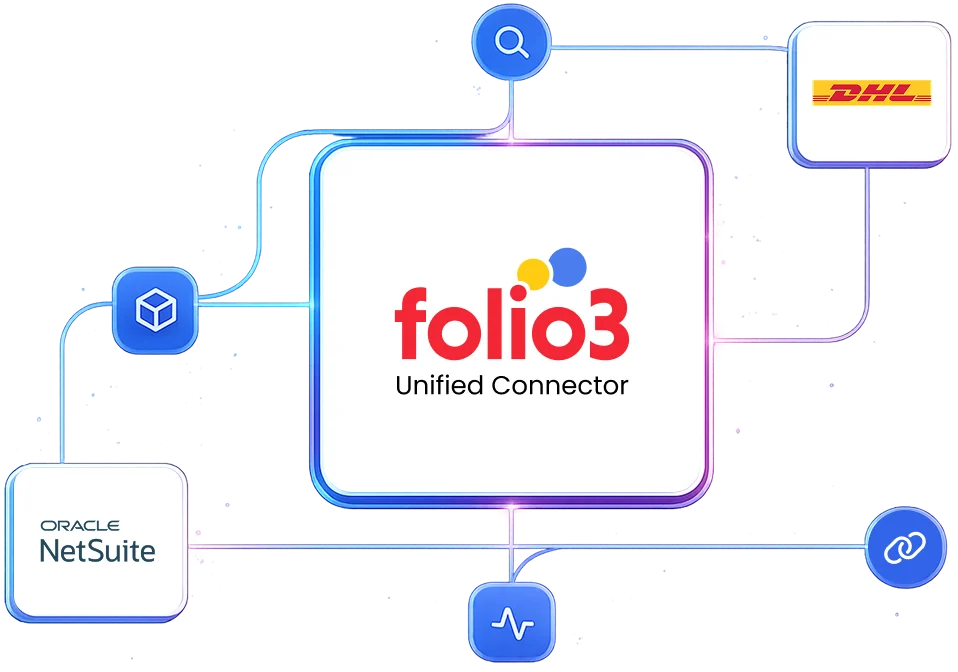
Yes, the Folio3 connector is built specifically to bridge DHL’s shipping ecosystem with NetSuite’s order management. It reduces manual data entry, automates label generation, and syncs tracking.
NetSuite should be the source of truth for order and customer data. The connector pulls information from NetSuite to create shipments in DHL, and then it writes back tracking numbers, statuses, and costs to NetSuite. This keeps financials and operations centralized.
Not at all. NetSuite’s strength lies in centralizing operations. The connector leverages NetSuite as the command center and makes DHL shipping a seamless part of the order-to-cash cycle. It’s suitable for businesses that view shipping as a core operational process.
The ROI becomes clear at as few as 20-30 shipments per day. Below this volume, manual processing might be feasible but error-prone. The integration justifies its cost by eliminating manual data transfer errors, reducing packing station time per order, automating tracking updates, and ensuring accurate landed cost capture. For high-volume shippers (100+ daily shipments), it becomes indispensable for scalability and avoiding fulfillment bottlenecks.
It is a common and scalable pattern. Integrating specialized carriers like DHL with a central ERP like NetSuite is a standard practice for growing businesses. The Folio3 connector provides a managed, supported path compared to a brittle iPaaS tool.
The DHL-NetSuite connector itself does not directly manage inventory levels. It is triggered after an order is created and approved in NetSuite. This is why, inventory commitment and reservation must be handled within your NetSuite workflow (e.g., at Sales Order creation) before shipping via DHL.
Yes. The Folio3 connector uses the shipping addresses and item details from NetSuite Sales Orders. It supports DHL’s international shipping services, customs documentation generation (Commercial Invoices), and applies business rules based on the ship-to country.
The integration is triggered by the creation of an Item Fulfillment record. NetSuite’s native logic determines if an order is fully fulfilled, backordered, or partially shipped. The Folio3 connector only ships what is on the Item Fulfillment.
If you partially fulfill an order, it creates a shipment for only those items. The remaining items stay in NetSuite as open lines, and the connector engages again when the next Item Fulfillment is created.
The Folio3 connector ensures order changes in NetSuite trigger a check on shipment status in DHL to attempt cancellation and avoid shipping errors.
The primary trigger is the saving of an Item Fulfillment record in NetSuite with a status of “Packed” or “Shipped.” This can be automated via NetSuite’s native workflow or batch processing. The Folio3 connector listens for this event, extracts the necessary data (addresses, items, weights), and initiates the process with DHL.
This is a core automated flow:
After successful label generation, the connector immediately writes the DHL tracking number to the tracking number field on the NetSuite Item Fulfillment. It can also update the related Sales Order and trigger shipment confirmation emails.
For ongoing status updates, the connector polls DHL’s tracking API and updates NetSuite with status changes such as “In Transit” or “Delivered.” It also optionally creates internal notes or customer notifications.
Yes, the connector fully supports split shipments. If you fulfill an order with multiple boxes over several days (partial fulfillment) or from different warehouses, each shipment created in DHL will generate a separate Item Fulfillment record in NetSuite.
These fulfillments will be tied to the original single Sales Order, so you will get a clear audit trail. NetSuite will accurately reflect the partially fulfilled status and remaining open quantity.
Yes, if DHL Parcel offers those services in your region. The connector can pass service-level parameters (like “DHL Same Day”) to the DHL API. The key is that the service selection must be determined on the NetSuite Sales Order or Item Fulfillment (manually or via business logic). The connector will then execute based on that selection.
The Folio3 DHL-NetSuite connector employs end-to-end encryption (TLS 1.2+) for data in transit. For data at rest, encryption follows your existing NetSuite and DHL security policies. The connector can be configured to exclude sensitive fields (like full credit card numbers, SSNs) from synchronization entirely. This ensures only necessary contextual data is shared with support agents.
Folio3’s infrastructure and development processes are SOC 2 Type II compliant. The DHL-NetSuite connector supports GDPR/CCPA requirements through:
Discover how the native NetSuite connector by Folio3 helps you connect with DHL .
For the vast majority of businesses, the prebuilt connector is the correct choice. The development, testing, and ongoing maintenance costs of a custom integration almost always far exceed the subscription cost of a prebuilt solution.
The Folio3 DHL-NetSuite connector comes with pre-mapped fields, handled edge cases, documented processes, and dedicated support that are impossible to replicate cost-effectively in-house unless you have a very large, specialized integration team.
A prebuilt connector might not be suitable in extremely unique scenarios where your business processes are fundamentally unique in terms of standard ecommerce and fulfillment logic. Examples might include businesses that have built heavily customized NetSuite workflows that deviate entirely from standard records. Even then, the Folio3 connector can often be extended or customized to meet these needs.
The Folio3 connector is built from hundreds of implementations and handles a vast array of common “edge cases” such as multi-currency, multi-subsidiary, dropshipping, gift messages, special instructions, serialized/lot-numbered inventory, and non-inventory items.
During the implementation scoping, specific business rules and unique processes are documented and configured into the connector to ensure it handles your business’s specific needs.
“Outgrowing” in terms of volume is unlikely, as the connector is built to scale. If your business model changes so dramatically that you need entirely new data objects or flows, the connector can often be extended. Folio3 offers professional services for such enhancements.
Folio3 offers a preconfigured, adaptable connector. It comes with standard, tested data models and flows for the most common DHL-NetSuite scenarios. Crucially, it is built on an extensible platform. This means the data mappings, sync triggers, and business logic can be customized without starting from scratch. It balances “out-of-the-box” speed with long-term flexibility.
Standard implementation of the DHL-NetSuite integration takes 2-8 weeks, apart from the one-week BPQ and one-week UAT phases. All timelines depend on the customer providing all access and prerequisites in a timely manner.
The implementation process follows these steps:
If you do not have a sandbox account, the connector’s deployment will be done on your live production accounts. If you obtain a sandbox later, you will be additionally charged for migration of the connector’s deployment to the sandbox environment.
If your sandbox is refreshed, expired, or deleted, and Folio3 loses any work in progress once the connector’s deployment has started, additional charges will be applicable for re-implementing the solution.
Implementation and explicit testing of the integration against that new release are not included in the scope. Such requests will be treated as a Change Order and will be additionally charged.
Once the connector has been deployed after successful sign-off, if any issues emerge, Folio3 will charge separately for support as per their standard support rates.
Customers get five days of post-go-live support. If additional support is required beyond these hours, Folio3 will provide a separate statement of work (SOW). Dedicated support options (including 24/7 support) are also available at an additional cost for customers who need stricter SLAs.
The connector’s subscription includes regular updates to keep the product compliant with future releases for the standard feature set. But if the integration requires changes due to updates the customer has made in their accounts, or changes in customizations, these changes will be charged separately.
Folio3 typically charges a fixed annual license fee, a fixed one-time setup fee, variable customization charges, and variable on-demand support charges.
TCO is typically lower than a fully custom build or an unwieldy iPaaS setup for this specific point-to-point integration. You avoid the ongoing developer cost of maintaining custom scripts and benefit from Folio3’s upgrades and support. The biggest cost saver is preventing operational inefficiencies and errors caused by not having the integration.
Specifically, it is best fit for:
Regret usually comes from:

By submitting the form you agree to terms & condition and privacy policy of Folio3
Meet the Folio3 team at the largest NetSuite community gathering.
