
Key Takeaways
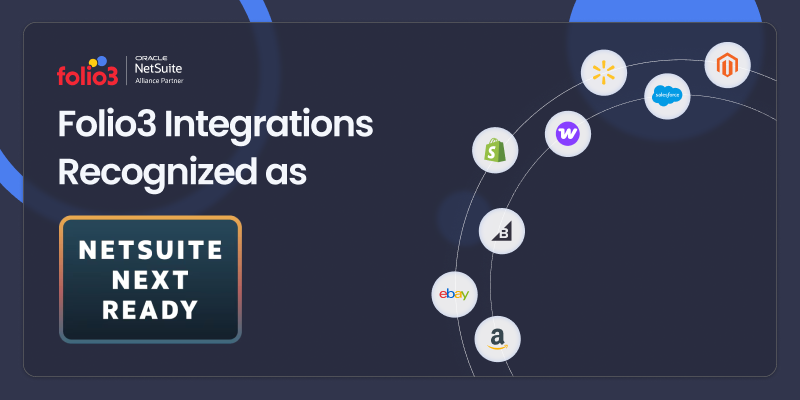
- Folio3 integrations are recognized as NetSuite Next Ready — Shopify, BigCommerce, WooCommerce, Magento, Amazon, Salesforce, eBay, Walmart, and JOOR.
- NetSuite Next is architecturally major, delivered as an opt-in switch. Oracle announced NetSuite Next in October 2025, and the rollout began with the 2026.2 release in July 2026.
- This recognition protects continuity. It means these connectors are built to keep working as customer accounts move to NetSuite Next, without breaking existing workflows.
- This is a factor worth checking before you pick an integration partner. Ask any NetSuite connector provider directly whether their solution has been checked against NetSuite Next.
What Happens to Your Integrations When NetSuite Changes Its Platform?
Have you ever updated a piece of software and had one of your other tools stop working with it? It happens more often than most businesses expect, and when the software in question is your ERP, the stakes are a lot higher than a broken app on your phone.
That’s the question NetSuite customers are asking right now. Oracle has started rolling out NetSuite Next, which it describes as the future of the platform, built around embedded AI and a redesigned user experience. If you’re running NetSuite alongside Shopify, Salesforce, Amazon, or any other connected platform, a change like this raises one obvious question. Will your integrations still work?
We can now answer that question with more than an assumption. Oracle NetSuite has recognized Folio3 connectors as NetSuite Next Ready, and we want to walk you through what that means, why it matters, and which connectors it applies to.
What Is NetSuite Next, and Why Does It Change Things?
Oracle unveiled NetSuite Next at SuiteWorld in October 2025, describing it as the next generation of the platform. It’s built on Oracle Cloud Infrastructure, combines a unified data model with the Redwood Design System, and introduces Ask Oracle, a natural language AI assistant that works across NetSuite records and reports. According to Oracle’s own 2026 Release 2 notes, the NetSuite Next rollout began in the United States and Canada, with adoption happening one team at a time rather than as a single forced cutover.
Think of it the way you’d think about a major operating system update on your phone. Most of your apps keep working fine. But some, especially ones that talk directly to system-level features, need to be checked and sometimes rebuilt to keep functioning the same way. NetSuite integrations work similarly. A connector that syncs orders, inventory, or customer data between NetSuite and another platform relies on how NetSuite’s backend is structured. When that structure changes, the connector needs to be verified against the new version, or it risks breaking silently.
This is why Oracle’s own guidance to NetSuite admins preparing for the transition includes confirming that your integration partners and connector providers are aware of your upgrade timeline and have no known compatibility issues with the new release. Oracle is telling customers directly that connector compatibility isn’t automatic. It needs to be checked.
What Does NetSuite Next Ready Mean?
NetSuite Next Ready is Oracle’s recognition that a specific connector has been reviewed for compatibility with the new NetSuite Next platform. Its not a certification that a SuiteApp was reviewed against NetSuite’s development standards and best practices. That role is already filled by the existing Built for NetSuite badge.
NetSuite Next Ready is narrower and more specific. It tells you that a SuiteApp has been checked against the new Redwood UI and architecture, so it will keep working as your NetSuite account transitions over. For a business running daily order syncs, inventory updates, or customer data flows through one of these connectors, that’s the difference between a smooth transition and post-launch firefighting.
What We Tested, and Against What
“Reviewed for compatibility” is easy to write and hard to verify, so here is what the work involved.
Test environment. Each connector was tested in a NetSuite 2026.2 Release Preview account with the redesigned Redwood experience enabled, running against the latest version.
Where platform changes bite. The redesigned interface is not a skin over the old one. It uses a different page structure and styling system, which means anything that reaches into the UI, client scripts, custom CSS, custom portlets, can behave differently even when the underlying business logic is untouched. Separately, 2026.2 begins surfacing deprecation notices for older SuiteScript versions. Those two areas are where a connector is most likely to fail quietly rather than loudly, so they took the bulk of the testing effort.
| Area | What we checked |
| Interface-dependent scripts | Client scripts, custom CSS, and custom portlets the connector installs, rendered and exercised under the Redwood experience. |
| SuiteScript version compliance | Connector scripts confirmed on SuiteScript 2.1, with no dependency on APIs flagged for deprecation. |
| Core sync flows, end to end | All data import and data export sync flows. |
| Scheduled and background processing | Scheduled and Map/Reduce script execution, queue behavior, and governance limits under the new platform. |
| Setup and configuration screens | Connector setup pages, field mapping screens, saved searches, custom records, and dashboards rendered correctly and remained usable. |
| Mixed-state accounts | Behavior with the new experience enabled for some roles and not others, since access can be granted role by role rather than account-wide. |
| Error visibility | Connector logging and error surfacing remained accessible and readable. |
What this does not cover. The badge applies to the connector, not to your whole account. Your own customizations, other vendors’ bundles, and any middleware sitting between NetSuite and your storefront are outside its scope, and so is your specific field mapping and workflow configuration. Large platform transitions surface configuration-specific edge cases, and this recognition doesn’t promise you’ll hit none. It means the connector itself was checked against the new platform before your team switched it on, rather than after.
Verify it yourself.
The Folio3 Connectors Are NetSuite Next Ready
Oracle has recognized the following Folio3 connectors. Each section links directly to the connector’s dedicated page if you want to see what it syncs and how it’s configured.
1. Shopify
This connector runs as a native SuiteApp inside your NetSuite account and keeps orders, inventory, and customer data synced in real time between Shopify and NetSuite. If you’re running a DTC storefront alongside wholesale or B2B operations, it’s often the backbone of daily order processing.
2. BigCommerce
Sales orders, inventory levels, and customer records move automatically between BigCommerce and NetSuite through this connector. It removes the manual re-keying that typically happens when a business runs ecommerce and financials on separate systems.
3. WooCommerce
WordPress-based WooCommerce stores connect directly to NetSuite through this integration, with automated order import, inventory sync, and customer data updates. This matters most for growing WooCommerce merchants who have outgrown manual order entry.
4. Magento
Built for merchants running Adobe Commerce or Magento Open Source storefronts, this connector syncs orders, inventory, and fulfillment status with NetSuite. It’s built to handle the complexity that often comes with Magento’s flexible catalog and pricing structures.
5. Amazon
Orders, refunds, and settlement data from Amazon Seller Central or Vendor Central sync directly into NetSuite through this connector. For sellers managing high order volumes, it keeps inventory and financial records accurate without manual reconciliation at the end of every settlement period.
6. Salesforce
This connector bridges your CRM and ERP, syncing customer records, opportunities, and order data between the two systems. It closes the gap that often exists between sales teams working in Salesforce and finance teams working in NetSuite.
7. eBay
Completed orders and customer data import automatically from eBay into NetSuite, while item listings, pricing, and inventory levels export back to eBay. Fulfillment status updates automatically as well, so listings stay accurate without manual intervention.
8. Walmart
Orders, inventory, and shipping data sync between Walmart Marketplace and NetSuite in near real time. Walmart’s order volume and pace make manual management especially error-prone, so this connector is built to translate high-frequency marketplace updates into a format NetSuite can process reliably.
9. JOOR
This connector links the wholesale fashion platform JOOR with NetSuite, syncing orders, styles, and customer data between the two. Apparel and accessories brands running wholesale through JOOR rely on it to keep style-level inventory and order data consistent across both systems.
Why This Matters If You’re Already a Folio3 Customer
If you’re already running one of these connectors, the practical impact is straightforward. As your NetSuite account moves to NetSuite Next, you shouldn’t need to worry about your integration breaking or requiring emergency fixes. The connector has already been checked against the new platform.
That said, every business configures NetSuite a little differently, so small adjustments may still come up during your specific transition. But you’re starting from a verified foundation, not an unknown one, which puts you in a much better position than running an unverified connector into a platform update.
Why This Matters If You’re Evaluating Integration Partners
If you’re not yet a Folio3 customer and you’re comparing NetSuite integration partners, this is worth factoring into your decision. To better understand what separates strong NetSuite integration partners from the rest, read our buyer’s guide to choosing a NetSuite integration partner.
Compatibility with NetSuite Next isn’t guaranteed just because a SuiteApp works today. Given that Oracle’s own admin guidance recommends confirming compatibility directly with your integration provider, it’s worth asking any vendor you’re evaluating a direct question. Has this connector been checked against NetSuite Next? For the Folio3 connectors, the answer is documented and public.
What This Means Going Forward
NetSuite Next is still in the early stages of its rollout, and Oracle has said more capabilities will roll out through the rest of 2026. As that continues, Folio3 will keep working to have our connectors reviewed and recognized as new capabilities become available.
If you’re currently running NetSuite alongside any of these platforms, or you’re evaluating a new integration, our team can walk you through what NetSuite Next Ready means for your specific setup and timeline.
Get in touch with our NetSuite integration team to talk through your NetSuite Next transition.
Frequently Asked Questions
1. What does the NetSuite Next Ready badge mean?
It means the SuiteApp completed NetSuite’s Next readiness checklist and was reviewed for compatibility with the redesigned NetSuite Next platform. It is a compatibility review, not a broad quality, performance, or security certification.
2. How is it different from Built for NetSuite?
Built for NetSuite confirms a SuiteApp was reviewed against NetSuite’s development standards and best practices, and it applies regardless of which platform experience you run. NetSuite Next Ready is narrower. It speaks specifically to the new platform. A SuiteApp can carry both, and Folio3 connectors do.
3. Which Folio3 connectors have the badge?
All 9 Folio3 connectors listed on suiteapp.com carry the NetSuite Next Ready badge.
4. Do I need to upgrade my connector to a newer version?
No.
5. Is there any cost to this?
No.
6. When does my account get NetSuite Next?
Oracle announced the 2026.2 release on July 15, 2026, and upgrades accounts on a staggered schedule running from roughly mid-August through the end of the third quarter. Your specific date appears in the New Release Portlet on your NetSuite dashboard.
7. Does NetSuite Next switch on automatically once my account is upgraded?
No. Being upgraded to 2026.2 and running NetSuite Next are two different things. After the upgrade, your administrator can request a preview account or activate the new experience, and can enable it role by role. You choose when and for whom.
8. We’re outside the US and Canada. Does this apply to us?
NetSuite Next is currently available to customers in the United States and Canada, with additional countries to follow. If you’re elsewhere, the badge is forward-looking for you. Your connector is already checked against the platform before it reaches your region, so it isn’t something you’ll need to revisit when it does.
9. What happens if we hit a problem after switching?
Contact Folio3 customer support as per your support agreement.
