
No enterprise system can exist in isolation. And there’s no one who would doubt this. In fact, most businesses run a complex ecosystem of applications. And much of the credit goes to the low price points of SaaS products, which are one of the major factors in businesses adopting new tools.
Because as I interact with organizational leaders, I find that, on average, a business runs on an average of six systems. Of course, this is more of brain math rather than a research study, but you might relate to it.
And it’s not just large enterprises, but even those that are startups. Their tech stack is not as complex as that of enterprise organizations, but the range of tools they use is vast. They already have accounting software, payroll software, an HRIS system, a CRM, customer support software, etc.
So, everything needs to be connected, be it your CRM, your customer service software, your ecommerce system, your 3PL platform, your marketplace, and, of course, your ERP.
When these systems coexist, your processes get optimized, your time and costs get saved, you gain more visibility into operations, and whatnot.
Enough has been said about the importance of integrations. In fact, in our previous article, we covered the benefits of Boomi and NetSuite connectivity to give you an idea of how both platforms connect to consolidate all your data and automate your core business processes.
So, now we are here to uncover the key use cases for connecting Boomi with NetSuite. Let’s dive right into it.
Top 10 Use Cases of Boomi Connector for NetSuite
Boomi becomes particularly useful when NetSuite is connected to several business applications and the integrations are no longer simple data transfers.
If information needs to move in both directions, requires transformation, passes through multiple systems, or depends on complex business rules, Boomi can provide significant value.
You can say that the case for Boomi is usually driven by integration complexity rather than simply by the fact that a company uses NetSuite.
The following are the instances that explain when to use Boomi with NetSuite:
- Connecting NetSuite with Salesforce or other CRMs
- Inventory and fulfillment synchronization
- Automating ecommerce order-to-cash cycle
- Connecting NetSuite to 3PLs
- Integrating NetSuite with legacy systems
- Multi-subsidiary and global NetSuite environments
- Financial data synchronization
- Source-to-pay and procurement integration
- Mergers, acquisitions, and new business systems
- Automating multi-step business processes
1. Connecting NetSuite with Salesforce or Other CRMs
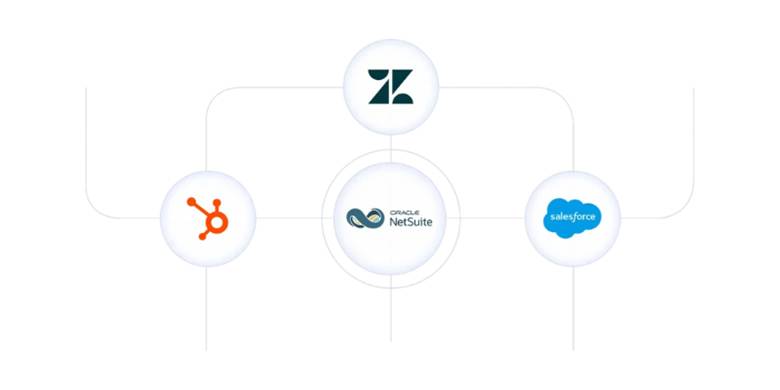
One of the most common Boomi and NetSuite integration scenarios is connecting the ERP with the CRM.
Boomi integration syncs relevant information between the two environments. Salesforce, HubSpot, or Zendesk sends account, contact, product, opportunity, or sales order information to NetSuite.
On the other hand, NetSuite returns information, such as customer status, invoice details, payment status, order status, or other financial information that sales teams need.
2. Inventory and Fulfillment Synchronization
It would be a no-brainer to understand that inventory is one of those areas where inaccurate synchronization directly affects customer experience.
And to make matters more complicated, a company selling through multiple channels, including its website, marketplaces, and retail locations, has its inventory information spread across NetSuite, warehouses, ecommerce platforms, 3PLs, and other systems.
We remember one of our customers in the apparel industry missing their commitment to their customers to fulfill multiple orders. It happened because their existing integration wasn’t syncing data in real time.
This was the only time that our customer’s problem was so urgent that our integration experts had to spend their weekend deploying the new integration so that everything would be all set on Monday.
So, we can say with confidence that Boomi coordinates the movement of inventory and fulfillment information between those environments successfully, especially for businesses that operate multiple sales channels. This reduces overselling and gives a more consistent view of inventory and fulfillment activity.
3. Automating Ecommerce Order-to-cash Cycle
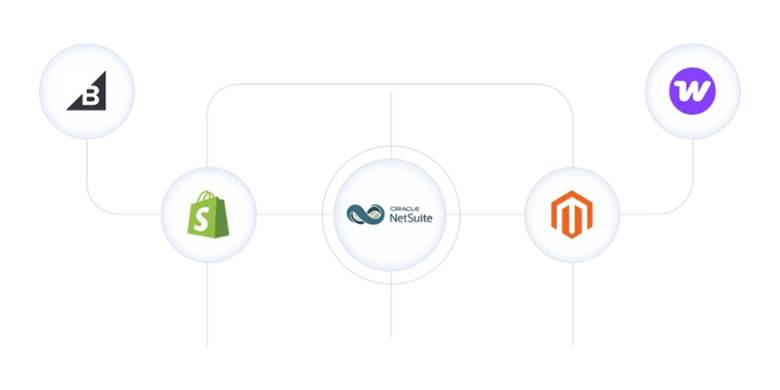
Ecommerce is another strong use case for connecting Boomi with NetSuite. An online store generates hundreds of thousands of orders that need to be represented in the ERP.
So, how would you represent it? Manually? No. Because manually transferring that information is slow and error-prone. Not to mention that you will need to dedicate a couple of full-time employees whose job would be just to feed the ecommerce data into NetSuite.
On the flip side, Boomi does the following automatically:
- Validates the information
- Identifies or creates the appropriate customer record
- Maps products and SKUs
- Transforms payment and shipping information
- Applies business rules
- Creates the appropriate transaction in NetSuite
This becomes especially useful when your ecommerce environment includes multiple storefronts, marketplaces, currencies, warehouses, fulfillment methods, or complex pricing rules. At this point, Boomi and NetSuite connectivity becomes an order-to-cash orchestration process that connects your parts of the business.
4. Connecting NetSuite to Third-party Logistics Providers
Growing ecommerce and wholesale distribution companies use 3PL providers. A 3PL has its own WMS, item codes, shipment statuses, and data formats, while NetSuite has its own records and workflows.
This is where the conflict happens, and this is also where Boomi and NetSuite integration comes into play. Boomi provides the integration layer between these environments.
Meanwhile, NetSuite sends sales orders, item information, customer addresses, and shipping instructions to the 3PL provider. What happens next is that the 3PL provider returns shipment confirmations, tracking numbers, fulfillment information, and inventory updates through Boomi back to NetSuite.
5. Integrating NetSuite with Legacy Systems
As businesspeople, wouldn’t be surprised to know that there are still organizations that are running their operations on legacy systems. They still use on-premises applications, older ERP platforms, custom applications, manufacturing execution systems (MES), or other legacy technologies.
Ripping and replacing legacy systems might be unrealistic. Boomi provides a bridge between NetSuite and your older infrastructure. This way, your ERP environment gets modernized without the act of rip-and-replace.
For instance, your MES system could still continue to manage certain production information, while NetSuite handles the rest.
6. Multi-subsidiary and Global NetSuite Environments
NetSuite OneWorld supports organizations that operate across multiple subsidiaries and geographical regions. But global operations create significant integration complexity. Because different subsidiaries have different currencies, tax requirements, warehouses, customers, business processes, and external applications.
Boomi helps route and transform information based on the context of each transaction. An order coming from one region needs to be associated with a particular NetSuite subsidiary, currency, warehouse, and tax configuration. Integration logic determines those requirements before sending the transaction to NetSuite.
This is particularly important for multinational companies where the same external system needs to communicate with multiple NetSuite entities.
7. Financial Data Synchronization
While NetSuite is meant to be the financial backbone of a business, finance teams still depend on information that originates outside the ERP. Think of billing systems, payment processors, subscription platforms, expense applications, and more.
Boomi moves relevant financial information between those systems and NetSuite when applying the transformations required by the ERP.
For instance, a payment processor like Stripe, Square, or Opayo sends payment information that needs to be reconciled with customer records.
This usability increases when a company has multiple financial applications that need to reconcile with NetSuite. This also reduces the risk of inconsistencies being created.
8. Source-to-pay and Procurement Integration
Procurement workflows involve several applications. A purchase request originates in a procurement platform, passes through an approval process, becomes a purchase order in NetSuite, and generates receiving and invoice information.
Boomi orchestrates the movement of information throughout this process. It receives procurement information, transforms it into the structure NetSuite requires, creates or updates the appropriate records, and then sends relevant information to other procurement or supplier systems.
9. Mergers, Acquisitions, and New Business Systems
Integration requirements change after a merger or acquisition. An acquired business uses a different ERP, CRM, ecommerce platform, warehouse system, and product structure.
Replacing the acquired company’s entire tech stack is not a practical thing to do. Boomi provides the integration layer during the transition, and information from an acquired company’s systems could be transferred into NetSuite through Boomi.
10. Automating Multi-step Business Processes
Business process orchestration is very different from Boomi-NetSuite data sync. The first one is complex, while the second one? Not too much.
Integration means moving information from one system to NetSuite. But on the other hand, business process orchestration looks something like this:
- Validate the customer
- Check inventory
- Determine the appropriate subsidiary
- Create a NetSuite transaction
- Send a fulfillment request to the warehouse
- Update the ecommerce platform
- Give tracking information to the customer
Boomi helps coordinate these steps without the need for duplicating the business process logic across multiple applications.
Making the Case for Boomi and NetSuite Connectivity
One thing is undeniable that Boomi and NetSuite provide a strong NetSuite foundation for organizations that need to connect their ERP with an ecosystem of applications. Boomi helps automate data movement and simplify complex workflows.
The strongest case for Boomi arises when integration requirements go beyond simple data transfers. For businesses that face increasing integration complexity, Boomi helps them turn disconnected applications into a more coordinated and stable tech environment.
Frequently Asked Questions
When to use Boomi with NetSuite?
You should consider using Boomi with NetSuite when your business relies on several applications and integrations have become more complex than simple data transfers. Boomi is particularly useful when information needs to move in both directions, requires transformation, passes through multiple systems, or depends on complex business rules.
What are the main use cases for Boomi with NetSuite?
The main use cases include connecting NetSuite with Salesforce or other CRMs, automating ecommerce order-to-cash processes, synchronizing inventory and fulfillment data, connecting to 3PL providers, integrating legacy systems, supporting multi-subsidiary environments, and more.
Is Boomi useful for companies with multiple NetSuite subsidiaries?
Yes. Boomi is useful for organizations operating across multiple subsidiaries and geographic regions. Different subsidiaries have different currencies, tax requirements, warehouses, customers, and business processes. And Boomi can help route and transform information based on the context of each transaction before sending it to the appropriate NetSuite entity.
Can Boomi help integrate systems after a merger or acquisition?
Yes. Boomi provides an integration layer during a merger or acquisition when the acquired company uses different ERP, CRM, ecommerce, warehouse, or other business systems. Instead of immediately replacing the acquired company’s entire technology stack, businesses use Boomi to transfer information from those systems into NetSuite during the transition.

