Your sales team closes a deal in Salesforce. Hours later, finance is manually entering the same data into NetSuite. This disconnect costs revenue and slows growth. Connecting NetSuite and Salesforce eliminates costly manual processes and data inconsistencies. This NetSuite and Salesforce integration guide shows you how to integrate NetSuite with Salesforce successfully, covering integration methods, pricing, and how to integrate NetSuite with Salesforce for maximum business impact.
What Is Salesforce to NetSuite Integration?
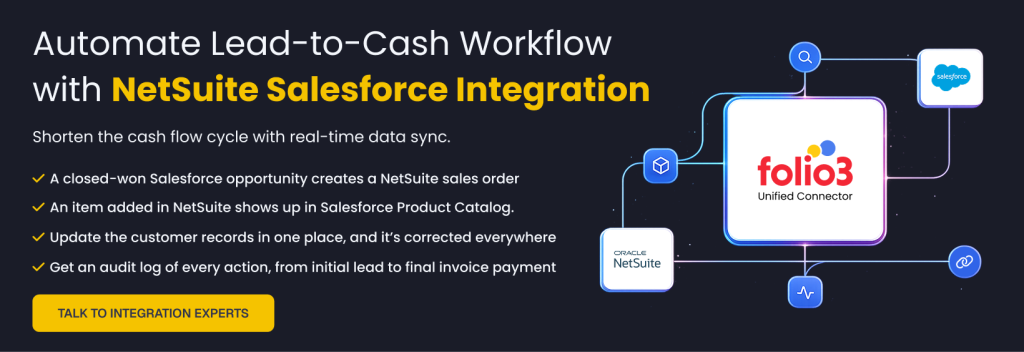
Salesforce to NetSuite integration is the process of creating a unified data bridge between your CRM and ERP systems, enabling seamless information flow and automated workflows across your organization.
Understanding the Platforms
Salesforce: Your CRM Powerhouse
- World’s leading cloud-based CRM platform
- Manages customer interactions, sales pipelines, and marketing efforts
- Designed for building stronger customer relationships and closing deals faster
- Scales with your business across any industry
NetSuite: Your ERP Foundation
- Comprehensive cloud-based ERP system
- Handles finance, inventory, procurement, and back-end operations
- Offers integrated CRM and human resources functionality
- All-in-one solution for businesses of all sizes
The Integration Bridge
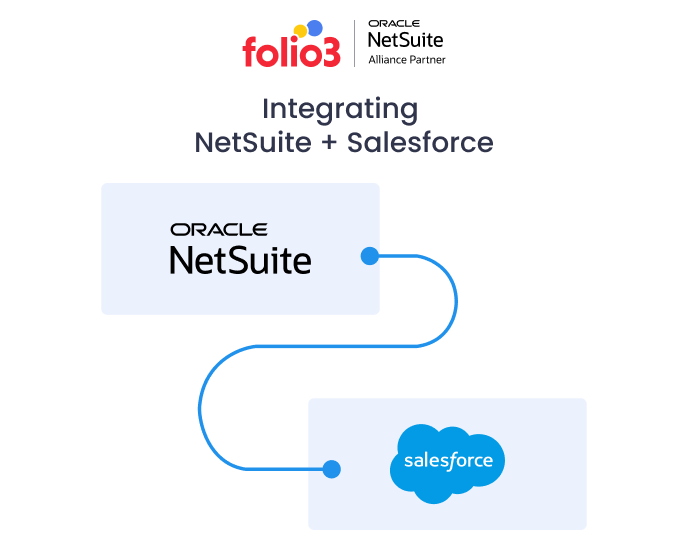
A NetSuite and Salesforce connector bridges the gap between these systems, creating a unified platform where your front-end and back-end data move in perfect synchronization. This Salesforce to NetSuite integration eliminates data silos and provides your organization with one reliable system for all business operations.
When you sync NetSuite with Salesforce, you’re not just connecting two software platforms – you’re creating a seamless ecosystem where sales, finance, and operations teams work from the same accurate, real-time data.
Learn more about how connectors work to understand why connectors are essential for modern business operations.
Business Benefits of Integrating Salesforce and NetSuite
The benefits of integrating NetSuite with Salesforce extend far beyond simple data synchronization. Here are the top reasons why businesses choose this powerful combination:

1. Eliminate Manual Data Entry Across Teams
The Problem:
- Tedious copy-pasting of customer data, quotes, and order information
- Risk of human error with every manual entry
- Inconsistencies that snowball into bigger problems
The Solution:
NetSuite and Salesforce integration advantages include automatic, accurate data flow between systems, eliminating manual work and reducing errors.
2. Merge Sales and Finance Operations
The Challenge:
- Sales data lives in Salesforce
- Financial data lives in NetSuite
- Teams work in silos without real-time visibility
The Benefit:
Integration enables seamless order-to-cash workflows with real-time data sharing, improved collaboration, and minimized inconsistencies.
3. Accelerate Sales Cycles
Before Integration:
- Sales teams re-enter data manually
- Deals move slowly from quote to order to invoice
- Delays in delivery and billing processes
After Integration:
- Automated data flow speeds up the entire sales process
- Faster delivery and billing cycles
- Enhanced customer experience
4. Enable Real-Time Decision Making
Without Integration:
- Scattered data across multiple systems
- Reports only as accurate as the last manual sync
- Limited visibility for leadership
With Integration:
- Single source of truth across all departments
- Real-time visibility into performance metrics
- Accurate sales pipelines and revenue forecasts
5. Scale Operations Efficiently
The Growth Challenge:
- Managing separate systems becomes unsustainable
- Adding new product lines, teams, or markets creates complexity
- Manual processes hinder organizational growth
The Integration Advantage: A unified platform foundation supports scaling without operational overhauls or extended launch timelines.
Why integrate NetSuite and Salesforce systems? Because integrated operations are scalable operations.
Explore detailed benefits of integrating Salesforce and NetSuite
How Does Salesforce to NetSuite Integration Work?
Wondering how to sync data between NetSuite and Salesforce? It involves creating a secure, automated bridge between your CRM and ERP systems. At its core, the integration uses middleware or direct API connections to map Salesforce objects to NetSuite records.
What Can Be Synced in the Integration?
The NetSuite Salesforce data sync capabilities depend on your business requirements, but common scenarios include:

Sync Timing Options
Real-Time Synchronization:
- Ideal for sales orders where speed matters
- Instant updates across both systems
- Higher API usage and costs
Scheduled Synchronization:
- Hourly or daily updates for non-urgent data
- Reduced API call usage
- Cost-effective for stable data
Sync Direction Configuration
Unidirectional Sync:
- Data flows from one system to another (e.g., Salesforce → NetSuite only)
- Simpler setup and maintenance
- Clear data ownership rules
Bidirectional Sync:
- Continuous updates in both systems
- Complete data alignment
- More complex but provides full synchronization
When you connect NetSuite to Salesforce effectively, both systems stay continuously updated based on your chosen rules and workflows.
Common Use Cases of NetSuite and Salesforce Integration
Here are five detailed NetSuite and Salesforce integration use cases that demonstrate the practical value of integrating NetSuite ERP with Salesforce CRM:
1. Converting Closed Deals into Sales Orders
The Workflow: When a sales opportunity in Salesforce is marked as “closed-won,” the integration automatically creates a corresponding sales order in NetSuite.
Business Impact:
- Eliminates manual re-entry
- Prevents data errors
- Enables immediate order processing by finance teams
- Accelerates revenue recognition
2. Synchronizing Customer Records in Real-Time
The Process: Customer records created or updated in Salesforce sync automatically with NetSuite, ensuring both sales and accounting teams work from identical information.
Key Benefits:
- Unified customer information across departments
- Consistent billing and shipping details
- Reduced data duplication
- Improved accuracy in customer communications
3. Updating Product and Pricing Information
The Synchronization: Product catalogs, pricing updates, and SKU changes in NetSuite flow automatically to Salesforce, ensuring sales teams always have current information.
Value Delivered:
- Accurate quotes and proposals
- Consistent pricing across all sales channels
- Reduced pricing errors
- Streamlined product launches
4. Managing Subscription Billing and Renewals
The Automation: For subscription-based businesses, integration enables automated renewal reminders, invoicing, and payment tracking between systems.
Operational Benefits:
- Automated billing cycles
- Proactive renewal management
- Accurate revenue recognition
- Improved cash flow visibility
Read how Evo Systems achieved efficiency through strategic integration implementation.
5. Real-Time Financial Visibility for Sales Teams
The Enhancement: Sales representatives can view customer payment history, credit limits, and outstanding invoices directly in Salesforce.
Strategic Value:
- Better context during negotiations
- Improved customer conversations
- Enhanced cash flow management
- Higher customer satisfaction
These NetSuite Salesforce sync workflows demonstrate how integrating these systems enables significant operational improvements across multiple business functions.
See how Pathlock streamlined their operations with Folio3’s NetSuite and Salesforce integration.
Methods of Integration: Comparison Table
There are three primary NetSuite to Salesforce integration methods available. Here’s a comprehensive comparison to help you choose the best ways to integrate NetSuite with Salesforce:
1. Pre-Built Connectors (Native Solutions)
What They Are: Easy-to-use, one-step integration solutions designed to sync data between platforms without custom development.
Recommended Solution: For those seeking a proven approach, Folio3’s NetSuite Salesforce integration connector is a NativeSuite app built directly inside NetSuite for seamless synchronization. The integration runs on Folio3’s secure cloud infrastructure and communicates via APIs with both platforms.
| Pros | Cons |
| Fast setup with minimal configuration | Limited flexibility for unique workflows |
| Seamless integration directly in NetSuite | Cannot handle complex custom business logic |
| Lower maintenance once operational | Dependent on vendor updates and support |
| Cost-effective for standard workflows | May not accommodate all business requirements |
2. Custom Integration via APIs
What They Offer: Custom API integrations provide maximum flexibility for businesses with unique requirements, allowing developers to build tailored solutions for specific needs.
When to Choose: Perfect for larger enterprises with complex workflows requiring specific data mapping, timing, and business logic.
| Pros | Cons |
| Built exactly to match business processes | Higher upfront development costs |
| No restrictions on data mapping or sync logic | Longer implementation timeframes |
| Scales easily with growing operations | Requires ongoing technical maintenance |
| Complete control over functionality | Need internal or external development resources |
3. iPaaS Tools (Integration Platform as a Service)
What They Provide: iPaaS platforms offer pre-built templates with visual, drag-and-drop workflow builders for teams without deep technical expertise.
Best For: Organizations needing moderate customization with user-friendly interfaces and multi-system integration capabilities.
| Pros | Cons |
| User-friendly drag-and-drop setup | Subscription costs can be high over time |
| Works with multiple systems beyond NetSuite/Salesforce | May still require coding for advanced logic |
| Easy workflow adjustments without heavy coding | Reliant on iPaaS provider’s uptime and stability |
| Good for changing business requirements | Limited compared to fully custom solutions |
Integration Methods Comparison Table
| Integration Method | Best For | Implementation Speed | Flexibility | Maintenance Effort | Typical Cost Level |
| Pre-Built Connectors | Standard workflows, quick launch | Fast | Low–Moderate | Low | Low–Moderate |
| Custom Integration via APIs | Complex or unique business processes | Moderate–Slow | High | Moderate–High | High |
| iPaaS Tools | Changing workflows, no heavy coding needs | Moderate | Moderate–High | Moderate | Moderate |
This native vs iPaaS NetSuiteSalesforce sync comparison helps you evaluate which approach aligns best with your business requirements, technical resources, and budget considerations.
List of NetSuite and Salesforce Integration Providers
When selecting from available NetSuite and Salesforce integration providers, you can choose between native connectors and iPaaS solutions. Here are the leading NetSuite and Salesforce connector tools to consider:
Native Connectors
Folio3 NetSuite and Salesforce Connector (Native)

Folio3 is an experienced NetSuite integration provider, offering a wide range of CRM connectors for NetSuite, including their reliable Salesforce and NetSuite connector.
The Folio3 solution is purpose-built specifically for NetSuite and Salesforce integration without the complexity of multi-platform setups.
Key Highlights:
- Pre-Built Workflows: Sales orders from Salesforce automatically sync to NetSuite, while fulfillment and invoice updates flow back to Salesforce
- Advanced Customization: Field-level mapping, conditional sync rules, and support for custom objects
- Scalability: Seamless operation for small businesses and large enterprises with high transaction volumes
- Security: Direct API-based communication with OAuth authentication and role-based access
- Implementation: Deployed in weeks with NetSuite-certified consultants ensuring smooth setup
Ideal For: Businesses wanting a dedicated NetSuite-Salesforce bridge without paying for larger iPaaS licenses they won’t fully utilize.
iPaaS Solutions
BURQ.io (iPaaS)

Focus: Plug-and-play integration with simplified deployment and minimal technical overhead.
Key Highlights:
- Quick deployment (most integrations live in days)
- Automatic duplicate detection and conflict resolution
- User-friendly monitoring dashboard
- Custom mapping support for core records
- Optimized API efficiency
Best For: Companies seeking low-maintenance, fast-to-launch integration.
Celigo (iPaaS)

Platform: Leading iPaaS with robust “Integrator.io” NetSuite-Salesforce connector.
Capabilities:
- Real-time and scheduled synchronization
- Multi-step workflows with conditional logic
- Integration with third-party apps (Shopify, Amazon, Slack)
- Advanced data transformation features
Ideal For: Businesses wanting flexibility to integrate multiple systems under one subscription.
Boomi (iPaaS)

Strength: Enterprise-grade platform with strong API management and workflow orchestration.
Features:
- Highly customizable NetSuite-Salesforce templates
- Multi-department and multi-region support
- Advanced data transformation capabilities
Best For: Organizations with complex integration needs spanning multiple departments.
Workato (iPaaS)

Specialty: Automation-driven integration platform.
Benefits:
- Complex workflow automation between multiple systems
- Process automation plus integration in one tool
- No-code/low-code interface
Suitable For: Companies seeking process automation alongside integration capabilities.
MuleSoft (iPaaS)

Position: High-performance, API-led connectivity platform.
Advantages:
- Enterprise-grade performance
- Mission-critical integration capabilities
- Extensive API management features
Target: Large enterprises with significant development resources and higher budgets.
When choosing between NetSuite Salesforce connectors, consider your business complexity, technical resources, and long-term integration strategy.
Pricing and Cost Considerations
Understanding the costs involved in integrating Salesforce with NetSuite is crucial for effective budget planning and calculating your long-term return on investment. The total cost will vary based on which integration approach best fits your business needs.
Native Connector Solutions
Native connectors, such as those offered by Folio3, typically use a subscription-based pricing model with three main cost components:
- Setup and Implementation Most providers charge a one-time onboarding fee ranging from $2,500 to $7,000, with the final cost depending on your project’s complexity and specific requirements.
- Monthly Subscription Fees Ongoing subscription costs typically range from $300 to $800 per month for mid-market companies. This recurring fee covers the core integration functionality and basic support services.
- Maintenance and Support Basic updates and standard support are usually included in the monthly subscription. However, custom modifications or advanced features may incur additional charges.
Best For: Businesses with straightforward integration needs who prefer predictable, transparent pricing structures.
iPaaS (Integration Platform as a Service) Solutions
Platforms like Boomi, MuleSoft, and Workato represent the premium end of integration solutions, offering greater flexibility at higher price points.
- Setup and Configuration Initial implementation costs start around $5,000 and increase based on the number of systems being integrated and the complexity of your data workflows.
- Monthly Platform Fees Ongoing costs typically range from $1,000 to $3,000 per month, with pricing determined by transaction volume, data complexity, and feature requirements.
- Operational Overhead These sophisticated platforms require continuous monitoring and technical oversight, which may necessitate additional IT staff or managed service agreements.
Best For: Large enterprises with complex data ecosystems that require maximum flexibility and scalability.
Custom Development Options
Some organizations require fully customized integration solutions to handle unique workflows or highly specific business requirements.
- Investment Range Custom development projects typically start at $10,000 and can scale significantly based on scope and complexity. While the upfront investment is substantial, the result is a tailored solution designed specifically for your business processes.
- Long-term Value Custom solutions offer the highest degree of control and can provide excellent long-term value for businesses with specialized needs.
Additional Cost Considerations
When budgeting for your integration project, factor in these often-overlooked expenses:
- Team training and onboarding for staff who will use the integrated system
- Potential downtime costs during implementation or data migration
- Ongoing technical support for troubleshooting sync issues and handling API updates
- Future scalability requirements as your business grows
Return on Investment Perspective
Rather than viewing integration costs as a simple expense, consider them a strategic investment in your business operations. The right integration solution typically pays for itself through improved data accuracy, enhanced decision-making capabilities, and deeper customer insights that drive revenue growth.
Choosing the most appropriate pricing model depends on your organization’s size, technical requirements, and long-term growth plans. Each option offers distinct advantages that can deliver significant value when properly aligned with your business objectives.
Do’s and Don’ts Checklist for Salesforce to NetSuite Integration
Following NetSuite and Salesforce integration best practices while avoiding common NetSuite Salesforce sync mistakes ensures successful implementation. Here’s your comprehensive checklist for how to integrate NetSuite with Salesforce successfully:
Do’s for Successful Integration
Plan and Map Data Fields in Advance
- Decide exactly which fields need synchronization
- Map field relationships between systems
- Document data ownership and flow direction
- Avoid mismatches and missing records
Clean and Prepare Data First
- Remove duplicates from both systems
- Update outdated contact information
- Complete incomplete entries
- Ensure clean data flow from day one
Test Everything in Sandbox Environment
- Run integration in non-live setup first
- Catch errors before they impact live systems
- Validate all workflows and data mapping
- Test edge cases and error scenarios
Document Your Integration Process
- Record workflows and mapping logic
- Document connection settings and configurations
- Maintain troubleshooting guides
- Enable easy updates and maintenance
Set Up Automated Error Notifications
- Configure alerts for sync failures
- Monitor data mismatches in real-time
- Respond quickly to integration issues
- Maintain system reliability
Involve Both System Admins from Day One
- Include Salesforce and NetSuite administrators
- Ensure collaboration throughout the project
- Avoid miscommunication and technical gaps
- Leverage expertise from both platforms
Don’ts to Avoid Common Problems
Don’t Sync Every Field Blindly
- Only integrate data you actually need
- Keep systems fast and manageable
- Avoid unnecessary complexity
- Focus on business-critical information
Don’t Skip Data Validation Rules
- Ensure data meets business requirements
- Validate before pushing between systems
- Maintain data quality standards
- Prevent invalid data propagation
Don’t Rely Entirely on Default Connectors
- Standard connectors may not handle custom workflows
- Plan for customization when needed
- Evaluate business-specific requirements
- Consider unique process needs
Don’t Ignore API and Performance Limits
- Monitor call limits and sync speeds
- Plan for system capacity constraints
- Prevent failures and delays
- Optimize integration performance
Don’t Skip Post-Integration Monitoring
- Track integration health continuously
- Catch small issues before they escalate
- Monitor data quality and sync success
- Maintain system performance
Don’t Make Changes in Production Without Backups
- Always test changes in development environments
- Version-control all modifications
- Maintain rollback capabilities
- Avoid breaking live integrations
Understand how proper NetSuite connectors function to ensure optimal integration performance.
Following these NetSuite and Salesforce integration best practices significantly increases your chances of successful implementation while avoiding costly mistakes that could disrupt business operations.
How to Choose the Right Salesforce to NetSuite Integration Tool
Selecting the right solution requires careful evaluation of multiple factors. Here’s a framework to help you choose NetSuite and Salesforce connector that delivers maximum value:
Evaluation Criteria Framework
Business Complexity Assessment
Standard Workflows:
- Simple contact, opportunity, and sales order synchronization
- Basic data mapping requirements
- Straightforward approval processes
Recommendation: A proven NetSuite and Salesforce connector like Folio3’s solution works perfectly for standard workflows.
Complex Workflows:
- Custom logic and conditional synchronization
- Multiple subsidiaries with custom approval flows
- Unique pricing rules and business processes
- Industry-specific requirements
Recommendation: Custom integration or advanced iPaaS platform with extensive customization capabilities.
Budget Considerations
When evaluating the best NetSuite to Salesforce integration tool, consider total cost of ownership:
Budget-Friendly Options:
- Pre-built connectors for straightforward workflows
- Lower upfront investment
- Predictable monthly costs
- Faster time to value
Higher Investment Options:
- Custom builds for perfect business fit
- Significant upfront development costs
- Long-term value through exact requirements match
- iPaaS solutions with subscription scalability
Timeline Requirements
Urgent Implementation (Days to Weeks):
- Pre-built connectors launch fastest
- Minimal configuration required
- Immediate operational benefits
Planned Implementation (Weeks to Months):
- Custom builds for complex requirements
- iPaaS solutions for moderate customization
- Comprehensive testing and optimization
Internal Resources Evaluation
Limited Technical Resources:
- Choose managed solutions with full support
- Pre-built connectors with done-for-you setup
- Minimal ongoing maintenance requirements
Strong Technical Team:
- Custom API integrations
- Complex iPaaS configurations
- In-house development and maintenance
Working with an Integration Partner
When evaluating providers, consider partnering with an experienced NetSuite integration provider that offers a wide range of CRM connectors for NetSuite, including a reliable Salesforce and NetSuite connector.
Key Partner Qualities:
- Proven implementation methodology
- Industry-specific experience
- Certified technical expertise
- Comprehensive support services
- Strong client success track record
Success Stories and Validation
Review case studies and client success stories to validate vendor capabilities:
See how Pathlock eliminated bottlenecks using Folio3 NetSuite and Salesforce Integration.
Read how Evo Systems achieved efficiency through strategic integration implementation.
The right integration tool should align with your business needs, technical capabilities, and growth objectives while providing a clear path to operational efficiency and improved decision-making.
FAQs
Q1: Do I need to use a specific NetSuite edition to integrate with Salesforce?
Not really. Most NetSuite editions support integration tools, but be sure to check the edition you have includes access to the SuiteCloud platform which is necessary for custom integrations. It’s available in most editions but may need to be enabled or licensed depending on your NetSuite contract.
Q2: How long does a NetSuite Salesforce Integration take?
It depends on the method of NetSuite and Salesforce Integration. Pre-built connectors can be implemented in days; custom solutions may take weeks or months. With a pre-built connector, implementation can take as little as 2–4 weeks. Custom or iPaaS solutions may require 6–12 weeks, depending on scope. If you want a custom quote and timeline for your integration, get in touch with us today.
Q3: Can I choose what data to sync?
Yes. You can decide what data to sync and what to leave out. You can sync leads, customers, orders, invoices, or just two of the three.
Q4: Will NetSuite Salesforce integration impact system performance?
When the integration is done properly, it does not impact your system performance. Most integrations run in the background and have negligible impact.
Q5: Is integration secure?
Yes. Most platforms use encrypted API communication, user authentication, and role-based access controls.
Q6: Can I integrate other CRMs or ERPs too?
Absolutely! NetSuite integration providers like Folio3 offer CRM Connectors for a wide range of tools. You can get in touch with our team, and we will provide you with a scalable solution to connect CRM or ERP as per your business requirements.
Final Thoughts
This comprehensive NetSuite and Salesforce integration guide has shown you the methods, pricing, benefits, and best practices for connecting these powerful platforms. The key takeaways are clear: integration eliminates manual processes, accelerates sales cycles, improves data accuracy, and enables real-time decision-making across your organization.
Whether you choose a proven NetSuite and Salesforce connector or explore other crm integration options, the key is taking action before manual processes become expensive operational bottlenecks. Every day you delay integration is another day your teams spend on manual work instead of strategic initiatives.
Want to sync your CRM and ERP for maximum efficiency? Contact our experts to discuss your specific requirements and discover how we can streamline your business operations with seamless integration.