NetSuite 2026.2 made SuiteScript 2.1 the standard scripting version, and the transition rolls out in stages from there: SuiteScript 1.0 enters end-of-life support in 2027.1, existing 2.0 and 2.x scripts begin running as 2.1 by default in 2028.1 whether or not their code has been updated, and by 2028.2 every script must use 2.1.
That 2028.1 date is the one most teams overlook, since 2.0 and 2.x scripts can start executing under the 2.1 runtime before anyone has touched their code. It’s worth testing them well before the final deadline rather than after it. For a mature account, this migration is also a useful checkpoint, a chance to see which customizations are still in use, find the technical debt, and decide what gets migrated, refactored, replaced, or retired. This guide covers the technical changes involved and a practical framework for the transition.
SuiteScript 2.1 Migration Timeline
The migration is taking place over several NetSuite releases.
| NetSuite release | SuiteScript change |
| 2026.2 | SuiteScript 2.1 becomes the standard scripting version |
| 2027.1 | SuiteScript 1.0 enters end-of-life support |
| 2028.1 | SuiteScript 2.0 and 2.x scripts begin running as 2.1 by default |
| 2028.2 | Scripts must use SuiteScript 2.1 |
If you’d rather start by finding out where your own account stands, our SuiteScript 2.1 Migration Readiness Assessment takes about two minutes and flags the areas worth checking first.
The important point is that 2028.2 is not the first date you should think about.
The 2028.1 runtime change is particularly important for teams running SuiteScript 2.0 or 2.x because scripts can begin executing under the 2.1 runtime before their source code has been explicitly updated to 2.1.
That creates a strong reason to test existing scripts well before the final deadline.
SuiteScript 1.0, 2.0, 2.x, and 2.1: What’s the Difference?
Before planning a migration, it helps to understand what version your scripts are actually using.
SuiteScript 1.0
SuiteScript 1.0 uses the older global API model and is the oldest version covered by the migration.
These scripts require more substantial modernization than a typical 2.0-to-2.1 transition because SuiteScript 2.x introduced a different modular architecture.
SuiteScript 2.0
SuiteScript 2.0 introduced modules and a more structured API model.
Existing 2.0 scripts can generally be moved toward 2.1 without rewriting the entire application architecture, but they still need to be tested against the 2.1 runtime.
SuiteScript 2.x
A script using:
/**

 * @NApiVersion 2.x

 */
Currently resolved to SuiteScript 2.0 by default unless an account-level preference runs them as 2.1 or explicitly declaring 2.1.
This is important because an account can appear to have “modern” SuiteScript while still containing scripts that need to be reviewed for the 2.1 transition.
SuiteScript 2.1
SuiteScript 2.1 uses the newer JavaScript runtime and supports modern ECMAScript features that are not available in the same way under SuiteScript 2.0.
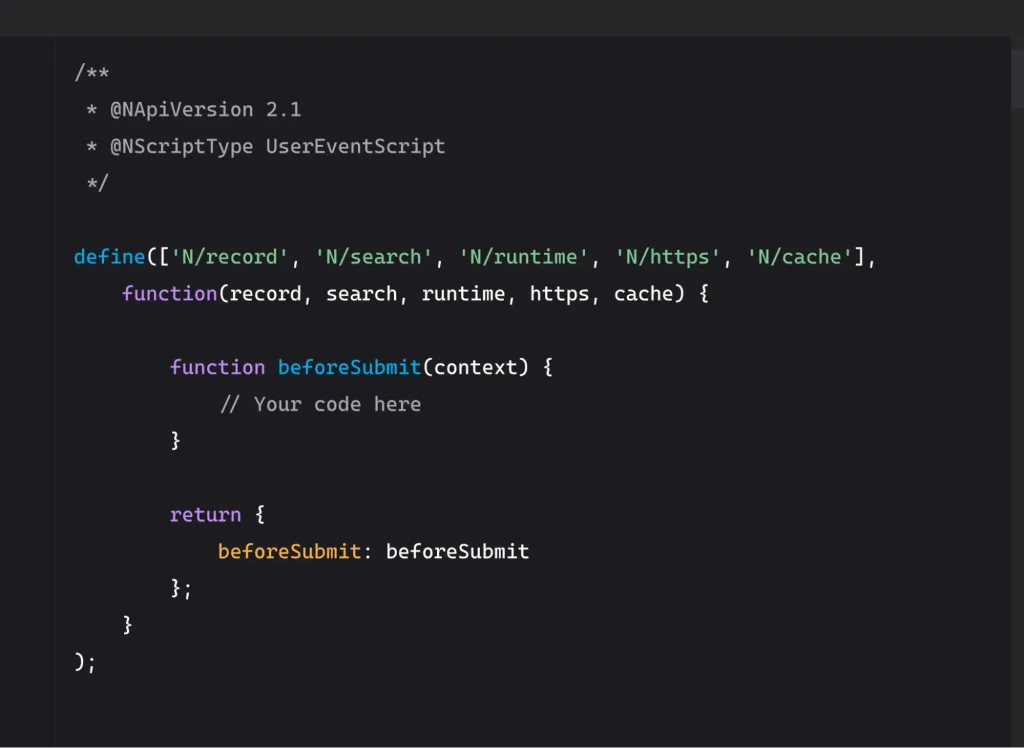
A typical script explicitly declaring 2.1 looks like:
/**

 * @NApiVersion 2.1

 * @NScriptType UserEventScript

 */
Changing the annotation can be part of the migration, but it should not be treated as the entire migration process.
Oracle notes that although the SuiteScript API functionality is largely the same, SuiteScript 2.1 uses a different runtime and some behavior can therefore differ.
Is Changing @NApiVersion Enough?
For a simple 2.0 script, changing:
@NApiVersion 2.0

to:

@NApiVersion 2.1
may be all that is required from a source-code perspective.
But that does not automatically establish that the script is safe to deploy.
A migration still needs to answer questions such as:
- Does the script load correctly?
- Does it behave the same way at runtime?
- Are dates handled as expected?
- Are numeric values handled correctly?
- Does error handling behave as expected?
- Do RESTlet responses remain compatible with consuming systems?
- Do searches and record operations return the expected results?
- Do integrations continue to receive the expected data?
- Does the script still support the business process it was originally built for?
This distinction is important:
Code conversion and migration validation are two different activities.
A script can successfully execute while still producing a result that differs from what the surrounding business process expects.
What Changes Under the SuiteScript 2.1 Runtime?
One of the main reasons to test existing scripts before the deadline is that SuiteScript 2.1 introduces a newer JavaScript runtime.
The migration therefore involves more than checking whether the old code still parses.
Server Scripts vs. Client Scripts
The runtime change mainly affects server scripts (User Events, Suitelets, RESTlets, Scheduled and Map/Reduce scripts). In 2.1, these move from an older ES5-era engine to the Graal engine, which supports ECMAScript 2023. This is where behavior can quietly change, so these scripts need the deepest testing.
Client scripts run in the user’s browser, so updating them to 2.1 doesn’t change the engine. The main risks are code rejected by 2.1 syntax validation and modern syntax that older browsers can’t run. Test them by working through the actual forms. Custom modules shared by both script types should be tested in both contexts.
Modern JavaScript Features
SuiteScript 2.1 supports modern JavaScript features including:
letandconst- arrow functions
- template literals
- destructuring
- spread and rest operators
- default parameters
- classes
async/await- other ECMAScript features supported by the 2.1 runtime
These features can make newer scripts easier to maintain, but they do not mean every existing script needs to be rewritten using modern syntax.
The objective should be to preserve correct business behavior while improving the code where there is a clear reason to do so.
Deprecated or Unsupported Syntax
Older scripts may contain JavaScript patterns that are not compatible with the 2.1 runtime.
For example, code using older constructs such as:
for each (…)
needs to be reviewed because it is not supported by the newer JavaScript runtime.
This is one reason an inventory and code review should happen before mass migration.
Strict Mode and Runtime Behavior
SuiteScript 2.1 runs under stricter JavaScript behavior than some older scripts may have been written for.
Code that previously relied on permissive runtime behavior can therefore expose problems after moving to the newer runtime.
The important question isn’t simply:
“Does the script use old JavaScript?”
It is:
“Does the script depend on behavior that changes under the new runtime?”
Dates, Numbers, and Data Handling
Scripts that process dates, numbers, JSON, or data received from external systems deserve additional attention.
These issues can be particularly important when a script passes information between NetSuite and another application.
A developer may see a script execute successfully while an integration receives data in an unexpected form.
RESTlet and Integration Behavior
RESTlets deserve specific testing because they often sit between NetSuite and external systems.
A migration that changes response formatting, serialization, error handling, or data types can affect:
- ecommerce platforms
- middleware
- payment systems
- warehouse systems
- CRM platforms
- custom applications
- other external APIs
This is why migration testing should follow the data beyond the script itself.
The Silent Failure Problem in SuiteScript 2.1 Migration
One of the easiest migration problems to understand is also one of the easiest to underestimate.
A script that produces an obvious error gets investigated.
A script that continues running but produces a different result can be harder to detect.
Consider a simplified process:
NetSuite transaction
↓
SuiteScript
↓
Custom calculation
↓
Integration
↓
External system
If the script stops executing, the problem may be immediately visible.
But if the script executes and returns a slightly different value, the problem can move downstream.
That is why migration testing should include both technical execution and business-process validation.
The goal isn’t only to prove that the script runs.
The goal is to prove that the process still works.
Before Migrating: Audit Your NetSuite Customizations
A common mistake is to begin the migration by converting scripts one by one.
For a mature NetSuite account, the first question should be:
What exactly are we migrating?
An account may contain scripts created by different developers, implementation partners, vendors, and internal teams over several years.
Some may be business-critical.
Some may be duplicated.
Some may be inactive.
Some may support processes that no longer exist.
Others may be connected to integrations that nobody wants to disrupt.
Creating a customization inventory gives you a much clearer migration scope.
1. Inventory Script Versions
Identify scripts using:
- SuiteScript 1.0
- SuiteScript 2.0
@NApiVersion 2.x- SuiteScript 2.1
Do not assume that every script created recently is already on 2.1.
2. Review Script Types and Deployments
Identify the script types in use, including:
- Client Scripts
- User Event Scripts
- Suitelets
- RESTlets
- Scheduled Scripts
- Map/Reduce Scripts
- Workflow Action Scripts
- Mass Update Scripts
- Custom modules
- Bundle/SDF Installation scripts
- Plug-ins
Then review their deployments, execution contexts, record types, and active/inactive status.
3. Map Dependencies
A script rarely exists in isolation.
Document relationships with:
- Workflows
- Saved searches
- Custom records
- Custom fields
- Custom modules
- Integrations
- External APIs
- Middleware
- Ecommerce systems
- Third-party applications
A dependency map can reveal why a seemingly small script migration needs broader regression testing.
4. Identify Ownership
Not every script can necessarily be changed by the account administrator.
Separate:
- Internally developed scripts
- Partner-developed scripts
- Vendor scripts
- Bundled scripts
- SuiteApp customizations
- Locked or managed components
Third-party components may require coordination with the vendor rather than direct modification.
5. Determine Business Criticality
Not every script deserves the same migration priority.
A script that controls a critical financial process should receive different attention from an inactive customization used for an old workflow.
A simple classification can include:
Critical
Directly affects financials, fulfillment, integrations, or other essential processes.
High
Important operational customization with meaningful business impact.
Medium
Useful customization with limited downstream impact.
Low
Non-critical or infrequently used functionality.
This classification helps determine testing depth and migration order.
If you’d rather not do this manually, our migration readiness assessment walks through script volume, documentation, testing status, and ownership in about ten questions.
Should You Migrate, Refactor, Replace, or Retire?
The migration deadline does not mean every line of legacy code deserves to survive unchanged.
A better approach is to classify each customization into one of four paths.
Retire
Retire scripts that are:
- Obsolete
- Duplicated
- Inactive
- Associated with discontinued processes
- No longer providing business value
Migrating unnecessary code simply creates more code to maintain.
Replace
Some customizations may no longer need custom code.
Before rewriting an old script, ask whether the underlying requirement can now be addressed through:
- Native NetSuite functionality
- Configuration
- Workflows
- Standard features
- An appropriate SuiteApp
- Another supported approach
The goal is to preserve the business requirement, not necessarily the original implementation.
Refactor
Some scripts are still necessary but have accumulated technical debt.
Refactoring may make sense when code has:
- Excessive complexity
- Repeated logic
- Poor documentation
- Fragile dependencies
- Outdated patterns
- Difficult-to-test structures
SuiteScript 2.1 can be an opportunity to improve maintainability rather than simply reproduce old code in a new runtime.
Migrate
Scripts that remain necessary and have no reason to be replaced or retired should proceed through the 2.1 migration process.
That can involve a simple version update for compatible scripts or more substantial code changes for legacy/custom implementations.
The important point is to make the classification before doing the conversion work.
Testing Your 2.0 and 2.x Scripts With the Account-Level Preference
If most of your customizations are already SuiteScript 2.0 or 2.x, you don’t have to open every file before you know where you stand. NetSuite gives you a quicker first check: two account-level preferences that make your existing 2.0 and 2.x scripts run on the SuiteScript 2.1 runtime, without changing a line of code.
Think of it as a rehearsal for 2028.1. That’s the release where 2.0 and 2.x scripts start running as 2.1 by default. The preference lets you see now what would happen then, on your own schedule and in an environment where a failure costs nothing.
Before you switch anything on
Don’t enable this in production. The preference works across the whole account, so every 2.0 (or 2.x) script switches runtime at the same moment. If one of them feeds your invoicing or an order integration, you’ll find out the hard way.
Use one of these instead:
- A sandbox account. Refresh it first, so the scripts, deployments and data match production. Testing against a sandbox that’s six months out of date tells you very little.
- A Release Preview account, when one is available ahead of a major release. It’s also the environment Oracle points to for checking the 2028.1 change.
One more check while you’re setting up: confirm where your sandbox integrations are pointing. A sandbox that still sends orders to a live warehouse system or payment gateway can turn a harmless test into a real problem.
How to run the test
1. Separate your 2.0 and 2.x scripts: NetSuite provides a separate preference for each, so you can test the two groups independently. We recommend doing them one at a time. If something breaks, you’ll know which group caused it.
2. Turn on the preference: Go to Setup > Company > Preferences > General Preferences and change the setting so the chosen group runs as SuiteScript 2.1. Oracle covers this in help topic 91600, Enabling SuiteScript 2.1 at the Account Level.
3. Run real business processes, not just the scripts: Create and edit the transactions your scripts touch. Run the scheduled and Map/Reduce jobs. Call your RESTlets from the systems that actually use them. A script that runs without errors isn’t proof of success; you need the sales order, invoice or integration payload to come out the way it did before.
4. Watch the logs and the results: Check script execution logs for new errors. Then compare outputs with production: field values, calculated amounts, date formats, search results and the data external systems receive.
5. Record what you find: Keep a simple list of which scripts passed, which failed and why. This list becomes your migration backlog.
What to do with the results
Scripts that pass: update the annotation to @NApiVersion 2.1 and deploy them through your normal release process. The preference is only a test switch. By 2028.2, every script has to declare 2.1 itself, so a passing test is your cue to update the annotation, not a reason to skip it.
Scripts that fail: switch the preference back, fix the code, and test again. Common causes include syntax the 2.1 runtime no longer accepts and code that relied on 2.0 behavior. Oracle lists the known differences in help topic 92821, Differences Between SuiteScript 2.0 and SuiteScript 2.1.
What this test won’t tell you
The preference applies to server scripts. Client scripts run in the user’s browser, so test them separately by updating their annotation in the sandbox and running through the affected forms.
It also does nothing for SuiteScript 1.0. Those scripts use a completely different API and have to be converted, which is where the rest of this guide comes in.
How AI Can Help With SuiteScript 2.1 Migration?
AI can reduce some of the manual development work involved in a SuiteScript migration, particularly when an account contains a large number of scripts.
The important point is to distinguish AI-assisted migration tooling from simply giving legacy SuiteScript to a general-purpose chatbot.
Current NetSuite development tooling includes the SuiteCloud Developer Assistant and SuiteCloud Agent Skills. The Agent Skills include a specific netsuite-suitescript-upgrade skill for analyzing, converting, explaining, and validating SuiteScript 1.0, 2.0, and 2.x upgrades to 2.1. The skills can be used with supported coding assistants, while SuiteCloud Developer Assistant provides an AI-assisted development workflow through Visual Studio Code and Cline.
Where AI Can Help
AI-assisted tooling can help with tasks such as:
- Identifying code patterns that need attention during migration
- Converting legacy SuiteScript APIs and structures
- Explaining unfamiliar or poorly documented scripts
- Suggesting refactoring opportunities
- Generating initial test cases
- Comparing original and converted code
- Assisting with SDF project updates and deployment-related changes
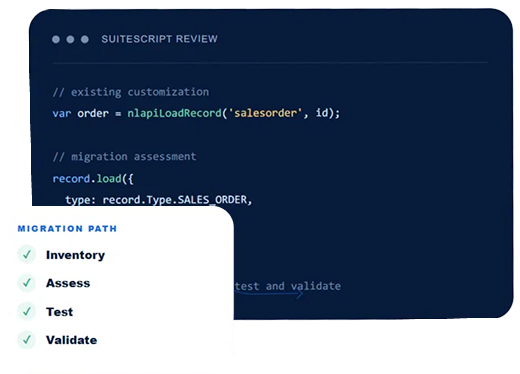
For example, a migration tool may identify a SuiteScript 1.0 API call such as:
var so = nlapiLoadRecord('salesorder', salesOrderId); and help convert it to the corresponding SuiteScript 2.x/2.1 approach:
var salesOrder = record.load({

    type: record.Type.SALES_ORDER,

    id: salesOrderId

});
The code conversion is only one part of the migration.
The harder question is whether the converted script still produces the same business result.
A script that loads a sales order may feed values into pricing logic, fulfillment processing, approval rules, revenue-related calculations, saved searches, or an external integration. The conversion tool can help change the code structure, but it cannot determine from the syntax alone whether the resulting business process is correct.
The same applies to more modern JavaScript changes. SuiteScript 2.1 supports features such as let, const, arrow functions, destructuring, spread operators, and async/await(where supported). Using those features may improve the code, but they should not be introduced simply for the sake of making a script look newer. The actual requirement is to preserve or deliberately improve the intended behavior.
AI Does Not Replace Migration Validation
This distinction becomes especially important when automated tools are used across a large customization estate.
A converted script can still have:
- Dependencies on another script or workflow
- Assumptions about saved searches or custom records
- Specific deployment settings
- External integration dependencies
- Script-type or entry-point considerations
- Business logic that is no longer documented
- Behavior that changes under the SuiteScript 2.1 runtime
Oracle’s migration guidance specifically recommends reviewing generated code, object updates, and deployment changes before production use. It also recommends running converted scripts in a sandbox, testing entry points, checking record and sublist behavior, verifying searches and data handling, and comparing the results with the original customization.
That makes the practical workflow:
Inventory → Assess → Convert → Review → Test → Validate
AI can reduce the amount of manual work involved in Convert and parts of Review and Test. It does not remove the need to decide what should be migrated, what should be retired, what the customization is supposed to do, or whether the resulting business process is correct.
For larger environments, migrating to SuiteScript 2.1 migration means mapping the customization layer and its dependencies before any changes go out.
How to Test a SuiteScript 2.1 Migration
Testing should happen before production deployment and should cover more than whether the script loads.
1. Syntax and Compilation
Confirm that the migrated code loads successfully under the 2.1 runtime.
2. Runtime Testing
Execute the script in a controlled environment and verify that its behavior matches expectations.
3. Entry-Point Testing
Test the relevant entry points for the script type.
For example:
beforeLoadbeforeSubmitafterSubmit- client events
- Suitelet requests
- RESTlet requests
- Map/Reduce stages
- Scheduled execution
4. Record and Sublist Testing
Check:
- Record creation
- Record updates
- Field values
- Sublist operations
- Searches
- Record transformations
5. Integration Testing
If the script communicates with another system, test the complete transaction.
For example:
NetSuite
↓
SuiteScript
↓
Integration/API
↓
External application
↓
Response
↓
NetSuite
Don’t assume that because the SuiteScript executes successfully, the integration is unaffected.
6. Business-Process Testing
Test the process the script supports.
For example:
Sales Order → Approval → Fulfillment → Invoice → External System
The migrated script should be tested within the complete process rather than in isolation.
7. Regression Testing
Compare the new implementation against the existing behavior.
Ask:
- Are the same records updated?
- Are the same values produced?
- Are the same integrations triggered?
- Are errors handled appropriately?
- Are downstream systems receiving the expected data?
8. Deployment Validation
Before production deployment, verify:
- Script records
- Deployment records
- Execution contexts
- Referenced files/modules
- Permissions
- Associated custom records and fields
- SDF/deployment configuration
9. Post-Deployment Monitoring
Migration doesn’t end when the script is deployed.
Monitor logs, integrations, errors, and business processes after release.
A phased migration can make it easier to identify and isolate unexpected behavior.
Common SuiteScript 2.1 Migration Mistakes
1. Treating the version annotation as the entire migration
Changing @NApiVersion is not the same as validating the script.
2. Ignoring @NApiVersion 2.x
Scripts using 2.x should be included in the migration assessment.
3. Waiting until 2028.2
The final deadline is not the ideal time to discover that an account contains hundreds of legacy scripts.
4. Testing only whether the script executes
Successful execution doesn’t prove that business behavior is unchanged.
5. Ignoring integrations
A script can appear healthy inside NetSuite while creating problems in another application.
6. Migrating obsolete scripts
If a customization no longer serves a business requirement, migrating it simply carries old technical debt forward.
7. Ignoring third-party customizations
Vendor-managed or bundled scripts may require a different migration approach.
8. Treating AI-generated code as production-ready
AI can accelerate development, but generated code still needs technical review and testing.
9. Skipping documentation
Migration is a good opportunity to document what a customization does, what it depends on, and who owns it.
SuiteScript 2.1 Migration Checklist
Use this checklist to establish whether your NetSuite environment is ready for the transition.
Discovery
Start by building a complete picture of the SuiteScript environment. Identify what versions are in use, which scripts are active, and who is responsible for them before assessing what needs to change.
- Inventory SuiteScript 1.0 scripts
- Inventory SuiteScript 2.0 scripts
- Identify scripts using
@NApiVersion 2.x - Identify existing 2.1 scripts
- Review active deployments
- Identify script owners
Assessment
Once the scripts are identified, assess their technical and business impact. Focus on dependencies, integrations, business-critical processes, and any factors that could affect the migration effort.
- Identify business-critical scripts
- Map integrations
- Map script dependencies
- Identify third-party/bundled scripts
- Identify obsolete customizations
- Assess migration complexity
Rationalization
Not every customization needs to be carried forward. Review existing scripts to determine which should be retired, replaced with other NetSuite functionality, refactored, or migrated as they are.
- Retire obsolete scripts
- Identify customizations that could be replaced
- Identify scripts requiring refactoring
- Identify scripts requiring direct migration
Migration
Convert the scripts that remain after the assessment and rationalization stages. This can involve updating compatible scripts, refactoring code, and addressing behavior that may change under the SuiteScript 2.1 runtime.
- Test existing 2.0/2.x scripts under the 2.1 runtime using the account-level preference (in sandbox or Release Preview).
- Update compatible scripts to 2.1
- Refactor incompatible code
- Review runtime-specific behavior
- Update documentation
Validation
A successful migration is about more than getting the script to execute. Test the scripts and the business processes, integrations, and other customizations that depend on them.
- Test script entry points
- Test records and sublists
- Test searches
- Test integrations
- Test complete business processes
- Perform regression testing
Deployment
Move validated changes into production in a controlled manner. Review deployment configuration, monitor execution after release, and document what changed during the migration.
- Validate deployment metadata
- Deploy in controlled phases
- Monitor script execution
- Monitor integrations
- Document final changes
When Should You Start Your SuiteScript 2.1 Migration?
If your NetSuite account contains only a small number of simple customizations, the technical migration may be relatively straightforward.
For accounts with years of customization, however, the first task should be establishing the scope.
Start by answering:
How many affected scripts do we have?
Which ones are business-critical?
Which scripts interact with external systems?
Which customizations are owned by third parties?
Which scripts are still necessary?
Which ones should be retired, replaced, or refactored?
How will we test the migration?
Once those questions are answered, the actual code conversion becomes much easier to plan.
SuiteScript 2.1 migration involves more than updating a version annotation. Folio3’s SuiteScript 2.1 migration services cover the audit, modernization, migration, and testing work needed to move customizations to SuiteScript 2.1.
Frequently Asked Questions
What is SuiteScript 2.1 migration?
Moving customizations on 1.0, 2.0, and 2.x to SuiteScript 2.1, while validating that their behavior and the business processes they support keep working as expected.
Do SuiteScript 2.0 scripts need to be rewritten for 2.1?
Not necessarily. Some need only a version update and compatibility testing; others need code changes because of runtime differences.
What happens to SuiteScript 2.x scripts?
They currently resolve to SuiteScript 2.0 by default, unless an account-level preference runs them as 2.1.
When is the SuiteScript 2.1 deadline?
2.0 and 2.x scripts are scheduled to run as 2.1 by default starting in 2028.1. From 2028.2 onward, all scripts must use 2.1.
Can AI migrate SuiteScript 2.0 to 2.1?
It can assist with analysis, conversion, refactoring, and test generation, but migrated code still needs developer review and testing, since AI doesn’t know an account’s specific dependencies or business requirements.
Should unused SuiteScripts be migrated?
Not necessarily. A genuinely obsolete or duplicated script is usually better retired than carried forward.
How should SuiteScript 2.1 migration be tested?
Across runtime behavior, entry points, records, searches, integrations, and the business processes that depend on the customization, not just whether the code runs.