
These frequently asked questions (FAQs) are for businesses considering the Folio3 ShipStation-NetSuite Connector to automate their order-to-ship workflow. They are designed to explain how the integration synchronizes inventory, fulfills orders, and ensures data accuracy between the two platforms. This guide provides clarity on architecture, operations, and long-term value to help you make a confident integration decision.
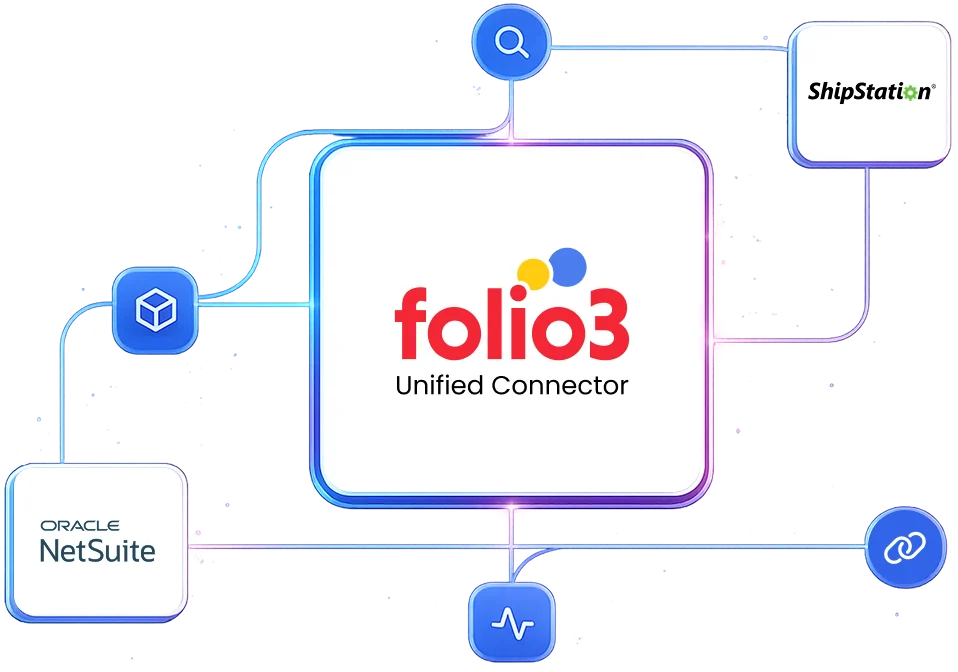
When integrated via the Folio3 connector, ShipStation and NetSuite form a powerful and reliable combination. The pain in integrations typically stems from manual workarounds, data inconsistencies, or iPaaS tools.
Folio3’s pre-built connector is designed specifically to eliminate this pain by automating the entire order-to-fulfillment lifecycle. It handles the complex mapping, error handling, and synchronization logic. This turns a potentially high-friction process into a seamless operational workflow.
In a real-world scenario, this means warehouse staff can work efficiently in ShipStation’s optimized interface while all financial and inventory data remains perfectly synchronized in NetSuite without manual intervention.
NetSuite must remain your single source of truth for financials, inventory, and customer master data. ShipStation acts as a powerful execution layer for shipping logistics.
The Folio3 connector is architected with the principle that it pulls orders and product data from NetSuite as the authoritative source, and then pushes back fulfillment confirmations, tracking numbers, and shipping costs to update NetSuite records.
This design ensures financial integrity, prevents duplicate data entry, and maintains a clean audit trail where all transactional records originate and are finalized within your ERP.
Not at all. In fact, NetSuite’s robustness is an advantage. The Folio3 connector uses NetSuite’s strength as a central command hub. Meanwhile, it uses ShipStation for its specialized purpose of finding the best shipping rates and generating labels.
For growing businesses, this separation of concerns is ideal as NetSuite manages the complex business logic, multi-subsidiary structures, and advanced inventory rules. Meanwhile, ShipStation provides a user-friendly tool for warehouse teams. The Folio3 connector ensures they work in harmony without overburdening users.
This integration delivers value at virtually any volume where shipping efficiency impacts your bottom line. For businesses processing 50+ orders per day, the automation eliminates significant manual data entry and reduces errors. At 100+ daily orders, it becomes critical to scale operations without adding proportional administrative headcount.
The connector is engineered to scale. It can handle peak volumes like Black Friday seamlessly because it manages API calls efficiently and includes robust queuing mechanisms to prevent overload during surges.
This is an extremely common and proven architecture in the mid-market and lower enterprise space. Thousands of companies scale their fulfillment operations using NetSuite and ShipStation precisely because each platform excels in its domain.
The Folio3 ShipStation-NetSuite connector makes this a scalable, production-ready solution rather than a forced integration. It follows best practices for API usage, error handling, and data integrity that are battle-tested across high-volume ecommerce businesses.
The Folio3 ShipStation-NetSuite connector supports configurable synchronization strategies to balance real-time needs with system performance. For most businesses, a near-real-time approach is used where inventory levels are updated in ShipStation in scheduled batches (e.g., every 15 minutes).
This prevents overselling while avoiding the performance toll of constant API calls. Crucially, when an order is pulled into ShipStation for fulfillment, the corresponding inventory is immediately reserved in NetSuite. This creates a soft hold that prevents double-selling during the lag between batch updates.
The Folio3 connector’s reservation mechanism is specifically designed to prevent this. When an order is sent to ShipStation, the connector creates an inventory commitment or a similar reservation record in NetSuite for those items.
This reduces the available quantity, so even if the displayed quantity in ShipStation is slightly stale, the system has already accounted for that order’s inventory. The actual deduction occurs when the shipment is confirmed. This two-phase commit approach is a standard and effective safeguard against overselling.
Yes, absolutely. The Folio3 connector can be configured to sync orders from multiple sales channels (BigCommerce, Amazon, etc.) that flow into NetSuite, and then distribute them to one or more ShipStation accounts based on rules.
For example, you can route orders from a specific warehouse or for a specific brand to a dedicated ShipStation account. All fulfillment data from these different accounts syncs back to the central NetSuite record, providing consolidated oversight and reporting.
Handling is governed by your NetSuite configuration. Typically, if an item is unavailable, the NetSuite sales order can be placed on hold or set to allow partial fulfillment. The Folio3 connector can be set to only send “releasable” orders to ShipStation, which means those that are fully in-stock or meet your partial ship criteria.
The backordered items remain in NetSuite, and the order will not progress to ShipStation for those lines until inventory is received. This keeps fulfillment clean and avoids confusion in the warehouse.
This scenario is managed through the reservation system. Once a customer’s order is placed and imported into NetSuite, the inventory is typically committed. If a drastic inventory adjustment happens concurrently (e.g., damage found during picking), the fulfillment in ShipStation might fail or show a discrepancy.
The Folio3 connector will flag this sync error, which prompts a manual review in NetSuite to adjust the order (e.g., cancel the line) before re-syncing to ShipStation. This ensures the systems are reconciled before a wrong shipment goes out.
The Folio3 ShipStation-NetSuite connector facilitates a closed-loop returns process. When an RMA is created in NetSuite, it can be synced to ShipStation so the warehouse knows to expect the return. When the physical return is scanned or logged in ShipStation, that receipt confirmation syncs back to NetSuite, updating the RMA status.
Most importantly, when the return is “approved” in ShipStation, it can trigger the creation of an Item Receipt and/or Credit Memo in NetSuite. This ensures accuracy in restocking inventory and refunding the customer, all without manual financial entry.
Orders flow based on highly configurable business rules within the Folio3 connector. You can define triggers, such as when a NetSuite Sales Order reaches “Approved” status, when it is assigned to a specific location or subsidiary, or based on the shipping method selected.
Orders can be pushed automatically or in batched manual selections. This ensures that only orders ready to be physically picked and packed are visible to your warehouse team in ShipStation in order to eliminate confusion.
This is the core function of the ShipStation-NetSuite integration. When a shipment is created and a label is printed in ShipStation, the Folio3 connector automatically creates a corresponding Item Fulfillment record in NetSuite.
This fulfillment record deducts inventory, posts the appropriate COGS, and updates the order status. The shipping cost, carrier service, and the tracking number are written back to the NetSuite record. This automation is what eliminates hours of daily manual work.
As soon as a label is generated in ShipStation, the tracking number and carrier info are immediately sent to NetSuite via the connector and attached to the fulfillment record.
From there, NetSuite can be configured to automatically email a shipment notification to the customer. This creates a perfect, automated flow from warehouse action to customer communication.
Yes, the Folio3 ShipStation-NetSuite connector fully supports split shipments. If you fulfill an order with multiple boxes over several days (partial fulfillment) or from different warehouses, each shipment created in ShipStation will generate a separate Item Fulfillment record in NetSuite.
These fulfillments will be tied to the original single Sales Order, providing a clear audit trail. NetSuite will accurately reflect the partially fulfilled status and remaining open quantity.
The Folio3 ShipStation-NetSuite connector includes transactional integrity and error handling. If a sync fails while creating a fulfillment in NetSuite (e.g., due to a network glitch or validation error), the entire transaction is rolled back or queued for retry. An alert is generated for an administrator.
The shipment in ShipStation can be placed in a “hold” state until the integration issue is resolved. This ensures no fulfillment is recorded in one system without its counterpart in the other.
Yes, when combined with ShipStation and the Folio3 connector, same-day shipping is highly efficient. Orders can be set to auto-release to ShipStation immediately upon approval in NetSuite.
ShipStation’s rules can prioritize same-day orders. As soon as they are shipped, tracking is sent back to NetSuite, and a notification can be auto-emailed to the customer. The entire process, from order placement to customer notification, can be automated for speed.
The Folio3 ShipStation-NetSuite connector employs end-to-end encryption (TLS 1.2+) for data in transit. For data at rest, encryption follows your existing NetSuite and ShipStation security policies. The Folio3 connector can be configured to exclude sensitive fields (like full credit card numbers) from synchronization entirely. This ensures only necessary contextual data is shared with support agents.
Folio3’s infrastructure and development processes are SOC 2 Type II compliant. The ShipStation-NetSuite connector supports GDPR/CCPA requirements through:
For the vast majority of businesses, the prebuilt connector is the correct choice. The development, testing, and ongoing maintenance costs of a custom integration almost always far exceed the subscription cost of a prebuilt solution.
The Folio3 ShipStation-NetSuite connector comes with pre-mapped fields, handled edge cases, documented processes, and dedicated support that are impossible to replicate cost-effectively in-house unless you have a very large, specialized integration team.
A prebuilt connector might not be suitable in extremely unique scenarios where your business processes are fundamentally unique in terms of standard e-commerce and fulfillment logic.
Examples might include businesses that have built heavily customized NetSuite workflows that deviate entirely from standard records. Even then, the Folio3 ShipStation-NetSuite connector can often be extended or customized to meet these needs.
The Folio3 connector is built from hundreds of implementations and handles a vast array of edge cases, such as multi-currency, multi-subsidiary, dropshipping, gift messages, special instructions, serialized/lot-numbered inventory, and non-inventory items.
During the implementation scoping, specific business rules and unique processes are documented and configured into the Folio3 connector. This ensures it handles your business’s specific needs.
Outgrowing in terms of volume is unlikely, as the connector is built to scale. If your business model changes so dramatically that you need entirely new data objects or flows, the connector can often be extended. Folio3 offers dedicated professional services for such enhancements.
Discover how the native NetSuite connector by Folio3 helps you connect with ShipStation .
You need a Supply Chain Manager to define requirements, a NetSuite Admin to configure NetSuite, and a Technical Analyst to monitor the connector, handle basic errors, and liaise with Folio3 support. Deep developer skills are not required with a managed service.
Standard implementation of the ShipStation-NetSuite integration takes 2-8 weeks, apart from the one-week BPQ and one-week UAT phases. All timelines depend on the customer providing all access and prerequisites in a timely manner.
The implementation process follows these steps:
If you do not have a sandbox account, the connector’s deployment will be done on your live production accounts. If you obtain a sandbox later, you will be additionally charged for migration of the connector’s deployment to the sandbox environment.
If your sandbox is refreshed, expired, or deleted, and Folio3 loses any work in progress once the connector’s deployment has started, additional charges will be applicable for re-implementing the solution.
Implementation and explicit testing of the integration against that new release are not included in the scope. Such requests will be treated as a Change Order and will be additionally charged.
Once the connector has been deployed after successful sign-off, if any issues emerge, Folio3 will charge separately for support as per their standard support rates.
Customers get five days of post-go-live support. If additional support is required beyond these hours, Folio3 will provide a separate statement of work (SOW). Dedicated support options (including 24/7 support) are also available at an additional cost for customers who need stricter SLAs.
The connector’s subscription includes regular updates to keep the product compliant with future releases for the standard feature set. But if the integration requires changes due to updates the customer has made in their accounts, or changes in customizations, these changes will be charged separately.
While technically possible, building a reliable integration directly using NetSuite’s REST APIs requires significant development expertise and ongoing maintenance. The Folio3 ShipStation-NetSuite connector abstracts this complexity by leveraging both REST and SOAP APIs appropriately based on the specific data operation, providing a stable, optimized layer that handles authentication, error recovery, and performance optimization automatically.
Folio3 provides comprehensive long-term maintenance through our support agreements, including monitoring for compatibility issues, the application of necessary updates, performance optimization, and addressing any emerging requirements. This managed approach transfers the maintenance burden from your internal IT team to our specialized experts and ensures sustained reliability without draining your technical resources.
Folio3 typically charges a fixed annual license fee, a fixed one-time setup fee, variable customization charges, and variable on-demand support charges.
TCO is typically lower than a fully custom build or an unwieldy iPaaS setup for this specific point-to-point integration. You avoid the ongoing developer cost of maintaining custom scripts and benefit from Folio3’s upgrades and support. The biggest cost saver is preventing operational inefficiencies and errors caused by not having the integration.
Specifically, it is best fit for:
Regret usually comes from:

By submitting the form you agree to terms & condition and privacy policy of Folio3
Meet the Folio3 team at the largest NetSuite community gathering.
