

SuiteWorld 2026 takes place October 25–28, 2026, in Las Vegas, bringing together the Oracle NetSuite community for product announcements, 350+ role-based sessions, hands-on labs, live demos, keynotes, networking, and direct access to NetSuite experts. Optional pre-event training begins October 24, allowing attendees to build deeper NetSuite skills before the main conference begins.
This guide covers the SuiteWorld 2026 dates, location, registration, agenda, keynotes, sessions, training, NetSuite Next, SuiteWorld On Air, who should attend, and how to prepare for the event.
About SuiteWorld 2026 Event
The SuiteWorld 2026 event is designed around product announcements, roadmap updates, practical learning, hands-on experiences, networking, and access to NetSuite specialists.
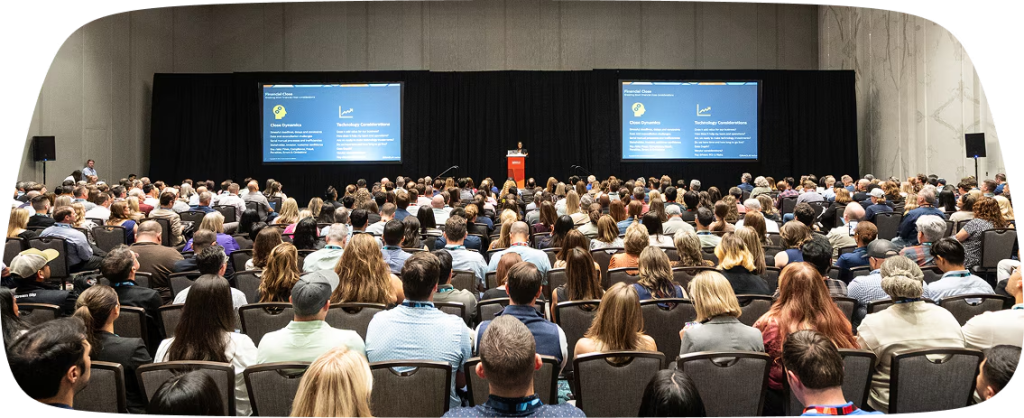
Oracle is positioning SuiteWorld 2026 around the next stage of the NetSuite platform, including NetSuite Next, AI-powered capabilities, product innovations, and practical ways organizations can get more value from their ERP.
The event combines strategic keynotes with role-based sessions, customer stories, live product demonstrations, hands-on labs, expert guidance, and an Expo featuring solutions from across the NetSuite ecosystem.
SuiteWorld 2026 takes place October 25–28, 2026, at Caesars Forum in Las Vegas, Nevada. Optional pre-event training begins on Saturday, October 24, and continues on Sunday, October 25. The main conference activities run from Sunday evening through Wednesday afternoon.
SuiteWorld 2026 at a glance
| Detail | Information |
|---|---|
| Event | SuiteWorld 2026 |
| Main dates | October 25–28, 2026 |
| Location | Caesars Forum, Las Vegas, Nevada |
| Pre-event training | October 24–25 |
| Sessions and labs | 350+ |
| Format | In-person with SuiteWorld On Air available |
| Main focus | NetSuite product direction, NetSuite Next, AI, learning, networking, and customer experiences |
The official event schedule should remain the source of truth because session times, availability, and event details can change as the conference approaches.
How Much Does SuiteWorld 2026 Cost?
SuiteWorld 2026 registration pricing varies by attendee type. As of September 2026, the published pricing reported from Oracle’s registration information includes an individual pass of $2,195, with discounted pricing available for groups of three or more and eligible public-sector and nonprofit organizations.
| Pass type | Listed price |
|---|---|
| Individual | $2,195 |
| Group of 3+ | $1,895 per person |
| Public sector/nonprofit | $1,495 |
| Public sector without The Party | $1,195 |
Pre-event training is a separate add-on. The two-day training option is listed at $2,495 for an individual attendee and $2,095 for groups of three or more, while one-day training is listed at $1,495 for individuals and $1,295 for groups.
Because registration prices, deadlines, and availability can change, attendees should confirm the current pricing directly through the official SuiteWorld registration process before making travel arrangements.
What Is on the SuiteWorld 2026 Agenda?
The SuiteWorld 2026 agenda combines keynotes, role-based sessions, hands-on labs, customer stories, live demonstrations, expert guidance, networking, and the partner Expo.
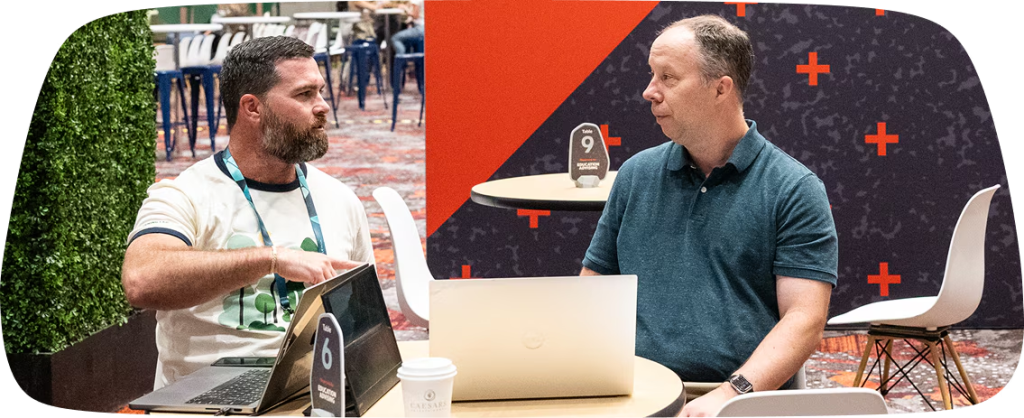
Oracle says the event includes more than 350 role-based sessions, deep-dive breakouts, hands-on labs, and live demos. Attendees can also connect with NetSuite product teams, SuiteGurus, industry specialists, peers, partners, executives, and other product experts.
The agenda is easier to navigate when you divide it into five areas:
- Product direction: NetSuite announcements, roadmap updates, and NetSuite Next
- Role-based learning: Sessions designed around finance, IT, operations, development, and other roles
- Industry learning: Content focused on specific industries and business requirements
- Hands-on learning: Labs and demonstrations that let attendees explore capabilities more directly
- Expert and partner access: Conversations with NetSuite specialists, partners, and solution providers
Rather than trying to attend as many sessions as possible, build your schedule around the questions your organization needs to answer.
For example, a manufacturing company might prioritize sessions around supply planning, inventory, manufacturing, quality, and analytics. A finance team may focus on financial close, reporting, planning, revenue management, and automation. An ecommerce business may prioritize commerce, integrations, customer data, and order management.
What Are the Key SuiteWorld 2026 Keynotes?
SuiteWorld 2026 includes the main SuiteWorld opening keynote and product keynote, along with Oracle AI World keynotes taking place during the week.
The published schedule currently shows:
| Day | Keynote |
|---|---|
| Monday, Oct. 26 | Oracle AI World keynote, 9:30–11:00 AM |
| Monday, Oct. 26 | SuiteWorld opening keynote, 1:30–3:00 PM |
| Tuesday, Oct. 27 | Oracle AI World keynote, 9:00–10:00 AM |
| Tuesday, Oct. 27 | SuiteWorld product keynote, 11:00 AM–12:30 PM |
| Tuesday, Oct. 27 | Oracle AI World keynote, 3:30–5:00 PM |
All listed times are Pacific Time.
The opening and product keynotes are particularly relevant for organizations that need to understand where NetSuite is heading. Product announcements can provide a starting point for roadmap discussions, while breakout sessions and demonstrations offer more detail on how specific capabilities work.
What Sessions Are Available at SuiteWorld 2026?
SuiteWorld 2026 includes more than 350 sessions and labs covering different roles, industries, and areas of the NetSuite platform.
You can filter the session catalog by the areas most relevant to your responsibilities. Depending on your role, useful tracks may include:
Finance and accounting
Finance teams can use SuiteWorld to explore developments around financial management, reporting, reconciliation, planning, revenue management, and automation.
Bring specific questions about your current close process, reporting gaps, reconciliations, controls, and areas where finance still relies heavily on spreadsheets or manual work.
IT and NetSuite administrators
IT teams and administrators can focus on platform changes, security, integrations, customization, user management, data, and release readiness.
These attendees should pay particular attention to sessions that explain how new platform capabilities interact with existing configurations and customizations.
Developers and technical teams
Developers can prioritize SuiteCloud, SuiteScript, integrations, APIs, customization, automation, and technical architecture sessions.
Hands-on technical labs can be particularly useful because they provide an opportunity to work directly with the technology rather than relying only on a presentation.
Operations and supply chain
Operations teams can look for sessions around inventory, supply planning, procurement, order management, manufacturing, warehouse management, and fulfillment.
Organizations with complex supply chains should bring specific examples of the operational problems they want to solve so they can use sessions and expert conversations to evaluate possible approaches.
Ecommerce and commerce teams
Commerce teams can explore NetSuite commerce, order management, customer data, integrations, and connected ecommerce processes.
Businesses using platforms such as Shopify, BigCommerce, Magento, Amazon, or other commerce channels should also use the event to ask integration providers how their solutions are adapting to NetSuite’s evolving platform.
Meet Folio3 at SuiteWorld 2026
Folio3 will have a team on the ground at SuiteWorld 2026, October 25–28 in Las Vegas. This year, the team is doing meet-and-greet conversations instead of running a booth. Connecting works best when you set up time in advance instead of hoping to run into someone between sessions.
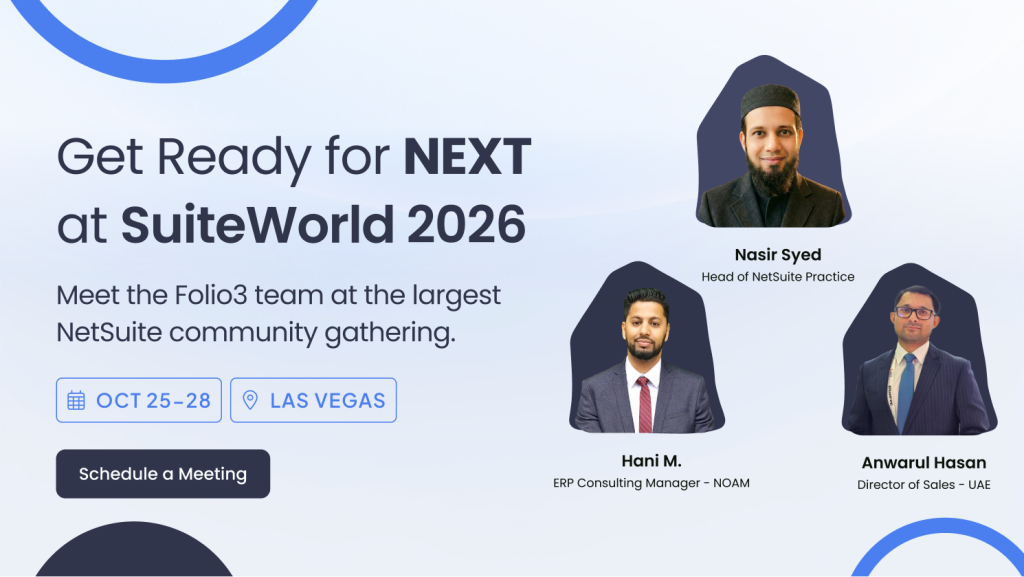
Three people from Folio3’s NetSuite team will be at the event:
- Nasir Syed, Head of NetSuite Practice.
- Hani M., ERP Consulting Manager (NOAM).
- Anwarul Hasan, Director of Sales (UAE).
Worth bringing to the conversation: where your NetSuite instance stands today, what’s slowing your team down, and whether you’re evaluating a new implementation or trying to get more out of an existing one. A specific problem gives a short hallway conversation somewhere useful to start.
What Happens Each Day at SuiteWorld 2026?
The schedule is spread across four main conference days, with additional training beginning October 24.
Saturday, October 24
Pre-event training runs from 9:00 AM to 5:00 PM.
Training is an optional add-on and is designed for attendees who want structured, expert-led learning before the main conference begins.
Sunday, October 25
Sunday includes:
- Pre-event training from 9:00 AM to 5:00 PM
- Impact Lab: AI in Action from 10:00 AM to 12:00 PM
- Welcome reception from 5:00 PM to 7:00 PM
Sunday is useful for attendees who want to combine structured learning with an early introduction to the event and networking opportunities.
Monday, October 26
Monday is one of the busiest days:
- Expo: 8:00 AM–6:00 PM
- Sessions: 9:00 AM–6:00 PM
- Oracle AI World keynote: 9:30–11:00 AM
- SuiteWorld opening keynote: 1:30–3:00 PM
- Industry reception: 6:00–7:30 PM
If you are attending in person, avoid scheduling important meetings across the opening keynote and leave enough time to move between sessions.
Tuesday, October 27
Tuesday includes:
- Expo: 8:00 AM–6:00 PM
- Sessions: 9:00 AM–6:00 PM
- Oracle AI World keynote: 9:00–10:00 AM
- SuiteWorld product keynote: 11:00 AM–12:30 PM
- Oracle AI World keynote: 3:30–5:00 PM
- The Party: 9:00 PM–12:00 AM
Tuesday combines product content with technical and role-based sessions, making it important to prioritize your schedule in advance.
Wednesday, October 28
Wednesday is the final conference day:
- Expo: 8:00 AM–2:00 PM
- Sessions: 9:00 AM–1:00 PM
Because activities finish earlier on Wednesday, attendees can use the morning for final sessions, Expo visits, expert conversations, and follow-ups before leaving Las Vegas.
Want to Attend SuiteWorld Virtually?
SuiteWorld On Air is Oracle’s virtual option for following SuiteWorld content remotely.
The official event site says attendees can access keynotes and sessions live and on demand through On Air. This gives people who cannot travel to Las Vegas another way to follow event content.
For organizations sending a team, On Air can also complement in-person attendance. One or more employees can attend on-site while colleagues who cannot travel follow relevant sessions remotely, depending on the access available with their registration.
Who Should Attend SuiteWorld 2026?
SuiteWorld is relevant to organizations that already use NetSuite as well as professionals involved in evaluating, managing, extending, or supporting the platform.
CFOs and finance leaders
Finance leaders can use SuiteWorld to understand changes affecting financial management, reporting, planning, close processes, and AI-enabled finance workflows.
CIOs, IT leaders, and NetSuite administrators
IT teams can focus on platform direction, security, integrations, customizations, governance, and NetSuite Next.
Developers and technical teams
Developers can benefit from technical sessions, hands-on labs, SuiteCloud content, integration discussions, and direct conversations with NetSuite specialists.
Operations and supply chain leaders
Operations teams can use industry and role-based sessions to explore manufacturing, inventory, procurement, fulfillment, warehouse management, and supply planning capabilities.
Ecommerce and digital teams
Commerce teams can explore ecommerce, order management, integrations, customer data, and the technologies connecting their storefronts with NetSuite.
NetSuite partners and consultants
Partners can use SuiteWorld to understand product direction, meet customers and ecosystem providers, explore new solutions, and stay current with the NetSuite roadmap..
How Should You Prepare for SuiteWorld 2026?
The most useful preparation starts before you open the session catalog.
First, identify the business problems your organization wants to solve. These could include reducing manual finance work, improving inventory visibility, replacing spreadsheets, strengthening reporting, simplifying integrations, improving manufacturing planning, or preparing for NetSuite Next.
Then turn those problems into specific questions.
For example:
- Which NetSuite capabilities could reduce this manual process?
- Is the functionality available now or part of a future roadmap?
- Does it require an additional module, SuiteApp, license, or implementation?
- How would it affect our existing customizations?
- What happens to our integrations?
- What data would we need before implementing it?
- What testing would be required?
- Which parts can our internal team manage?
- Where would we need external technical or implementation support?
This approach makes sessions easier to evaluate because you are looking for answers to defined problems rather than collecting information without a clear purpose.
Build an attendee plan
If multiple people from your organization are attending, divide coverage.
For example:
| Attendee | Primary focus |
|---|---|
| CFO / Finance lead | Finance, close, planning, reporting |
| NetSuite admin | Platform, configuration, releases |
| IT lead | Integrations, security, architecture |
| Operations lead | Supply chain, manufacturing, inventory |
| Developer | SuiteCloud, SuiteScript, APIs |
| Ecommerce lead | Commerce, integrations, order management |
Each person should return with a short list of findings, questions, and recommended follow-ups.
Reserve hands-on labs early
Hands-on labs are different from standard breakout sessions because attendees get a more practical opportunity to work with NetSuite capabilities.
If a lab directly relates to one of your priorities, reserve it before filling every available time slot with presentations.
Schedule expert conversations
Oracle says SuiteWorld attendees can connect with SuiteGurus, NSpections, NetSuite specialists, product teams, industry specialists, partners, and other experts.
Come prepared with actual problems. A specific question about a workflow, report, integration, or configuration is more useful than a general request to explain the product.
Prepare for NetSuite Next
If your organization already uses NetSuite, review your current environment before the event.
Create a list of:
- Critical integrations
- Custom scripts
- Workflows
- Saved searches
- Custom records
- Custom dashboards
- SuiteApps
- External middleware
- Business-critical reports
- User roles affected by platform changes
This gives your technical team a practical checklist for conversations around NetSuite Next.
What Should You Ask at SuiteWorld?
The questions you ask can determine how useful the event is after you return.
For NetSuite product teams
Ask:
- When will this capability be generally available?
- Which editions or account types support it?
- Are there additional licensing requirements?
- What are the implementation prerequisites?
- What happens to existing configurations?
- Is there a migration or adoption path?
- What limitations should customers know about?
For integration providers
Ask:
- Has the integration been tested against NetSuite Next?
- Which NetSuite versions are supported?
- How are failed transactions handled?
- How are duplicate records prevented?
- How are API limits managed?
- How are errors monitored?
- Who owns support when a synchronization fails?
- How frequently is the connector updated?
For implementation partners
Ask:
- How would you approach our specific use case?
- What should be configured before customization?
- Which integrations create the greatest implementation risk?
- What data should be cleaned before migration?
- What testing should happen before go-live?
- What support is available after implementation?
What Should You Do After SuiteWorld?
The work should continue after the conference ends.
Within a few days, organize your notes into three categories:
Act now
These are changes or improvements that address an existing business problem and have enough information to move into planning.
Investigate
These are promising capabilities that require more information about cost, licensing, technical requirements, data, or implementation effort.
Monitor
These are roadmap developments or ideas that are relevant to the business but do not require immediate action.
Then assign an owner and timeframe to each action.
A simple post-SuiteWorld tracker can include:
| Finding | Business impact | Next step | Owner | Target date |
|---|---|---|---|---|
| New feature | High/Medium/Low | Validate in sandbox | Finance | Q4 |
| Integration update | High | Confirm compatibility | IT | Q4 |
| Product roadmap item | Medium | Monitor release | Admin | 2027 |
| New SuiteApp | Medium | Request demo | Operations | Q4 |
This prevents SuiteWorld from becoming a collection of notes that never turn into decisions.
How Can You Get More Value From SuiteWorld 2026?
The best way to approach SuiteWorld is to connect the event to your organization’s existing NetSuite roadmap.
If you are planning a new implementation, focus on architecture, business processes, data, integrations, and adoption.
If you are already running NetSuite, use the event to identify areas where newer capabilities could replace manual work, improve visibility, or simplify your current environment.
If you have a heavily customized account, pay particular attention to platform changes, compatibility, integrations, and the implications of NetSuite Next.
And if your business is already preparing for the latest release, review the changes in NetSuite 2026.2 before attending so you can use SuiteWorld conversations to address specific questions rather than starting from scratch.
We look forward to meeting you
We will be at SuiteWorld 2026. If you want to discuss SuiteCommerce, ERP implementations, AI integrations, or any NetSuite challenge, schedule a meeting with our team.
FAQs
Can I attend SuiteWorld virtually?
Yes. Oracle provides SuiteWorld On Air, allowing attendees to access keynotes and sessions live and on demand.
Is SuiteWorld only for NetSuite customers?
No. SuiteWorld brings together NetSuite customers, partners, developers, executives, technology professionals, and other members of the NetSuite ecosystem.
Should I attend SuiteWorld if I already use NetSuite?
Existing NetSuite customers can use SuiteWorld to learn about product updates, roadmap changes, new capabilities, NetSuite Next, technical developments, and ways to improve their existing environment.
What should I bring to SuiteWorld?
Bring a list of your organization’s current NetSuite challenges, integrations, customizations, reporting issues, process bottlenecks, and roadmap priorities. Specific questions make conversations with product specialists and partners more productive.
When should I start planning for SuiteWorld 2026?
Start before the event agenda fills up. Define your objectives, identify the people attending, review the session catalog, reserve relevant labs and expert sessions, schedule important meetings, and prepare a shared list of questions.