
Key Takeaways
- SuiteCloud Plus Is a Throughput License, Not a Feature Unlock: It does not give you new modules or functionality. It increases the number of simultaneous requests your account can process, the number of script queues available, and the number of parallel CSV import threads.
- Every SC+ License Adds 10 Concurrent Threads: On Service Tier 1, the base is 15. Five SC+ licenses gives you 65. The formula is BaseLimit + (SC+ count × 10).
- The 429 Error Is the Symptom. SC+ May or May Not Be the Cure: Before buying more licenses, check your Integration Governance dashboard. The real problem is often a single low-priority integration consuming all available threads. Concurrency allocation fixes that for free.
- Three Operational Scenarios Almost Always Need SC+: High-volume eCommerce with peak order spikes, multi-system integrations running in parallel, and businesses running heavy scheduled scripts alongside API integrations.
- SC+ Also Increases Processor Queues, Not Just API Threads: This affects scheduled scripts, map/reduce jobs, CSV imports, and REST async processing, not just web service calls.
- Folio3 helps businesses diagnose their actual concurrency needs before committing to SC+ licenses. Sometimes the fix is governance configuration. Sometimes it is an SC+ purchase. Knowing which before you buy saves money.
A mid-sized apparel retailer had just launched their biggest sale of the year on Black Friday. Orders were flooding in from their Shopify store. Their 3PL integration was syncing shipment confirmations. Their finance team had a scheduled script running end-of-day sales postings. And then suddently, their order integration stopped.
The error log showed a wall of the same message: 429 – CONCURRENT_REQUESTS_LIMIT_EXCEEDED.
Their NetSuite account had hit its concurrency ceiling. Three integrations were fighting for 15 available threads. The lowest-priority job, a marketing list sync nobody had turned off, had consumed enough of the pool to block the order integration.
They called their NetSuite partner in a panic. The fix that day was not buying SuiteCloud Plus licenses. It was a ten-minute change in the Integration Governance dashboard that allocated dedicated threads to the order integration and capped the marketing sync. The crisis was over before lunch.
The longer-term question, whether they needed SC+ licenses given their growth trajectory, was a separate and more considered conversation.
That is the story most blogs about SuiteCloud Plus skip. They jump straight to “buy the license and scale.” This guide covers what SuiteCloud Plus actually does, the technical mechanics behind it, how to diagnose whether you need it, and how to avoid paying for capacity you can get from configuration.
What Is SuiteCloud Plus?
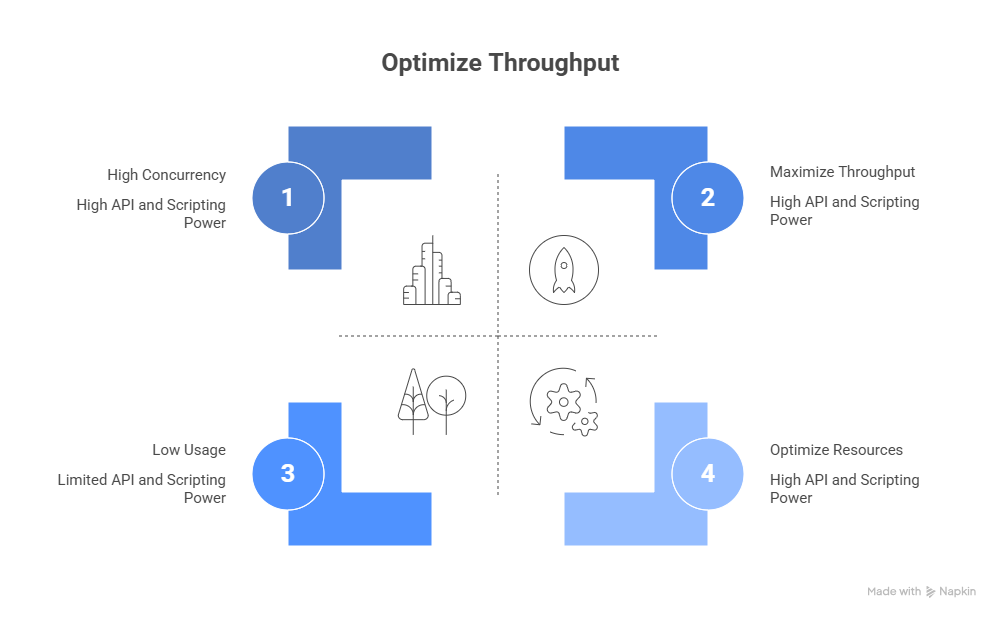
SuiteCloud Plus is an add-on license for NetSuite that increases your account’s processing throughput. It does not unlock new features, modules, or capabilities. It increases the number of simultaneous operations your account can handle across four areas:
A SuiteCloud Plus license increases your account throughput by allowing more concurrency for web services, scheduled processes, and file imports. By adding SuiteCloud Plus licenses, you can run more web services integrations, batch processes, and file imports in parallel.
Those four areas are:
API Concurrency (Web Services and RESTlets)
How many simultaneous SOAP, REST, and RESTlet requests can your account process? The base limit depends on your service tier. Each SC+ license adds 10 concurrent threads.
Scheduled Script Processors and Queues
How many scheduled scripts and map/reduce jobs can run in parallel? Without SC+, all your background scripts queue behind each other. SC+ adds processor capacity so they can run at the same time.
CSV Import Threads and Queues
How many CSV import jobs can run at once, and how many threads each job can use? High-volume data imports that currently run one after another can run in parallel with SC+.
REST Async Processors
How many asynchronous REST requests can process at the same time. Relevant for high-volume REST integrations that use async patterns to avoid holding open connections.
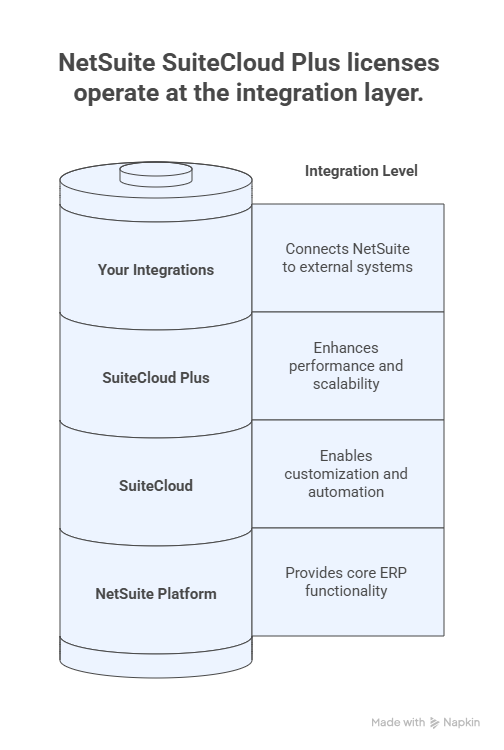
To understand how these capabilities fit within the broader SuiteCloud platform and what the base SuiteCloud features include without SC+, our guide on NetSuite SuiteCloud features and benefits covers the full platform in context.
The Concurrency Math: What Your Account Can Actually Handle
Understanding the numbers is the most useful thing you can know about SuiteCloud Plus before buying it.
Base Concurrency by Service Tier
Your base API concurrency limit depends on your NetSuite service tier:
| Service Tier | Base Concurrent Requests |
|---|---|
| Shared | 5 |
| Standard | 5 |
| Tier 1 | 15 |
| Tier 2 | 20 |
| Ultimate | 20 |
Each SC+ license adds 10 concurrent requests on top of this base.
The Formula
Account Concurrency Limit = Base Tier Limit + (Number of SC+ Licenses × 10)For most mid-market businesses on Tier 1, the practical impact is:
- 0 SC+ licenses: 15 concurrent requests
- 1 SC+ license: 25 concurrent requests
- 2 SC+ licenses: 35 concurrent requests
- 3 SC+ licenses: 45 concurrent requests
What “Concurrent Requests” Actually Means
A concurrent request is a single active API call being processed by NetSuite at any given moment. If a Shopify integration sends 20 orders at the same time, each order is one request. If 20 requests arrive and you have 15 threads available, the first 15 process immediately. The remaining 5 get a 429 error and need to be retried.
The problem is not usually volume. It is simultaneous volume. A system that sends 1,000 orders in a queue, one after another, uses 1 thread. A system that sends 50 orders all at once uses 50 threads. The first is fine on a base account. The second will fail on almost any NetSuite account without SC+.
To understand how the SuiteCloud platform compares to SuiteCloud Plus across the full range of capabilities, our blog on SuiteCloud vs. SuiteCloud Plus key differences covers the technical distinctions in detail.
The Real Problem: The Noisy Neighbor
Before deciding whether to buy SC+ licenses, it is worth understanding one of the most common causes of the 429 error that has nothing to do with overall capacity.
One of the most overlooked features in NetSuite is the ability to manually allocate concurrency slots to specific integrations, found under Setup > Integration > Integration Governance.
By default, all integrations fight for the same “Unallocated” pool of threads. This creates a “noisy neighbor” problem where a low-priority marketing sync can consume all available threads, blocking high-priority Warehouse Management System requests.
The noisy neighbor problem works like this. Your NetSuite account has 15 concurrent threads. You have five integrations: order management, inventory sync, 3PL fulfillment, payroll, and a marketing list. All five pull from the same unallocated pool. During a peak period, the marketing list sync fires a batch job and consumes 10 threads for 30 seconds. During those 30 seconds, your order management integration has only 5 threads available. If you are getting more than 5 simultaneous orders, some fail.
The fix is concurrency allocation, not capacity. Navigate to Setup > Integration > Integration Management > Integration Governance. Allocate a reserved thread count to your critical integrations. Set a cap on your low-priority integrations. The marketing sync will never starve your order flow again.
This matters in practice because businesses often buy SC+ licenses to solve a problem that governance configuration would have solved for free. Checking the Concurrency Monitor at Setup > Integration > Concurrency Monitor first tells you whether your peak rejections are a capacity problem or a distribution problem. If peak usage is hitting 13 of 15 threads and you have three integrations competing, you probably need SC+.
If peak usage is hitting 14 of 15 threads because one integration is hogging the pool, you need governance configuration.
When SuiteCloud Plus Is the Right Answer
Once you have ruled out the noisy neighbor problem, these are the scenarios where SC+ licenses are the right investment.
High-Volume eCommerce With Peak Order Spikes
Flash sales, Black Friday, seasonal campaigns. Any scenario where order volume spikes by a factor of 10 or more in a short window will hit concurrency limits on a base account. A retailer processing 20 orders per minute during normal operations might process 300 per minute during a peak event. If those orders are coming in at the same time rather than being queued, the difference between 15 and 45 concurrent threads is the difference between a clean sale and an operations failure.
For businesses building out their NetSuite eCommerce stack, our guide on NetSuite SuiteCommerce and website builder covers how the commerce layer connects to the NetSuite backend that SC+ governs.
Multi-System Integrations Running in Parallel
Every integration you add to NetSuite draws from the same concurrency pool. A business with five live integrations (Shopify, Salesforce, an EDI connection, a 3PL, and a payroll system) is running five concurrent connections that can all fire at the same time. The more integrations you run, the more likely that a synchronous event in one system triggers parallel activity across all five.
If you are running or planning to run more than three concurrent integrations, the starting assumption should be that SC+ will be needed. Our NetSuite integration services page covers Folio3’s approach to integration architecture and how to design against concurrency limits from the start.
Heavy-Scheduled Scripts Running Alongside API Activity
Scheduled scripts and map/reduce jobs draw from a separate processing pool, but the impact compounds. A business that runs heavy nightly processing (financial consolidation, inventory revaluation, sales reporting scripts) while also running overnight data sync integrations can hit both the script processor limit and the API concurrency limit at the same time.
SC+ increases both processing pools, which is why it matters for businesses running significant scheduled automation alongside active integrations.
To understand how SuiteFlow workflow automation interacts with these processor limits and when scripting versus workflows is the right choice for automation, our guide on automating workflows in NetSuite SuiteFlow covers the automation layer in detail.
Large-Scale CSV Imports That Slow Operations
Businesses running high-volume data migrations, batch price updates, or large inventory imports benefit from SC+’s multi-threading for CSV imports. Without SC+, a 50,000-row import runs as a single-threaded job. With SC+, it can run across multiple threads and finish in a fraction of the time.
How to Diagnose Before You Buy
NetSuite provides two built-in tools that should be your first stop before any SC+ purchase conversation.
Concurrency Monitor
Navigate to Setup > Integration > Concurrency Monitor.
This gives you a real-time and historical graph of your concurrency usage. Look specifically for “Peak Rejections,” shown as red bars, where requests were rejected because the limit was exceeded. If you have consistent peak rejections that cannot be resolved by governance allocation, you have a capacity problem that SC+ addresses.
If your concurrency usage rarely exceeds 70% of your limit and peak rejections are infrequent, your issue is probably not capacity.
Integration Governance Dashboard
Navigate to Setup > Integration > Integration Management > Integration Governance.
This shows your total concurrency limit, how it is allocated across integrations, and what is drawing from the unallocated pool. This is where you identify the noisy neighbor and where you configure dedicated thread allocations for critical integrations.
Every business should review this dashboard before any SC+ purchase discussion. The answer to whether you need more capacity is in here.
SuiteCloud Plus and NetSuite SuiteTalk REST API
For businesses using or planning to use the SuiteTalk REST API for integrations, SC+ matters in two specific ways beyond raw concurrency.
First, REST async processing capacity scales with SC+ licenses. Async requests do not hold an open connection while processing, which works better for high-volume integrations. The number of async processors is limited by default and increases with SC+.
Second, the governance limits for REST web service requests follow the same concurrency formula as SOAP. If you are building REST integrations and anticipate high simultaneous call volumes, the SC+ calculation applies the same way.
For a practical guide to building integrations against the SuiteTalk REST API, our blog on getting started with NetSuite SuiteTalk REST API in Postman covers the setup and authentication flow.
How SuiteCloud Plus Fits Into a Healthy NetSuite Implementation
SuiteCloud Plus is not a substitute for good integration architecture. Buying more concurrency capacity for a poorly designed integration is an expensive way to avoid the real fix.
The right sequence is:
- Design integrations to queue requests rather than fire them all at once
- Implement retry logic with exponential backoff on 429 errors
- Use map/reduce scripts for bulk processing instead of sequential API calls
- Allocate concurrency through Integration Governance for critical integrations
- Add SC+ licenses when the above steps are in place and peak usage consistently approaches the account limit
A NetSuite implementation that handles integrations correctly from the start will hit SC+ requirements at a much higher volume than one that fires parallel API calls without queuing or retry logic.
For businesses planning a new NetSuite implementation and wanting to build the integration architecture correctly from the start, our guide on the key to a functional NetSuite implementation covers the implementation decisions that affect long-term performance.
Our NetSuite implementation services page covers how Folio3 approaches integration architecture as part of implementation, including concurrency planning.
Final Thoughts
SuiteCloud Plus solves a specific problem: throughput. When your NetSuite account needs to process more simultaneous operations than its base tier allows, SC+ licenses are the right tool.
But they are not the first tool to reach for. Before any SC+ conversation, check your Integration Governance dashboard, look at your Concurrency Monitor data, and rule out the noisy neighbor problem. If governance configuration and better integration architecture can solve the problem, that is the right answer.
For businesses that have done that work and still consistently hit their concurrency ceiling, SC+ is a straightforward investment. The math is simple, the impact is immediate, and the cost is justified by the operational reliability it provides during peak periods.
If you want a clear answer on whether your NetSuite environment needs SC+ licenses or whether a governance configuration change would solve the problem, the Folio3 team gives straight answers on what the right path looks like for your specific setup.
FAQs
What does SuiteCloud Plus do in NetSuite?
SuiteCloud Plus is a throughput license that increases four processing capacities in your NetSuite account: API concurrency (more simultaneous web service requests), script processor queues (more parallel scheduled script and map/reduce job processing), CSV import threads (faster parallel data imports), and REST async processors. Each SC+ license adds 10 concurrent API threads on top of your service tier’s base limit.
How many SuiteCloud Plus licenses do I need?
Start by checking your Concurrency Monitor at Setup > Integration > Concurrency Monitor. If you are consistently hitting peak rejections at 80% or more of your current limit, calculate the thread count you need at peak volume and use the formula: Required SC+ licenses = (Target Concurrency – Base Tier Limit) / 10. Most mid-market businesses with three to five active integrations start with one to three SC+ licenses.
What is the 429 error in NetSuite and does SC+ fix it?
The 429 (CONCURRENT_REQUESTS_LIMIT_EXCEEDED) error occurs when your account receives more simultaneous API requests than your concurrency limit allows. SC+ fixes it if the problem is total capacity. It does not fix it if the problem is one integration consuming a disproportionate share of available threads. Check Integration Governance first to rule out the noisy neighbor problem before purchasing SC+ licenses.
What is the difference between SuiteCloud and SuiteCloud Plus?
SuiteCloud is the development platform that includes SuiteScript, SuiteFlow, SuiteBuilder, and SuiteTalk. Every NetSuite account includes SuiteCloud. SuiteCloud Plus is an add-on license that increases the throughput capacity of that platform: concurrency limits, script processor queues, CSV import threads, and REST async processing capacity.
Does SuiteCloud Plus affect sandbox environments?
SC+ licenses do not automatically transfer to sandbox environments. Check Setup > Company > View Billing Information in your sandbox to verify its limits before load testing. Testing against a sandbox with different concurrency limits than production will not accurately reflect production behavior under peak load.

