
Managing Salesforce or NetSuite efficiently often comes down to the tools you use around them, not just the platforms themselves. That’s where browser extensions, SuiteApps, AppExchange solutions, and productivity add-ons make a real difference. These tools fill gaps that CRM and ERP systems don’t cover by default.
They speed up daily workflows, improve data accuracy, simplify field-level visibility, automate exports, enhance UI experience, and even help developers debug faster.
In this guide, we’ve listed down 25+ verified, actively maintained, and high-utility tools for both Salesforce and NetSuite users. No outdated or broken plugins, only practical solutions that professionals actually use. You’ll find:
- Field and record explorer tools
- Saved search and data export enhancers
- UI and productivity extensions
- Debugging and developer utilities
- SuiteApps and AppExchange tools worth considering
By the end, you’ll know exactly which add-ons are worth installing to boost accuracy, speed, and user experience, whether you’re using NetSuite, Salesforce, or both.
This blog categorizes Salesforce and NetSuite users separately, so make sure to read until the end to find the top extensions and add-ons.
Before you get started, make sure you watch the short video to understand Salesforce and NetSuite integration.
Top 25 Salesforce Extensions & Chrome Add-Ons
Below are the top Salesforce extensions and add-ons that you can leverage to improve your productivity and make work a lot easier!
Salesforce Development & Admin Tools
Salesforce Inspector

A must-have Chrome extension for Salesforce professionals, Salesforce Inspector enhances productivity by exposing useful metadata and data details directly within the Salesforce UI.
What it does:
It allows users to quickly view, query, and manipulate Salesforce data without leaving the browser, streamlining development and admin tasks.
Key Features:
- Instantly view field names, data types, and values for any record
- Run SOQL queries and export results in CSV or JSON
- Import and update Salesforce data directly from the browser
- Access record and object metadata instantly
Who uses it: Admins, Developers
ORGanizer for Salesforce

This extension helps professionals manage multiple Salesforce environments by securely storing credentials and providing easy navigation between orgs.
What it does:
ORGanizer color-codes different Salesforce orgs, manages logins, and provides instant shortcuts to key setup pages and developer tools.
Key Features:
- Store and manage multiple Salesforce credentials securely
- Color-code each org (sandbox, production, dev) to avoid confusion
- One-click access to Setup pages, Object Manager, and Apex logs
- Support for bookmarks and quick links
Who uses it: Admins, Developers, Consultants
Salesforce DevTools

A powerful Chrome extension that boosts developer efficiency by adding quick metadata insights, shortcuts, and debugging aids inside Salesforce.
What it does:
It enables developers to access common setup pages, check field IDs, and run metadata searches without leaving the record view.
Key Features:
- Instant access to metadata and object details
- Links to Apex Classes, Triggers, Workflows, and Logs
- Command bar to quickly jump between tools and settings
- Highlight and inspect fields with API names
Who uses it: Developers, Advanced Admins
Salesforce Schema Lister
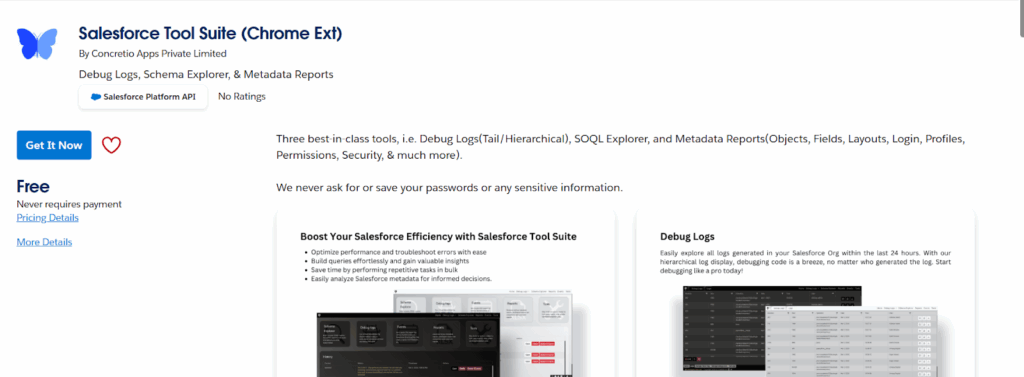
A useful tool for understanding and documenting Salesforce data structures.
What it does:
It generates schema lists and reports for Salesforce objects, displaying fields, relationships, and data types in a clear and readable format.
Key Features:
- Exports detailed schema documentation in CSV or Excel
- Displays field names, data types, picklist values, and relationships
- Helps visualize object dependencies and structure
Who uses it: Developers, Data Architects, Admins
Salesforce Easy Navigator

A time-saving extension that adds a search command bar to your Salesforce interface.
What it does:
It allows users to type partial page or feature names and instantly jump to any Salesforce page, saving clicks and navigation time.
Key Features:
- Jump to setup pages, reports, objects, or logs via the search bar
- Works with both Classic and Lightning interfaces
- Keyboard shortcut support for faster navigation
Who uses it: Admins, Developers, Power Users
Apex Debugger Chrome Tool
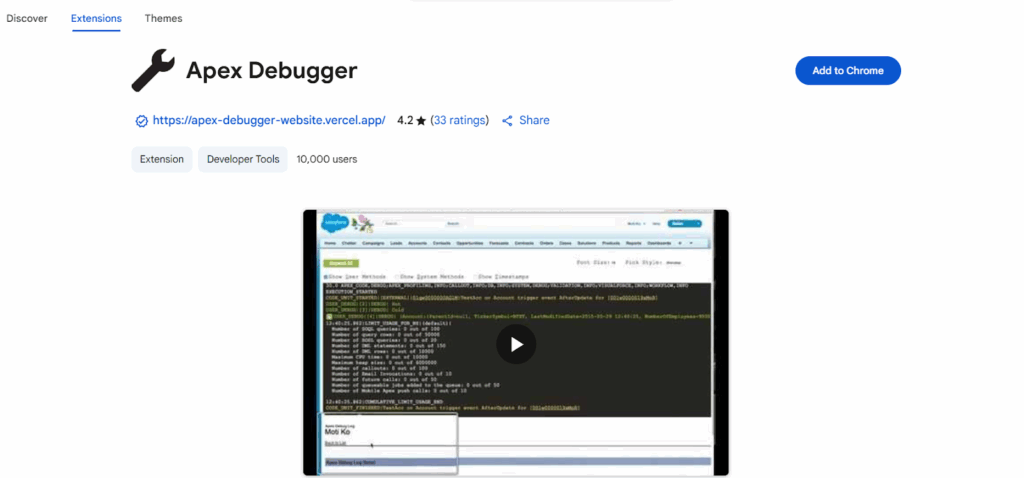
A developer-centric extension designed for debugging and troubleshooting Apex code in real time.
What it does:
It allows developers to view debug logs, filter events, and analyze Apex execution results without constantly switching tabs.
Key Features:
- Real-time Apex log viewing and filtering
- Visual trace flags for performance debugging
- Log search and event categorization tools
Who uses it: Developers
SOQL Extractor & Analyzer/Salesforce SOQL Enhancer

An essential query tool for anyone managing or auditing Salesforce data.
What it does:
It lets users extract SOQL queries from code or debug logs and analyze their performance and results.
Key Features:
- Extracts and executes SOQL queries directly from debug logs
- Displays query performance metrics and object references
- Export query results to CSV
Who uses it: Developers, Data Analysts
Field Trip / Field Analyzer
A lightweight extension that helps clean up and optimize unused Salesforce fields.
What it does
It analyzes how often fields are populated or used in records, helping admins identify redundant or unnecessary fields.
Key Features:
- Reports field utilization across objects
- Identifies empty or rarely used fields
- Helps optimize data models and layouts
Who uses it: Admins, Business Analysts
Lightning Extension

An official Salesforce Chrome extension designed to enhance productivity in Lightning Experience.
What it does:
It provides quick navigation shortcuts, theme customization, and other user experience improvements tailored to Lightning users.
Key Features:
- Enables Dark Mode in Salesforce Lightning
- Adds keyboard shortcuts for faster navigation
- Improves component layout visibility and responsiveness
Who uses it: All Salesforce users
Salesforce Productivity & Sales Tools
These extensions are designed for sales teams, productivity-focused users, and anyone who spends a lot of time in Salesforce and wants to do things faster and smarter.
1. Salesforce Gmail Integration (Chrome Extension)

This extension connects Gmail with Salesforce so sales reps can view, create, and update Salesforce records without leaving their inbox.
What it does:
It embeds Salesforce data inside Gmail, letting users log emails, create leads or contacts, and track communication history directly.
Key Features:
- View Salesforce records alongside emails
- Log emails to Salesforce with one click
- Create new Contacts, Leads, Opportunities from Gmail
- Auto-capture email communication and attachments
Who uses it: Sales Reps, Account Managers, Customer Support Teams
P.S.: To start using the integration with Gmail, get the Salesforce extension from the Chrome Web Store and connect your email account.
2. Salesforce Outlook Integration

A similar tool for Outlook users that brings Salesforce functionality into the Outlook inbox.
What it does:
It allows users to sync emails, events, and tasks from Outlook into Salesforce without manual data entry.
Key Features:
- Email-to-Salesforce logging
- Sync Outlook calendar events with Salesforce activities
- Create and update Salesforce records directly from emails
- Works with Microsoft Office 365 and Outlook desktop
Who uses it: Sales Teams, Consultants, Executives
P.S.: To use the integration, each Outlook user needs the Salesforce add-in for Microsoft Outlook. How each user gets the add-in is up to the email administrator and IT department at your company. After the add-in is installed, open it in Outlook, connect your email account, and then manage the add-in like you do other Microsoft add-ins.
Available in: Salesforce Classic and Lightning Experience
3. Why Salesforce

The Why Salesforce Chrome Extension is a must-have for Salesforce Admins who spend a lot of time in Setup. If you’ve ever caught yourself constantly typing “Flow” or “Installed Packages” into the Quick Find bar, this tool is for you.
Created by Warren Walters and maintained as an open-source project, this extension streamlines your navigation inside Salesforce Setup by letting you create custom tabs next to the Object Manager. These tabs provide one-click access to your most-used pages — saving you from repeated searches and unnecessary clicks.
Key highlights:
- Add custom tabs for your frequently visited Setup pages.
- Open pages in the same tab or a new tab with a single click.
- Continuously improved by the Salesforce community.
4. Outreach Everywhere (Salesforce + Chrome Extension)

A popular sales communication extension used to automate outreach steps and keep Salesforce updated.
What it does:
It enables users to send emails, make calls, and update Salesforce activity records all from a side panel.
Key Features:
- Send emails and calls directly from Salesforce pages
- Sync call notes and activity logs automatically
- Add prospects to sequences without leaving Salesforce
- Tracks engagement analytics and reporting
Who uses it: Sales Development Teams, B2B Sales
5. Salesforce Dev Tools

Salesforce DevTools is one of the most widely used Chrome extensions for Salesforce developers, admins and consultants. With over 60,000 users and a 4.2-star rating, it helps speed up everyday development, configuration, and data work inside Salesforce.
Key Features
- Auto-generate SOQL queries and Apex code, and export query results directly to Excel.
- Jump to record pages, list views or object setup pages without clicking through multiple menus.
- Search object fields, view API names on detail pages, and check where fields are used.
- Export object definitions, fields, page layouts and list views to Excel for documentation or audits.
- Automatically generate visual Salesforce data models to understand relationships across objects.
- Mass edit, clone or delete custom fields and update profile/field permissions with a single click.
Who It’s Best For
- Salesforce Developers writing SOQL, Apex, and integration scripts
- Admins handling metadata changes, documentation, or audits
- Consultants who need fast object insights and data models during client projects
6. ZoomInfo Engage Chrome Extension (Salesforce-Integrated)

A prospecting tool that provides lead and account information from ZoomInfo’s database inside Salesforce.
What it does:
It displays verified contact information, job roles, phone numbers, and company data while allowing one-click add to Salesforce.
Key Features:
- Direct add/update of Leads, Contacts, Accounts in Salesforce
- Access to phone numbers, emails, and company insights
- Buyer intent data and technographics visibility
- Useful for outbound sales and market research
Who uses it: Sales Teams, Recruiters, Business Development
7. LinkPoint Connect for Salesforce

A lightweight email sync tool that works with Gmail and Outlook to simplify email logging.
What it does:
It enables one-click email logging to Salesforce and allows users to search Salesforce records inside their inbox.
Key Features:
- Drag-and-drop email logging to Salesforce records
- View Salesforce Opportunities and Contacts in your inbox
- Create new Leads without leaving an email
- Calendar sync and task creation
Who uses it: Sales, Marketing, Customer Service
8. Groove Sales Engagement Platform (Salesforce sync for Gmail + Microsoft 365)
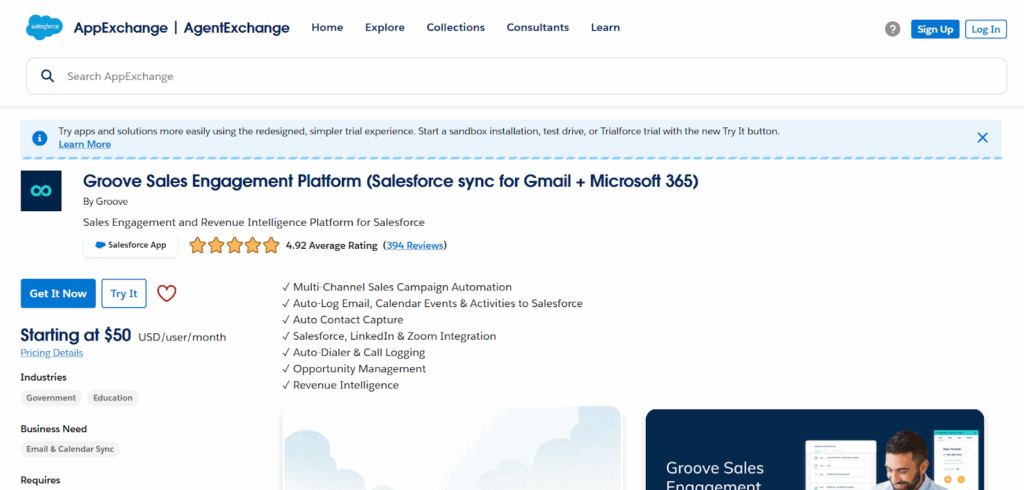
A workflow automation tool that integrates Salesforce with Gmail to boost productivity for sales teams.
What it does:
Groove Sales Engagement Platform (Salesforce sync for Gmail + Microsoft 365) helps automate repetitive Salesforce tasks, track email engagements, and manage Salesforce data inside Gmail.
Key Features:
- Salesforce sidebar in Gmail
- Track email opens and clicks
- Add prospects to Salesforce Cadences
- Syncs calls, meetings, and no-shows automatically
Who uses it: Sales Teams, Revenue Operations
Salesforce Productivity & UI Enhancements for End Users
1. Salesforce Inbox / Gmail Integration

A native extension connecting Gmail or Outlook to Salesforce for seamless communication logging.
What it does:
It embeds Salesforce inside email platforms so users can log emails, schedule follow-ups, and view CRM data directly from their inbox.
Key Features:
- Log emails to Leads, Contacts, Opportunities
- Create Salesforce records from Gmail or Outlook
- Schedule follow-ups and meetings synced to Salesforce
- Side panel showing related Salesforce information
Who uses it: Sales reps, account managers, customer success teams
2. Salesforce Quick Shortcuts (Salesforce Shortcuts Extension)

A productivity add-on that introduces keyboard shortcuts to navigate Salesforce faster.
What it does:
It allows users to perform actions like saving records, opening setup pages, or switching tabs using quick key combinations.
Key Features:
- Customizable keyboard shortcuts
- Supports Classic and Lightning UI
- Quick actions: Save, Edit, Clone records
- Faster page navigation without using the mouse
Who uses it: Admins, power users, sales teams who work inside Salesforce daily
3. Salesforce Lightning Dark Mode Extension

A Chrome extension that adds dark mode support to the Salesforce Lightning interface.
What it does:
It changes Salesforce’s default bright UI to a darker color scheme for better readability and reduced eye strain.
Key Features:
- Enables dark theme across Lightning pages
- Reduces blue light exposure
- Toggle on and off easily
- Works with standard Salesforce layouts and dashboards
4. Salesforce Quick Access

A utility extension that gives users instant access to frequently used settings, objects, and pages in Salesforce.
What it does:
It eliminates time spent searching menus by allowing users to jump directly to fields, setup pages, or record types.
Key Features:
- Search and quick-open any Salesforce page or object
- Direct links to Setup, Objects, Debug Logs, Workflows
- Works across multiple Salesforce orgs
- Bookmark your most-used pages
Who uses it: Admins, consultants, developers
5. Enhance Salesforce Dashboard (Enhancer for Salesforce)

A multi-featured Chrome extension that improves Salesforce’s UI with additional buttons, field displays, and quality-of-life upgrades.
What it does:
It enhances Salesforce pages by adding features like copy record IDs, auto-refresh lists, and highlighting required fields.
Key Features:
- Copy field/record IDs with one click
- Highlight required or modified fields
- Auto-refresh dashboards and reports
- Export data from lists easily
6. Salesforce Shortcuts

Designed for users working inside Salesforce Sales Console to speed up navigation.
What it does:
It introduces quick keyboard shortcuts and layout improvements specifically for Console view users.
Key Features:
- Switch between Console tabs with keyboard shortcuts
- Open records in new sub-tabs quickly
- Close or refresh tabs with simple key commands
- Designed for high-volume inside sales teams
Who uses it: SDRs, customer service reps working in Console UI
Salesforce Data & Reporting Extensions
7. Boostr for Salesforce
Boostr for Salesforce is one of the most popular Chrome extensions among Salesforce Admins and Developers and for good reason. It helps you work faster and more efficiently by adding simple but powerful enhancements to the Salesforce interface.
Whether you’re managing change sets or creating new fields, Boostr eliminates repetitive actions that slow down your workflow.
Top features include:
- Quickly search and filter when adding items to a change set.
- Select or unselect all fields in the admin areas with one checkbox.
- Automatically apply Pascal Case for API names when creating new fields.
Boostr is all about making admin and development tasks easier, allowing you to focus more on strategy and less on clicks.
8. Enhance Salesforce Report
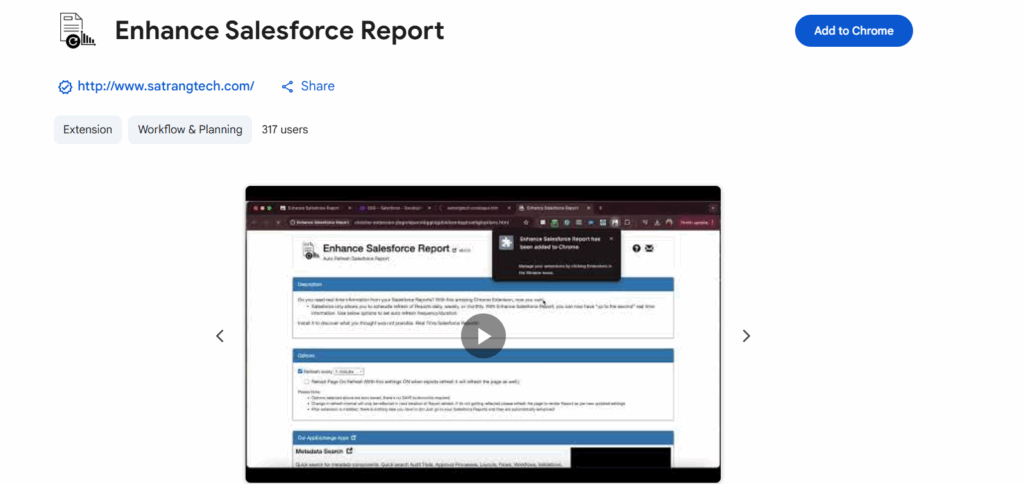
Enhance Salesforce Report is a smart Chrome extension that solves one of Salesforce’s most common limitations: the inability to refresh reports in real time. By default, Salesforce only allows scheduled refreshes on a daily, weekly, or monthly basis. This tool lets users automatically refresh reports at custom time intervals, giving them up-to-the-minute visibility into sales, service, pipeline or operational data.
Core Features
- Auto-Refresh Salesforce Reports in Real-Time
Set custom refresh intervals (every few seconds, minutes or hours) instead of waiting for Salesforce’s limited scheduled refreshes. - Continuous Live Dashboards
Ideal for sales teams, service centers or operations dashboards displayed on screens where live data is critical. - Refresh Tabs After Update
A recent update (v5.0.0+) allows tabs to be reloaded automatically after the report is refreshed to ensure the latest results appear. - Simplified Options Panel
Users can easily select refresh duration and frequency directly from the upgraded options page (v6.0.0).
Who Benefits Most
- Sales Managers & Executives monitoring live KPIs or pipeline status
- Customer Service Teams tracking open cases, SLA timelines or queue volumes
- Operations or Logistics Teams watching fulfillment, delivery or stock levels in real time
- Anyone displaying Salesforce reports on office display screens
Why It’s Useful
This extension unlocks real-time decision-making in environments where data changes rapidly. Instead of manually hitting refresh or waiting for the next daily update, you always have current information.
10. Salesforce Simplified

The Salesforce Simplified extension lives up to its name by making the daily work of Salesforce Developers more efficient. It overlays useful data directly on the Salesforce UI, giving you quick insights without constant tab switching or extra navigation.
It’s a great companion for developers who need to work quickly, debug efficiently, and reduce the number of clicks per task.
Why it’s useful:
- Displays relevant field data and metadata directly on the page.
- Helps you navigate faster through Salesforce components.
- Reduces repetitive actions for developers and admins alike.
If you’re looking for a lightweight productivity boost, Salesforce Simplified is an easy win
NetSuite Field and Record Tools
These extensions help users, developers, and NetSuite administrators quickly inspect fields, record structures, and metadata inside the interface. They are especially useful for SuiteScript development, customizations, and debugging.
1. NetSuite Advanced Field Help

A productivity tool that enhances the native “Field Help” feature in NetSuite with additional technical data.
What it does:
Shows internal IDs, field types, record types, and sublist information directly inside the Field Help popup.
Key Features:
• Displays field ID, type, and source list
• Shows whether a field is stored or formula-based
• Works on standard and custom records
• Makes SuiteScript development faster
Best For: Developers, technical consultants, administrators
2. NetSuite Field Explorer
A compact panel that lets users browse all fields available on the current record.
What it does:
Shows a structured list of record fields with internal IDs, values and field types.
Key Features:
• View fields for body and sublists
• Filter fields by name or ID
• Shows current field values in real time
• Helpful for creating scripts and saved searches
Best For: SuiteScript developers, solution architects
3. NetSuite Field Finder
A tool that helps users quickly identify field IDs on complex forms.
What it does:
Highlights fields on a record and displays their internal IDs when clicked or hovered.
Key Features:
• Instant field ID lookup without opening record browser
• Supports custom and standard fields
• Works across forms and sublists
• Saves time compared to using Developer Tools manually
Best For: Admins, SuiteScript developers, form customization teams
4. Show Field IDs
One of the simplest but most used NetSuite extensions.
What it does: Adds the internal ID next to field labels on NetSuite forms automatically.
Key Features:
• Displays field IDs inline on the screen
• No extra clicks or panels required
• Lightweight and easy to install
Best For: Anyone building scripts, workflows, or integrations
An additional tip: Shift+Click the link to copy the ID to the clipboard!
5. NetSuite Field Highlighter
A visual helper that lets users highlight specific fields based on ID or name.
What it does: Helps quickly locate fields on large forms by applying visual highlights or color codes.
Key Features:
• Highlights body or sublist fields
• Search by field name or internal ID
• Useful for form reviews and audits
Best For: Admins, QA teams, developers
6. NetSuite Records Scripts
An extension that shows which scripts are deployed on the current record.
What it does: Displays all client scripts, user events, and workflows associated with the record you are viewing.
Key Features:
• Shows all script deployments and workflows
• Helps diagnose script conflicts or errors
• Links directly to Deployment Pages when clicked
Best For: Developers, SuiteScript troubleshooters
7. SuiteLook: NetSuite Record Viewer
A tool that converts the record you are viewing into JSON format.
What it does: Extracts all field data and renders it as JSON for use in API development or SuiteScript coding.
Key Features:
• One-click JSON conversion
• Copy and export JSON output
• Supports body fields and sublist data
Best For: API developers, integration specialists
8. NetSuite Saved Search Field Finder
Helps locate field IDs specifically for use in Saved Searches.
What it does: Shows internal IDs for fields used in Saved Search results, filters, and summaries.
Key Features:
• Displays search column and filter IDs
• Useful for SuiteScript search create code
• Saves time when building advanced searches
Best For: Developers, reporting analysts
9. Transaction Tree Viewer
A visualization tool that shows transaction relationships in a tree format.
What it does: Maps connections between related records such as Sales Orders, Invoices and Payments.
Key Features:
• View parent-child relationships of transactions
• Helps trace financial document flows
• Useful during audits or debugging transaction chains
Best For: Finance teams, auditors, consultants
10. SuiteField: NetSuite Field Enhanced Help
An upgraded field help tool similar to Advanced Field Help but with extra metadata and UI improvements.
What it does: Provides enriched insight into field properties, sourcing rules, and field dependencies.
Key Features:
• Field ID, type and sourcing logic
• Shows mandatory status and UI visibility
• Helps during customization or form development
Best For: NetSuite administrators, consultants, developers
Saved Search and Export Extensions for NetSuite
1. NetSuite: Saved Search and Dataset Export
This extension allows users to export data from NetSuite Saved Searches and Datasets in a single click.
What it does / Why it’s useful: Makes it easier to pull data for financial reports, audits or analytics without manually downloading CSV files.
Key Features:
• One-click export of Saved Search or Dataset results
• Supports Excel and CSV formats
• Appears directly in the NetSuite interface
Best For: Finance users, reporting managers, operations teams
2. Saved Search Export to SuiteScript 2.x
A tool used by developers to convert Saved Search criteria into ready-to-use SuiteScript 2.x code.
What it does / Why it’s useful:
Saves development time by generating script code for NetSuite searches without manual writing.
Key Features:
• Converts any Saved Search into SuiteScript 2.x format
• Works with scheduled scripts, workflows and Map/Reduce scripts
• Reduces search-related coding errors
Best For: Developers, SuiteScript consultants, technical architects
3. NetSuite WB / DS Query Export
This extension helps export the Workbook and Dataset query logic for documentation or reuse in another NetSuite account.
What it does / Why it’s useful: Useful when migrating reports between Sandbox and Production or when building BI dashboards.
Key Features:
• Exports Dataset queries into JSON or SQL-like formats
• Helps clone queries across NetSuite accounts
• Ideal for documentation and report standardization
Best For: Business intelligence teams, NetSuite administrators
4. NetSuite Search Results to JSON
A lightweight tool that converts Saved Search result tables into JSON instantly.
What it does / Why it’s useful: Helps developers use NetSuite data inside integrations, APIs or external dashboards.
Key Features:
• Converts Saved Search results to JSON format
• Copy-to-clipboard functionality
• Helpful for API testing and webhooks
Best For: Integration developers, API engineers, technical consultants
5. NetSuite Record Export Tool
A bulk export utility for downloading transactions, customers or item records directly from NetSuite pages.
What it does / Why it’s useful:
Makes exporting large volumes of records easier for financial analysis, audits or data backups.
Key Features:
• Supports export of transactions, customers, vendors and items
• Choose CSV or Excel before download
• Filter and select fields before exporting
Best For: Finance teams, auditors, system administrators
UI and Productivity Extensions for NetSuite
These browser extensions improve everyday usability inside NetSuite by enhancing navigation, screen layout, shortcuts and workflow speed. They are used by admins, finance teams and power users who spend most of their day inside the system.
1. NetSuite Fixed Sublist Header
A simple usability extension that locks sublist headers in place while scrolling through long records such as transactions or item lists.
What it does:
Helps users view column names while scrolling, reducing data entry mistakes.
Key Features:
• Keeps sublist headers visible during vertical scroll
• Works on transaction, item, and customer record sublists
• Improves readability for large data tables
Best For: Finance users, data entry teams, administrators
2. NetSuite Keyboard Shortcuts
This extension introduces quick keyboard shortcuts to navigate NetSuite faster without relying heavily on mouse clicks.
What it does:
Speeds up record creation, search access, and page navigation using predefined shortcut keys.
Key Features:
• Keyboard shortcuts for new records, search, and navigation
• Reduces time spent clicking through menus
• Helps heavy daily users streamline workflows
Best For: Power users, accountants, NetSuite admins
3. NetSuite SplitView
A productivity tool that enables a split-screen layout within the NetSuite interface. Users can view two records or transactions side by side.
What it does:
Allows comparison of records without switching tabs or windows.
Key Features:
• Dual-pane layout inside the same browser tab
• Copy and compare data between two records
• Supports transactions, customer, and vendor records
Best For: Operations teams, finance teams, administrators
4. SuiteAdvanced
A collection of enhancements bundled into a single extension to improve productivity and interface usability.
What it does:
Adds multiple UI improvements, including quick navigation, shortcuts, and saved view enhancements.
Key Features:
• Quick navigation panel inside NetSuite
• Customizable shortcuts and action buttons
• Cleaner interface for Saved Searches and lists
• Auto-refresh options for dashboard portlets
Best For: Admins, consultants, frequent NetSuite users
5. NetSuite QuickSearch Pro
A fast search utility that allows users to find records instantly from anywhere in NetSuite.
What it does: Provides a universal search bar to locate customers, transactions or items without opening menus.
Key Features:
• Global search bar inside every screen
• Supports transactions, customers, vendors, and items
• Auto-suggestions for faster searching
Best For: Sales teams, finance users, customer service agents
6. Quick Access for NetSuite
Quick Access for NetSuite is a productivity-focused browser extension designed to help NetSuite users access pages, records and frequently used modules instantly—without navigating through multiple menus. It is especially helpful for admins, consultants and finance teams who work across multiple NetSuite pages daily and need faster navigation.
Key Benefits
- One-Click Navigation
Jump directly to common NetSuite pages like Transactions, Lists, Records, Customers, Vendors, Items, or Saved Searches with a single click. - Custom Shortcuts & Favorites
Save your most-used pages (like Sales Orders, Item Records, Workflows or Scripts) and access them from a compact sidebar or toolbar shortcut. - Global Search Shortcut
Quickly open NetSuite’s global search box and use prefixes (like cu, inv, so) without typing the full path manually. - Reduced Clicks & Menu Time
Eliminates the need to go through Setup → Customization → Lists or Transactions → Sales every time.
Who Uses It
- NetSuite Administrators managing records, scripts, permissions, or workflows
- Finance & Operations Teams frequently open transaction records (invoices, POs, journal entries)
- Consultants & Power Users working across sandbox and production environments who need faster navigation
Conclusion
The right add-ons and extensions can transform how Salesforce and NetSuite users work — bridging data gaps, improving visibility, and automating processes across departments. Whether your goal is to strengthen CRM-ERP integration, enhance reporting, or simplify financial workflows, each extension adds measurable value when chosen strategically.
If you’re exploring which integrations best fit your business model, consider working with a certified NetSuite Partner like Folio3. Our team helps design and implement seamless Salesforce to NetSuite integrations tailored to your processes, ensuring smooth data flow and long-term scalability.

