

In an era where eCommerce is king, companies are always looking for new ways to stay competitive. BigCommerce ERP Integration with NetSuite is a game-changing tactic that gives businesses unmatched efficiency and accuracy to traverse the complex world of online shopping.
By syncing data between sales, inventory, orders, and financials, the BigCommerce and NetSuite synce removes the need for manual labor. Companies are able to effectively manage both their backend operations and online retail. Accurate information is ensured across platforms with real-time updates.
Many BigCommerce stores can be easily managed under a single NetSuite account, firms can concentrate on growth, provide better customer experiences, and maintain an advantage in the very competitive market landscape with NetSuite and BigCommerce integration.
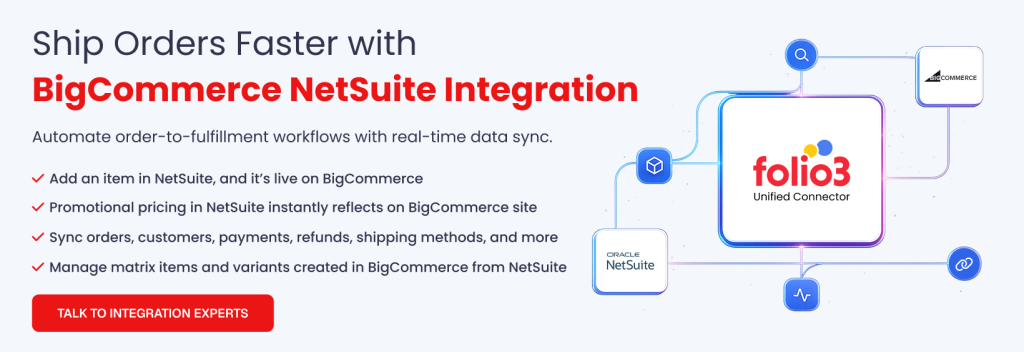
A smart way to improve client experiences and expedite operations is BigCommerce ERP Integration with NetSuite. Order fulfillment, inventory control, financial management, and customer relationship management are all integrated into a single, unified system thanks to this connection.
What is NetSuite?
Oracle owns NetSuite, a cloud-based customer relationship management (CRM) and enterprise resource planning (ERP) application. It provides a vast array of features for handling many business functions, such as inventory management, e-commerce, financial management, and customer relationship management.
What is BigCommerce?
BigCommerce is a well-known e-commerce platform that gives companies the ability to design, run, and improve their online storefronts. It provides a number of features and tools for online sales of goods and services.
Businesses of all sizes can successfully launch and expand their online presence with BigCommerce’s configurable templates, safe payment choices, and multi-channel selling features.
Watch NetSuite and BigCommerce video here https://youtu.be/Yhk9t16z7zE
Benefits of Syncing BigCommerce with NetSuite ERP
Connecting BigCommerce with NetSuite brings your operations into a single workflow. It reduces manual tasks, keeps data consistent, and helps teams manage orders, customers, and finances with confidence. When both systems align, decisions become faster and daily work becomes much smoother.
Unified Operations
A connected setup helps your systems work together instead of running separately. This removes duplicate work and keeps information consistent across teams.
- Syncing orders, customers, and inventory reduces repetitive data entry
- Real time visibility into sales, fulfillment, and financial trends
Accurate Inventory and Order Management
Shared data between both platforms keeps stock levels accurate everywhere. This limits fulfillment issues and improves customer expectations.
- Lower stockouts and fewer overselling incidents
- Faster order processing with centralized inventory updates
Improved Financial Accuracy
Automation helps finance teams avoid manual entry and errors. All sales and transaction details move directly into NetSuite for clean reporting.
- Automated posting of sales, refunds, taxes, and payments
- Smoother reconciliation and more reliable statements
Better Customer Experience
Customers receive more consistent communication when support teams have access to a unified record. This improves trust and reduces delays.
- More accurate delivery estimates and order updates
- Faster support due to a complete customer history in one place
Scalability for Growing Brands
Integrated systems help your business stay organized during growth. Higher-order volumes or seasonal spikes become easier to manage.
- Consistent performance during peak shopping periods
- Ability to handle more orders without adding manual workload
Common Methods to Connect BigCommerce and NetSuite
Understanding the different approaches to information exchange helps you choose a setup that fits your data volume, operational complexity, and long-term scalability needs.
Each method offers a different balance of speed, flexibility, and control, especially when handling orders, catalog updates, and financial records tightly linked to BigCommerce and NetSuite.
API Based Synchronization
API driven workflows support fast and structured information exchange between BigCommerce and NetSuite. They allow systems to push and pull data as soon as events occur, which keeps records aligned across channels.
- Real time synchronization for orders, customers, products, and inventory
- Flexible mapping rules that support custom fields, pricing logic, or multi store setups
- Ideal for businesses with constant sales activity and the need for immediate updates
Middleware or iPaaS Platforms
Middleware and iPaaS tools act as a central layer that manages data flow between BigCommerce and NetSuite. This reduces the load on internal teams and provides one place to monitor issues, retries, and transformation rules.
- Prebuilt connectors that handle common objects such as orders, shipments, and catalog changes
- Centralized dashboards for monitoring failures, schedules, and information flow
- Useful for brands with multi-channel ecosystems or complex transformation rules
File-Based Information Exchange
Some businesses use scheduled file transfers to move information between both systems. These work well when order volume is low or updates do not need to run continuously.
- Uses CSV or XML exports and imports to share catalog, inventory, or financial details
- Good for seasonal businesses or controlled batch processing
- Lower infrastructure demand, but slower compared to API driven methods
Custom Integration Architecture
Custom architectures are designed when business logic, workflows, or data models cannot be supported by standard patterns. This gives full control over how information is validated, processed, and delivered.
- Tailored flows that follow unique business rules, multi-warehouse logic, or specialized fulfillment steps
- Deep control over information handling, transformation, routing, and error recovery
- Best for businesses with specialized operational layers or heavy customization in NetSuite
Use Cases for BigCommerce NetSuite Integration
Connecting BigCommerce and NetSuite supports smoother operational workflows across sales, fulfillment, inventory, and customer management. These use cases show how both systems complement each other when information moves accurately and on time.
Order to Cash Flow Automation
When orders move from BigCommerce into NetSuite automatically, the entire cycle becomes more reliable. Teams no longer depend on manual entry, and every step from order capture to cash recognition becomes easier to track. This helps in saving time and focus on core business processes.
- Orders reach NetSuite instantly and trigger picking, packing, and shipping
- Payments, taxes, and discounts sync into financial records without re-entry
- Faster invoicing and fewer bottlenecks during reconciliation
Centralized Product and Catalog Updates
Product information often changes throughout the year, and managing it in multiple places creates inconsistencies. A unified structure solves that problem by keeping catalog data aligned across channels.
- Updates to titles, pricing, variants, and availability flow to BigCommerce
- Reduces mismatched product details that confuse customers
- Helps maintain accurate records for promotions or seasonal items
Unified Inventory View Across Locations
Inventory management is one of the most sensitive parts of any online operation. A shared view allows businesses to avoid stock errors and plan purchasing with more confidence.
- Stock levels refresh automatically when sales occur or new supply arrives
- Reduces overselling, backorders, and customer service escalations
- Helps track multiple warehouses or store locations in one place
Customer Data Harmonization
Customer details often get scattered across eCommerce, support tools, and accounting systems. Bringing that information together helps teams understand each buyer more clearly.
- Consolidated profiles with order history, contact details, and preferences
- Better support interactions with faster access to past activity
- Cleaner records that support reporting and long-term planning
Multi-Channel Sales Coordination
Brands selling beyond BigCommerce usually face disconnected data streams. A unified backbone such as connecting BigCommerce and NetSuite, helps link marketplace, POS, and website orders so operations run smoothly.
- Synchronizes orders from channels like Amazon, eBay, and retail POS
- Makes stock updates consistent across all selling points
- Helps track performance and demand patterns across every channel
eCommerce Use Cases for Syncing BigCommerce with NetSuite
The following are the most common use cases you can leverage BigCommerce and NetSuite for.
| Use Case | Description | Key Benefits |
|---|---|---|
| Order-to-Cash Flow Automation | Automates order movement from BigCommerce to NetSuite, including picking, packing, shipping, and payment posting. | Faster invoicing, fewer errors, improved cash flow visibility. |
| Centralized Product and Catalog Updates | Keeps product titles, pricing, variants, and availability consistent across BigCommerce and NetSuite. | Accurate listings, reduced customer confusion, and easier promotion management. |
| Unified Inventory View Across Locations | Provides real-time inventory visibility across warehouses, stores, and sales channels. | Prevents overselling, improves replenishment planning, and reduces backorders. |
| Customer Data Harmonization | Consolidates customer profiles, order history, and contact information into a single view. | Enhanced support, better reporting, improved customer experience. |
| Multi-Channel Sales Coordination | Syncs orders and stock across marketplaces like Amazon, eBay, POS, and BigCommerce. | Consistent inventory, smoother fulfillment, better multi-channel insights. |
Challenges in BigCommerce ERP Integration
Data Synchronization
It might be difficult to make sure that order data, inventory levels, product information, and customer information are always linked between BigCommerce and NetSuite. Customer discontent might result from differences caused by inaccurate or delayed synchronization.
Complex Mapping
The other challenge is in the complex field mapping of data between the two systems. Inconsistencies in data structures, naming conventions, and formats create barriers to integration.
Mapping should be very accurate and should avoid inconsistencies and errors in data.
Custom Workflows
Numerous companies have distinct procedures and workflows that call for adjustments. The ERP system integration of these unique operations might be difficult and time-consuming. The integration solution’s inability to adapt to particular business requirements may be a hindrance.
Technical Expertise
BigCommerce to ERP integration may call for a certain level of technical expertise. The business may need to spend money on some very skilled IT resources or seek the services of external consultants who are better placed to handle such complexities involved in the integration process.
In-house expertise in short supply could delay the project and consequently increase its cost.
Data Quality
Quality data entails the success of each integration project. Errors and inefficiency in some forms precipitate poor decision-making brought about by wrong or incomplete data. Data-cleaning and -validating processes ensure data integrity.
Performance Impact
System performance could drop upon integrating two complex systems. High-volume data exchange and frequent synchronization, with complicated data processing, might bring ERP for BigCommerce integration updates to their knees.
Thus, performance optimization is a critical point to avoid bottlenecks of systems that may frustrate the users.
Security Concerns
System integration implies some sharing of sensitive data, thus raising concerns about the security of customer data, financial information, and intellectual property, which are very important and should be protected.
Strong measures in security have to be implemented to avoid data breaches and unauthorized access.
Maintenance and Upgrades
BigCommerce ERP integration is an uninterrupted process: it is constantly under maintenance and upgrade. All of this—the updating of the system, changes in business processes, and ever-changing integration requirements—continuously requires attention and adjustments.
Cost
Not all integration projects require the purchase of integration technologies or services at a financial cost. Development, testing, training, and continuing support are some examples of these expenses.
Scope Creep
As with any other complex project, the common issue for this project is scope creep. Unforeseen complexities, extra requirements, and changing priorities all may cause delayed completion and overshooting of budgets.
Clearly defined project scope and change management are critical in mitigating this risk.
User Training
Effective user training is another thing that gets overlooked. Users need to understand the new system, its functionality, and how to use it. Proper training will ensure the users actually adopt the new tool and receive all the benefits of the integration.
Data Mapping in BigCommerce ERP Integration with NetSuite
Data mapping is one of the core competencies underlying any successful BigCommerce ERP integration, including the ones with NetSuite. It means aligning data elements from both platforms carefully to ensure that data transfers without hassles or inaccuracies.
The level of complexity involved here is imperative to understand. BigCommerce and NetSuite have different data structures and field names with different levels of detail—so it’s quite a challenging mapping process. Custom fields in both will just add more variants in their interaction, which further complicates things. Large datasets get all these issues worse, insisting on maximum attention to detail.
Key Elements for Mapping
Critical data element mapping was one of the most important activities in making this integration a success. This would include product information, details, and categories that come with images, pricing, and inventory levels. The mapping would also involve customer profiles and order information, inventory levels, and financial data.
Mapping Challenges and Solutions
The journey of data mapping is not free of challenges, though. The inconsistencies of data between systems are one such obstacle. Lack or duplication of information adds more complications to the case. Products with complex structures or variants pose an added challenge for mapping. Another potential problem is mismatches in custom fields between the two platforms.
Several strategies can be implemented to overcome these issues. Standardization of data in both systems will make mapping easier. Rigorous data validation will highlight the inconsistencies that have to be addressed. Test mappings should be created to validate the flow of data. The approach can also be iterative so that adjustments can be made when new challenges arise.
Best Practices for Data Mapping
Some best practices to follow would ensure that data mapping works to its fullest effectiveness. Involving key stakeholders from the IT and business sectors would make sure that collaboration is established and complete in nature.
Detailed documentation for mapping rules is required for future reference. Rigorous testing will prove accuracy and completeness of data. Proper monitoring and maintenance are required to identify the problems that may arise.
Proper data mapping can increase the speed and accuracy of BigCommerce ERP integration with NetSuite, resulting in increased growth in business and profitability.
Best Practices of Syncing BigCommerce and NetSuite
Ensuring smooth information exchange between BigCommerce and NetSuite requires careful planning and structured workflows. Following best practices reduces errors, keeps data accurate, and prepares your systems to scale as your business grows.
Start with Clear Data Mapping Rules
Mapping data correctly is the foundation of reliable integration. Knowing how fields in BigCommerce correspond to NetSuite ensures information flows correctly.
- Define exact fields for orders, products, inventory, and customers
- Handle custom fields or variations explicitly
- Avoid ambiguity that can cause mismatches or duplicates
Use Incremental Sync Instead of Bulk Pushes
Sending all data at once can overload systems and cause errors. Incremental syncing processes only new or changed data for efficiency and accuracy.
- Sync updates continuously instead of large batches
- Reduce chances of duplication or conflicts
- Improve system performance and response times
Align Workflows with Business Logic
Integration should reflect how your business actually operates, not just system defaults. This ensures automation supports real-world processes.
- Customize rules for order approvals, shipping, and inventory allocation
- Maintain consistent pricing, promotions, and multi-location rules
- Adapt workflows as business needs evolve
Build Error-Handling and Monitoring from Day One
Errors are inevitable in integration. Designing robust monitoring and error-handling prevents small issues from becoming major problems.
- Implement automatic alerts for failed syncs or mismatched data
- Track failed records and allow quick corrections
- Maintain logs for audits and troubleshooting
Optimize for Peak Season Performance
High traffic periods can strain integrated systems. Preparing for peak season ensures reliability under load.
- Test integration during simulated high-volume scenarios
- Prioritize critical workflows like order-to-cash and inventory updates
- Ensure real-time syncs remain stable during spikes
Maintain Version Control and Documentation
Clear documentation helps teams manage integrations and reduces downtime when updates or changes occur.
- Track versions of integration scripts, connectors, or APIs
- Document mapping rules, workflows, and error resolutions
- Keep updates and changes transparent for all stakeholders
The Role of Experts in BigCommerce ERP Integration
Deep Platform Knowledge
Experts possess an in-depth understanding of BigCommerce’s architecture, APIs, and limitations. They also have a comprehensive grasp of ERP for BigCommerce integration, its functionalities, and data structures.
Custom Integration Development
Many businesses have unique requirements that cannot be met by pre-built integrations. Experts can develop custom integrations tailored to specific business needs, ensuring seamless data flow and process optimization.
Data Mapping and Migration
Accurate and efficient data migration between BigCommerce and the ERP system is crucial. Experts can handle complex data mapping and migration processes, minimizing errors and downtime.
Troubleshooting and Support
Integration issues can arise unexpectedly. Experts can diagnose problems quickly, implement solutions, and provide ongoing support to ensure system stability.
Process Optimization
Beyond technical integration, experts can analyze business processes to identify areas for improvement and optimize workflows through the integration.
Conclusion
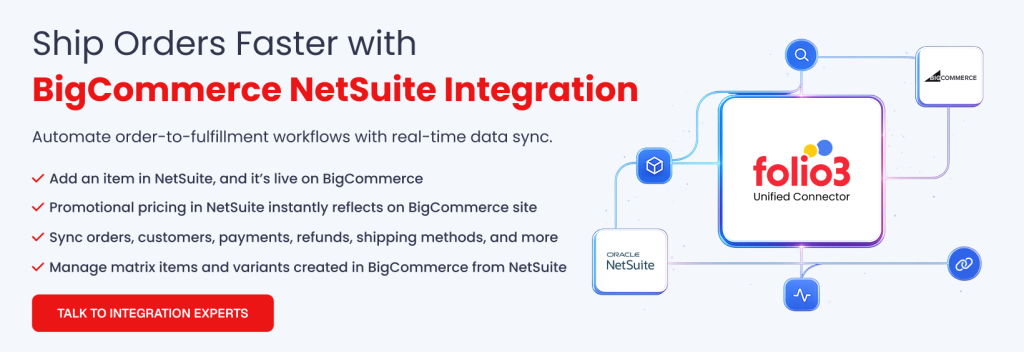
Hiring an integration specialist like Folio3 for BigCommerce ERP Integration can help you save time, reduce risks, and make sure all of your systems are functioning together. Folio3’s expertise, understanding, and commitment to providing customized solutions can help the integration process go more smoothly and successfully.
Please get in touch with us if you require professional integration services catered to your company’s demands. Our team of experts is dedicated to providing streamlined and effective solutions that boost your online business.
FAQs
Which integration method is best for my business?
Choosing the right integration approach depends on your order volume, system complexity, and business workflows. Here’s a practical guide:
- Use API-based synchronization if: you need real-time updates for orders, inventory, and customers across multiple locations. This is ideal for businesses with constant sales activity and high transaction volume.
- Use middleware or iPaaS platforms if: you operate multiple channels, need centralized monitoring, or want prebuilt connectors to manage complex workflows without heavy coding.
- Use file-based exchange if: your sales volume is lower, updates can be scheduled, or you need batch processing for seasonal or low-frequency data changes.
- Use custom architectures if: your workflows or data models are unique, requiring tailored processing, advanced error handling, or multi-step business logic.
This approach ensures your integration method fits your operational needs and scalability requirements.
How can I ensure the integration runs smoothly during peak seasons?
Preparation and monitoring are critical for high-volume periods.
- Test workflows with simulated peak loads
- Prioritize critical data flows such as orders and inventory
- Monitor syncs in real time and set alerts for failures
Do I need an external partner to implement integration?
It depends on your in-house expertise and system complexity. Experienced teams can help:
- Design custom workflows and data mapping
- Handle error monitoring and performance optimization
- Ensure seamless multi-channel and financial synchronization
You can explore guidance from Folio3 NetSuite integration services for examples of best practices.
How does integration help with customer management?
Integration consolidates customer data for better service and reporting. Teams can respond faster and provide consistent experiences.
- Unified profiles with order history, contact info, and preferences
- Faster support with access to all relevant information
- Insights for marketing and loyalty programs
Can integration improve inventory accuracy?
Yes, a connected system ensures stock levels are consistent across all channels. This reduces errors and improves fulfillment.
- Automatic inventory updates when sales or returns occur
- Centralized warehouse visibility across locations
- Alerts for low stock or discrepancies
