
Key Takeaways
- NetSuite Autonomous Suite introduces AI capabilities that investigate business issues and coordinate activities alongside existing ERP automation.
- SuiteScript and SuiteFlow remain important for deterministic calculations, validations, approval rules, and transaction processing.
- SuiteSkills, SuiteAgents, and AI Workspaces support different aspects of business analysis, task execution, and process coordination.
- Existing integrations remain necessary because AI agents depend on accurate information from connected business applications.
- Businesses should evaluate their existing customizations, data quality, permissions, and business processes before expanding AI-driven operations.
NetSuite Autonomous Suite introduces AI agents, business-specific skills, and collaborative workspaces designed to help ERP systems investigate operational issues and support the actions required to resolve them. Announced at SuiteWorld 2026, it represents an expansion of NetSuite’s existing automation capabilities.
For businesses already using NetSuite, the implications extend into years of configuration decisions, custom SuiteScripts, SuiteFlow workflows, third-party integrations, and established business processes.
An approval workflow that validates purchase orders against spending limits still serves an important purpose. A SuiteScript that calculates customer-specific pricing remains necessary when those pricing rules are not supported by standard functionality. Similarly, an integration connecting NetSuite with a warehouse management system continues to manage transaction and inventory synchronization.
Autonomous Suite introduces another capability into this environment, that is AI that interprets business information, investigates exceptions, and supports defined actions using the ERP’s existing data and processes.
The question for existing NetSuite customers is where these capabilities improve established operations, where custom development remains necessary, and which processes require attention before AI adoption.
What Is NetSuite Autonomous Suite?
NetSuite Autonomous Suite is Oracle NetSuite’s vision for ERP operations that combines business data, artificial intelligence, and agents to investigate issues, coordinate activities, and execute supported actions.
Announced on October 26, 2026, Autonomous Suite builds on NetSuite Next rather than introducing a separate ERP system.
Its capabilities include SuiteSkills, industry-specific SuiteAgents, AI Workspaces, AI Portlets, and additional agent-development functionality planned for future releases.
These technologies serve different purposes within the ERP environment.
| Capability | Function within NetSuite |
|---|---|
| SuiteSkills | Provides reusable NetSuite business knowledge and instructions that help AI investigate specific business questions |
| SuiteAgents | Supports defined business activities using industry knowledge, available tools, and relevant ERP information |
| AI Workspaces | Brings business information, employees, agents, and related activities into a shared working environment |
| AI Portlets | Embeds AI-powered information and interaction into supported NetSuite pages |
| SuiteAgent Studio | Planned capability for developing business-specific agents |
| SuiteFlow Agent | Planned capability for supporting workflow-related activities through AI |
| SuiteAgent Management Workspace | Planned functionality for managing and governing agent activity |
At SuiteWorld 2026, Oracle announced that SuiteSkills, AI Portlets, AI Workspaces, and select industry-specific SuiteAgents were available in markets where NetSuite Next had launched. Other functionality remains part of the product roadmap.
Will NetSuite Autonomous Suite Replace Existing SuiteScripts and Workflows?
NetSuite Autonomous Suite does not eliminate the need for SuiteScript or SuiteFlow. These technologies execute established business logic, while AI capabilities add contextual analysis, interpretation, and supported task coordination.
Let’s see how NetSuite processes transactions.
SuiteFlow Continues to Enforce Defined Business Rules
SuiteFlow manages workflows based on configured states, conditions, transitions, and actions.
An existing purchase order approval process might route transactions according to department, purchase amount, subsidiary, and employee approval limits. When a purchase order exceeds the assigned threshold, the workflow directs it to the appropriate approver.
Once the required approval conditions are satisfied, processing continues. These rules are predictable and do not require an AI model to interpret the intended outcome.
Autonomous capabilities introduce value when the process needs information that the workflow rules do not explain. For instance, an AI-supported process could investigate why purchase orders are repeatedly rejected, identify recurring supplier or department-level exceptions, and summarize the underlying transaction patterns.
The AI assists with understanding and resolving the issue. SuiteFlow continues to enforce the approval conditions.
Replacing established validation rules with model-generated decisions would introduce unnecessary uncertainty into a process that already has defined requirements.
SuiteScript Remains Necessary for Custom Transaction Logic
NetSuite businesses use SuiteScript to implement functionality that standard configuration does not fully address.
Common examples include customer-specific pricing, custom tax or transaction validations, integration processing, complex calculations, and automated record updates.
These scripts perform specific operations using defined business rules and NetSuite APIs.
A custom pricing script, for example, might calculate a sales order rate using an agreed customer contract, quantity brackets, item categories, and applicable discounts.
The result needs to follow the established calculation consistently.
An AI agent might investigate why a quoted price differs from the customer’s previous transaction, retrieve the relevant contract information, and explain which pricing conditions apply.
The actual price calculation should continue to use the approved business logic.
This arrangement separates interpretation from execution. The AI determines what needs investigation, while the existing script provides the controlled operation required to process the transaction.
SuiteSkills and SuiteAgents Address Different Requirements
SuiteSkills provide reusable NetSuite business expertise to supported AI systems, such as ChatGPT, Claude, and NetSuite’s own Ask Oracle. They help AI applications understand specific business processes and investigate information using relevant NetSuite functionality.
SuiteAgents extend this capability into defined tasks supported by the available tools and business context.
Let’s say, revenue leakage analysis requires understanding the relationship between customer orders, deliveries, billing schedules, and invoices.
A business-specific AI skill helps investigate records that indicate a possible billing discrepancy. An authorized agent could then support the next activity, such as gathering supporting records or preparing an exception for review.
Neither capability removes the underlying transaction relationships or business rules.
The practical difference is that existing automation handles known conditions, while AI assists where identifying the next step requires interpreting several pieces of information.
How Does Autonomous Suite Change Financial Close Processes?
Financial close is one of the clearest examples of how AI changes the work surrounding established ERP transactions.
Finance teams currently depend on general ledger (GL) balances, account reconciliations, saved searches, approval workflows, and supporting transaction records.
During month-end close, accountants investigate unexpected balances, review accruals, reconcile accounts, and prepare adjustments.
These activities involve several connected tasks. A variance in accrued expenses might require reviewing vendor bills, purchase orders, journal entries, payment timing, and earlier reporting periods.
From Period-End Investigation to Continuous Exception Analysis
NetSuite’s Autonomous Close vision seeks to identify and resolve accounting issues throughout the reporting period rather than concentrating the investigation at month-end.
The Autonomous Close workspace brings relevant information, work activities, and AI-supported analysis into the close process.
This changes how accountants interact with exceptions. Instead of discovering an unexplained account movement during final close review, the finance team has an opportunity to investigate it earlier.
The investigation could include:
- Identifying a material balance movement against an earlier reporting period.
- Retrieving the underlying transactions contributing to the difference.
- Examining unusual transaction classifications or unmatched amounts.
- Preparing an explanation based on the supporting records.
- Directing unresolved exceptions to the appropriate finance user.
The underlying accounting controls remain essential. A journal entry still needs valid accounts, subsidiaries, accounting periods, and any required approval. An AI-generated explanation does not establish that a proposed adjustment is correct.
Now, What Happens to Existing Close Customizations?
Existing close-related SuiteScripts, workflows, reports, and integrations continue to perform their intended functions.
Custom account reconciliations or reporting logic should be reviewed to determine whether they provide required calculations, duplicate another feature, or introduce unnecessary processing.
AI does not automatically resolve a reconciliation problem caused by incorrect account mappings or incomplete transaction synchronization.
Those issues require correction in the underlying configuration or data exchange process.
For existing NetSuite customers, the immediate opportunity is to improve the investigation and coordination of close activities while retaining reliable transaction processing.
Oracle describes a zero-day close as an intended direction for Autonomous Close, and not a guaranteed result for every customer.
Businesses should measure actual improvements through reconciliation completion times, unresolved exceptions, adjusting entries, and the duration of their close cycle.
What Changes for Inventory Planning and Purchasing Workflows?
Inventory planning involves a combination of predictable calculations and changing operational conditions. NetSuite maintains information such as inventory availability, open sales orders, purchase orders, reorder points, supplier lead times, and replenishment requirements.
Existing automation uses these records to generate planning information and process procurement activities.
AI introduces additional analysis around changing demand, inventory exceptions, and purchasing decisions.
Identifying the Cause of Inventory Exceptions
A shortage against an open sales order does not always mean the business needs to purchase additional stock immediately.
The issue might be related to delayed inbound shipments, inaccurate item records, inventory committed to another order, or demand exceeding the current forecast.
An AI-supported investigation evaluates the relevant records to explain why the shortage exists.
For instance, inventory availability might appear sufficient at the company level while the required quantity is unavailable at the fulfillment location. The agent needs to distinguish total stock from location-specific available inventory before recommending action. This is where transaction context becomes important.
The system should examine the affected sales orders, item availability, incoming purchase orders, and relevant lead times before determining which action requires attention.
Supporting Replenishment Decisions
AI also helps purchasing teams identify products with declining demand, excess stock, or a risk of shortage.
Folio3’s Nexus AI Inventory Planning Agent provides specialized inventory analysis using NetSuite data. It evaluates demand and inventory information to support replenishment recommendations and inventory parameter decisions.
The distinction between analysis and procurement remains important. An AI recommendation to increase a reorder point should reflect the relevant demand history, lead time, and inventory policies. Creating or approving the resulting purchase order follows the business’s established purchasing process.
This is why Autonomous Suite introduces additional intelligence into the planning process without removing the need for inventory records, purchasing rules, or transaction controls.
Can NetSuite Autonomous Suite Replace Existing Integrations?
Existing NetSuite integrations remain necessary because AI agents rely on accurate information from connected business applications.
Many NetSuite environments exchange transactions with ecommerce platforms, customer relationship systems, warehouse applications, payment providers, and external financial services.
These connections manage structured operations such as order creation, inventory updates, shipment confirmations, payment status changes, and customer record synchronization.
An AI agent investigating an order exception depends on the information those integrations provide.
AI Does Not Replace Reliable Transaction Synchronization
A warehouse management integration transfers fulfillment-related information between NetSuite and the warehouse system. If a shipment confirmation fails to synchronize, NetSuite will continue showing an order as unfulfilled even though the goods have left the warehouse.
An AI agent examining that order could incorrectly conclude that shipment processing has not started. The problem is incomplete transaction data, rather than a lack of AI reasoning. The integration must successfully synchronize the relevant record before the agent has an accurate operational picture.
This applies equally to CRM, ecommerce, payment, and procurement integrations.
Where AI Adds Value to Connected Processes
AI becomes useful when identifying an exception requires information from multiple applications.
For example, an order appears delayed in NetSuite while the warehouse system records a picking exception and the shipping provider reports that no collection has been scheduled.
An agent with authorized access to the relevant information could consolidate the available statuses, identify the outstanding activity, and prepare an explanation for the operations team.
Executing the correction still requires approved operations through the connected systems.
This is where the NetSuite AI Connector Service and supported MCP tools provide a connection approach for external AI applications.
The connector exposes permitted NetSuite functions to compatible AI clients. What it does not do is replace the underlying integration platform or independently guarantee successful transaction processing.
Folio3’s NetSuite AI Connector Services address this part of the integration environment, including the connection of external AI applications with NetSuite data and supported business operations.
Native SuiteAgents vs Custom AI Agents: Which Should You Use?
The decision depends on whether the required process is already supported by NetSuite’s native functionality or needs business-specific operations.
Oracle’s industry-specific SuiteAgents are designed around defined industry requirements, including healthcare, software, product, construction, and NGOs. They incorporate relevant business context and support tasks associated with those processes.
But a business may have additional requirements involving custom records, unusual approval conditions, external applications, or proprietary business logic.
When Native SuiteAgents Are Sufficient
An available native SuiteAgent is the starting point when it supports the required task and works with the information already maintained in NetSuite.
Businesses should examine what the agent performs, which records it accesses, and whether the supported outcome matches the existing process.
There is limited value in developing a separate agent that duplicates an available capability without addressing a specific functional gap.
When Custom AI Tools Are Necessary
Custom development becomes relevant when the agent requires functionality not exposed by existing tools.
NetSuite supports custom MCP tools developed through SuiteScript 2.1 and the SuiteCloud Development Framework.
These tools expose defined operations to compatible external AI clients through the NetSuite AI Connector Service.
The external agent provides reasoning and determines when a tool should be invoked. The NetSuite tool executes the supported operation according to its implementation and the connected user’s permissions.
This separation helps businesses keep transaction logic within a controlled NetSuite component while allowing an external agent to investigate information and initiate authorized requests.
SuiteAgent Studio is also part of Oracle’s announced roadmap, but its future availability should not be confused with custom MCP tooling already supported through the AI Connector Service.
Where Folio3’s Nexus AI Fits
Folio3’s Nexus AI portfolio addresses specific business requirements including vendor bill automation, receivables collection, inventory planning, sales order intake, and financial analysis.
These solutions are separate from Oracle’s native SuiteAgents.
For example, a sales order intake agent processes customer order information and supports the creation of validated NetSuite transactions. The process needs customer identification, item matching, pricing validation, and exception handling.
The right solution depends on whether a native capability already covers these activities or whether the company needs a specialized agent to meet its requirements.
What Will NetSuite Autonomous Suite Cost Existing Customers?
The cost of adopting Autonomous Suite depends on feature availability, licensing, AI consumption, existing customizations, and the amount of additional implementation work required.
Businesses should separate native NetSuite costs from custom development and external AI expenses.
NetSuite introduced AI Units as a consumption measure for applicable native generative AI capabilities. Certain native features consume these units, while external AI processing through the NetSuite AI Connector Service follows the external provider’s commercial arrangements.
But not every newly announced Autonomous Suite capability has a separately established public price.
| Cost component | What affects the investment |
|---|---|
| Native NetSuite AI | Feature eligibility, relevant licensing, and applicable AI usage charges |
| Existing customizations | Scripts or workflows requiring review, correction, or changes |
| Custom AI development | Tool definitions, SuiteScript development, integration, and validation |
| External AI providers | Model subscriptions, usage charges, and related service requirements |
| Data and integration improvements | Corrections to incomplete records, failed synchronization, and mapping problems |
| Maintenance | Monitoring, access management, troubleshooting, and updates |
The largest avoidable expense is duplicating functionality or introducing AI into a process with unresolved operational problems.
A custom agent that repeatedly investigates incorrect inventory balances will not resolve the source integration or transaction configuration responsible for those balances.
Similarly, adding AI to an approval process does not justify replacing reliable SuiteFlow conditions that already enforce the intended rules.
The business case should measure the additional value of AI against existing processing costs, investigation time, exception rates, and the effort required to maintain the new functionality.
How Should Existing NetSuite Customers Prepare for Autonomous Suite?
Businesses should assess their current ERP environment before expanding AI-assisted operations. The purpose is to identify which processes are already reliable, which require correction, and where AI provides a meaningful additional capability.
A useful approach is to classify existing functionality into four categories.
Keep Existing Automation That Works
Retain SuiteScripts, workflows, saved searches, and integrations that consistently perform necessary business operations.
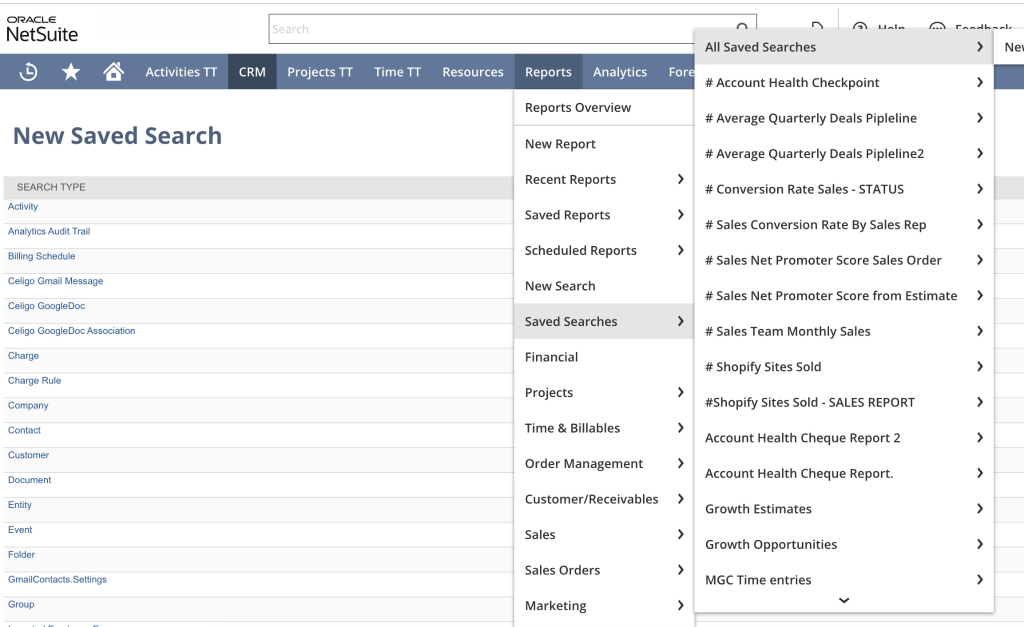
A purchasing approval workflow that enforces established authorization limits does not need replacement simply because an AI-enabled alternative becomes available.
The same applies to pricing calculations, tax logic, and reliable transaction synchronization.
Improve Processes With Existing Problems
Review customizations with recurring errors, undocumented dependencies, or overlapping functionality.
AI will encounter the same inaccurate records and inconsistent business processes that affect employees today.
Before adding agents, the business should address the underlying causes of transaction discrepancies, incomplete integration data, or unreliable configuration.
Extend Processes Where AI Adds Specific Value
Target activities that require significant interpretation, investigation, or information gathering.
Examples include financial variance analysis, revenue leakage investigations, inventory exception reviews, and customer order validation.
These processes provide opportunities to combine existing ERP rules with AI-supported analysis. The implementation should identify the required input records, expected outputs, available actions, and conditions that require an exception or escalation.
Evaluate Announced Features Separately
Some Autonomous Suite capabilities remain planned rather than available across all accounts.
Customers should confirm which features are accessible under their current NetSuite release, region, licensing, and NetSuite Next eligibility.
Implementation plans should distinguish functionality that the business can test today from capabilities dependent on future releases.
Folio3’s NetSuite Next Readiness Toolkit provides a structured starting point for reviewing existing customizations, user experiences, permissions, data quality, and adoption risks. It includes more than 125 checkpoints across eight risk areas, along with role-specific checklists for administrators, developers, and business users.
This assessment helps businesses understand the condition of their existing environment before introducing additional AI capabilities.
What NetSuite Autonomous Suite Means for Existing Customers
NetSuite Autonomous Suite changes how businesses investigate and coordinate ERP activities, but it does not remove the importance of established transaction processing, configuration, and integration logic.
SuiteFlow continues to enforce defined workflows, SuiteScript implements custom business rules, and external integrations maintain data exchange across connected systems. SuiteSkills, SuiteAgents, and AI Workspaces introduce additional ways to interpret information and support the work required to resolve operational issues.
For existing NetSuite customers, the most useful approach is to evaluate these capabilities against the processes already running in their environment.
Retain reliable automation, correct existing problems, and introduce AI where it provides measurable improvements in financial analysis, inventory planning, exception management, or connected business operations.
The value of Autonomous Suite will depend on how effectively those new capabilities work with the ERP investments businesses have already made.
FAQs
Does NetSuite Autonomous Suite Require Reimplementation?
No. NetSuite Autonomous Suite builds on NetSuite Next and the existing NetSuite platform. Existing customers do not need to replace their ERP or migrate their business data solely to adopt NetSuite Next. However, individual customizations, permissions, integrations, and business processes may require review or adjustment to support new capabilities.
Will SuiteAgents Replace SuiteScript Developers?
SuiteAgents do not replace the technical requirements handled by SuiteScript. Custom calculations, transaction validation, integration logic, and business-specific operations still require reliable implementation. AI changes the types of activities developers support, particularly around custom tools, data access, and agent-enabled processes.
Can Autonomous Suite Agents Modify NetSuite Transactions?
Supported agents and tools perform actions within their configured capabilities and applicable permissions. Whether an agent is permitted to create or modify a transaction depends on the available functionality, connected role, and relevant business controls. Financial postings and other sensitive operations should retain appropriate validation and approval requirements.
What Is the Difference Between NetSuite Next and Autonomous Suite?
NetSuite Next introduces an updated NetSuite experience with embedded AI capabilities, including Ask Oracle and other supported functionality. Autonomous Suite describes the direction toward connected AI skills, agents, and workspaces that investigate issues and coordinate business operations. The Autonomous Suite roadmap builds on the NetSuite Next foundation.
Should Businesses Replace Their Existing NetSuite Automation With AI?
Existing automation should remain in place where it performs accurate, predictable operations. AI adds value when processes require interpreting information, investigating exceptions, or coordinating activities that existing rules do not fully address. The decision should be based on actual business requirements rather than replacing established functionality simply to introduce AI.
