
Key Takeaways
- Choose a SuiteScript 2.1 migration partner that assesses customizations, dependencies, and business impact before estimating migration effort.
- Check experience with SuiteScript 1.0 conversion and SuiteScript 2.0/2.x runtime compatibility, since these require different approaches.
- Request baseline testing, regression evidence, developer review, and a controlled production deployment plan.
- Evaluate AI-assisted migration capabilities alongside the partner’s responsibility for validation and business acceptance.
- Compare proposals based on clearly defined deliverables, ownership, testing responsibilities, and post-migration support.
The right SuiteScript 2.1 migration partner should help you identify affected customizations, assess their dependencies, convert legacy code, and validate that existing NetSuite processes continue working after migration. Technical development experience matters, but so does the partner’s ability to manage testing, script ownership, integrations, and production deployment.
NetSuite’s transition creates different deadlines for different script versions. SuiteScript 1.0 enters limited support in 2027.1, SuiteScript 2.0 and 2.x scripts begin running under the 2.1 runtime by default in 2028.1, and all scripts must use SuiteScript 2.1 by 2028.2.
That gives your business time to plan, but the effort depends on what exists in your NetSuite account. A migration involving undocumented scripts, external integrations, and third-party customizations requires considerably more coordination than updating a small collection of compatible SuiteScript 2.0 files.
So, how do you distinguish a qualified SuiteScript migration consultant from a provider offering basic code conversion?
What Should You Look for When Choosing a SuiteScript 2.1 Migration Partner?
The most important NetSuite migration partner selection criteria are technical expertise, customization assessment, testing capabilities, integration experience, and accountability for deployment.
A partner should explain how it approaches your specific customization environment rather than quoting a standard conversion process. These are the areas that reveal whether its services cover the full migration.
1. Does the Partner Assess Your Existing Customizations Before Migration?
Your first concern should be whether the partner knows what it is being asked to migrate.
Many NetSuite accounts contain scripts developed by previous implementation partners, internal developers, and third-party vendors. Their source code might exist across the File Cabinet, SuiteCloud Development Framework (SDF) projects, and repositories that no longer reflect production.
An experienced consultant reconciles the available source with deployed customizations before deciding which version to migrate.
The assessment should establish script versions, deployment status, business functions, integrations, dependencies, and ownership. It should also identify locked scripts and managed SuiteApps that require coordination with their original vendors.
More importantly, a reliable partner does not recommend migrating every script it discovers.
Some customizations duplicate native NetSuite functionality. Others are inactive or support processes your business has discontinued. Your consultant should determine which scripts need migration, refactoring, replacement, or retirement.
This distinction affects both cost and effort. You should receive a migration inventory that explains what requires action and why.
Folio3’s technical guide to SuiteScript 2.1 migration covers the inventory, dependency analysis, and compatibility requirements involved in establishing that scope.
2. Does the Partner Understand SuiteScript 1.0 and 2.0 Migration Differences?
A consultant experienced in developing new SuiteScript 2.1 customizations is not automatically experienced in migrating legacy SuiteScript code.
SuiteScript 1.0 uses global APIs such as nlapiLoadRecord() and nlapiSearchRecord(). Migrating these scripts involves translating their functions into the SuiteScript 2.1 modular API model and reviewing entry points, record operations, and business logic.
SuiteScript 2.0 and 2.x require a different approach. Their API model is largely compatible with 2.1, but the JavaScript runtime introduces behavioral differences that require testing.
A script that previously relied on permissive JavaScript behavior could fail under strict mode. RESTlets also need compatibility checks for data handling and error responses, particularly when external applications depend on specific response structures.
Ask prospective partners how they distinguish scripts requiring substantial conversion from those needing limited changes and compatibility validation.
A competent SuiteScript 2.1 consultant should also understand why script types matter. User Event scripts affect record transactions, RESTlets exchange information with external systems, and Map/Reduce scripts handle scheduled data-processing workloads. Their regression scenarios should reflect those differences.
3. How Does the Partner Prove That Migrated Scripts Work Correctly?
Successful code conversion does not establish that your business processes remain unaffected.
A migrated Sales Order User Event script could execute successfully while applying an incorrect approval condition. A RESTlet could return a valid response but change a field format expected by an ecommerce integration.
These issues require testing against expected business behavior.
Your partner should establish a baseline before migration, covering relevant transaction results, integrations, record updates, and error conditions. After conversion, the migrated implementation should be executed in a sandbox and compared against those results.
Testing should answer more than whether a script runs without errors. It should establish whether customer records update correctly, transactions retain expected values, integrations exchange the correct data, and dependent processes continue functioning.
Ask your potential partner to show a sample migration report. It should identify the scripts changed, tests performed, failures encountered, corrections made, and remaining acceptance requirements.
If the provider cannot explain how it establishes functional equivalence, its testing process needs further examination.
4. Who Handles Deployment, Script Failures, and Post-Migration Changes?
Your migration partner should define what happens after code validation.
This includes who approves pull requests, who authorizes sandbox and production deployments, and how unexpected behavior is handled during release.
Production changes should follow an agreed deployment sequence rather than updating every customization simultaneously. Scripts supporting financial close, invoicing, fulfillment, or critical integrations need a rollout plan that accounts for their operational importance.
Ask how the partner manages rollback readiness, failed test scenarios, and defects discovered after deployment. The proposal should also identify which activities require your team’s participation.
Support arrangements matter here. If your internal team needs assistance maintaining migrated scripts or investigating integration failures after go-live, establish whether the same provider offers those services.
You should not discover after deployment that regression fixes, documentation, or troubleshooting fall outside the agreed engagement.
How Do You Evaluate and Compare SuiteScript Migration Partners?
SuiteScript migration partner evaluation should focus on verifiable deliverables rather than claims about development speed or years of experience alone.
Use this scorecard when comparing NetSuite consulting proposals.
| Evaluation criterion | What you should ask for | What raises concerns |
|---|---|---|
| Script discovery | Version inventory, deployment records, dependency map, and ownership assessment | A price based solely on script count |
| Migration strategy | Clear treatment of 1.0, 2.0, 2.x, locked scripts, and obsolete customizations | The same conversion approach for every script |
| Technical expertise | Examples of API conversion, runtime compatibility testing, and integration work | Experience limited to new SuiteScript development |
| Validation | Legacy baseline, regression evidence, sandbox results, and business acceptance criteria | Testing limited to compilation or successful execution |
| Delivery controls | Developer review, approval responsibilities, release batches, and rollback readiness | No documented deployment or escalation process |
| Ongoing assistance | Defined troubleshooting, documentation, and maintenance responsibilities | Unclear ownership after production deployment |
A useful final evaluation question is: What exactly will your team receive when the migration is complete?
The answer should include updated source code, deployment changes, testing evidence, documentation, identified limitations, and an approved release record. These deliverables help your team maintain the migrated customizations without depending entirely on the original developer.
How Does AI Change SuiteScript 2.1 Migration Partner Selection?
AI-assisted migration changes how developers handle repetitive conversion and validation tasks, but it does not eliminate the need for experienced NetSuite consultants.
AI tools assist with analyzing legacy scripts, converting API references, generating initial tests, identifying errors, and suggesting targeted repairs. The critical difference between providers is how they incorporate these capabilities into a validated migration process.
For example, an automated converter could replace a legacy function without fully understanding the transaction conditions surrounding it. A developer still needs to establish whether the updated script preserves the required business rules.
When assessing an AI-powered SuiteScript 2.1 migration, ask how the partner establishes the original behavior, reviews generated changes, runs regression tests, and handles validation failures. These details are more meaningful than a claim that a migration is fully automated. For reference, Folio3 provides an Autonomous Migration Factory in which there are specialized agents that help in legacy code analysis and other parts of the process.
Why Choose Folio3 as Your SuiteScript 2.1 Migration Partner?
Folio3 combines NetSuite consulting and development expertise with its Autonomous Migration Factory, an AI-powered process designed to support legacy code analysis, conversion, testing, and validation.
With 20+ years of NetSuite experience, 1,000+ projects, 800+ module deployments, and 260+ integration projects, our team understands how customizations interact with ERP transactions, workflows, and external applications.
Our approach begins with an account-wide assessment. We identify active scripts, reconcile available source code with deployed customizations, review dependencies, and determine which scripts need migration, refactoring, replacement, or retirement.
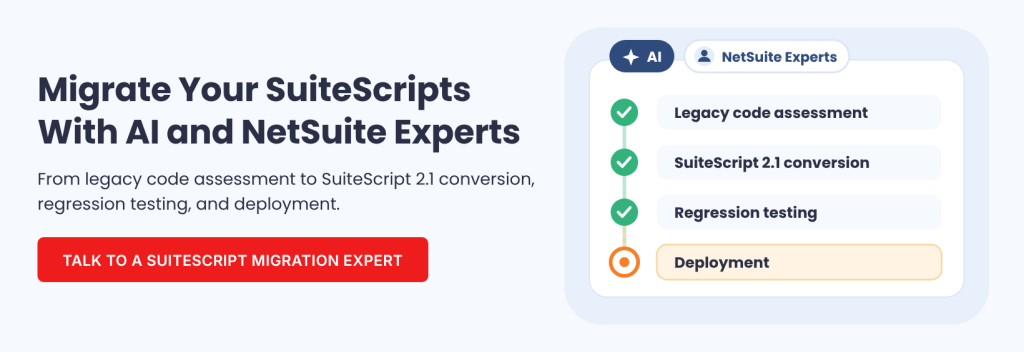
Once the scope is approved, the Autonomous Migration Factory coordinates specialized AI agents to establish business context, prepare regression scenarios, convert selected scripts, detect compatibility problems, and assemble migration evidence.
The process includes targeted automated repairs. For instance, when validation detects an unresolved legacy API reference such as nlapiGetNewRecord, the Repair Agent attempts a correction before continuing the relevant checks.
The Factory also supports pull requests, regression pipelines, sandbox execution, and comparisons between legacy and migrated results. Folio3’s SuiteScript developers review the converted code, while business users validate the processes affected by migration.
Our SuiteScript 2.1 migration services connect that automated technical process with customization assessment, developer oversight, and controlled deployment. And if you need help after migration, our NetSuite support team is available to handle script maintenance, integration issues, troubleshooting, and future customization needs.
Make Your SuiteScript Migration Partner Selection Count
The right SuiteScript 2.1 migration partner gives your business a clear understanding of the work required, the customizations affected, and the evidence needed to approve deployment.
Evaluate providers on how they assess your NetSuite environment, manage conversion, validate business behavior, and support the migrated code. These capabilities matter more than a promise to convert scripts quickly.
If your team needs help establishing the migration scope, Folio3’s SuiteScript 2.1 readiness assessment and migration services provide a starting point for identifying affected customizations and planning the transition.
FAQs
What should I look for when choosing a SuiteScript 2.1 migration partner?
Prioritize proven experience with legacy SuiteScript, customization assessments, integration dependencies, regression testing, and production deployment. Ask for a documented migration plan, clear responsibilities, and evidence of successful technical and business validation.
How much does a SuiteScript 2.1 migration partner cost?
Migration cost depends on script versions, complexity, dependencies, and testing requirements. SuiteScript 1.0 conversions generally require more development than compatible SuiteScript 2.0 upgrades. Ask for an assessment-based estimate that separates conversion, testing, vendor coordination, and deployment effort.
Can a new NetSuite partner migrate scripts developed by another consultant?
Yes, provided the required code and permissions are available. The new partner should reconcile existing source files with deployed scripts and assess their dependencies. Locked or vendor-managed customizations require coordination with the responsible provider.
Should I choose an AI-powered SuiteScript migration service?
Choose an AI-assisted service when its automation is supported by developer review, regression testing, and documented validation. Folio3’s Autonomous Migration Factory combines AI agents with NetSuite specialists, so code conversion is followed by technical checks and business acceptance.
